

English
Configuration Steps
I. SAML Protocol Principles
In the SAML protocol, there are two entities: Service Provider (SP, representing Fxiaoke) and Identity Provider (IdP, representing Microsoft).
The authentication process essentially involves information exchange between these two entities. The Identity Provider verifies login credentials and ultimately transmits user information to the Service Provider.
We compare a specific attribute of the user information (e.g., phone number) with the "Single Sign-On Account" value in Fxiaoke's [Personnel] form. If they match, the login succeeds; otherwise, it fails.
II. Preparations from Both Parties
1. Fxiaoke Side
1.1. Apply for SSO Domain
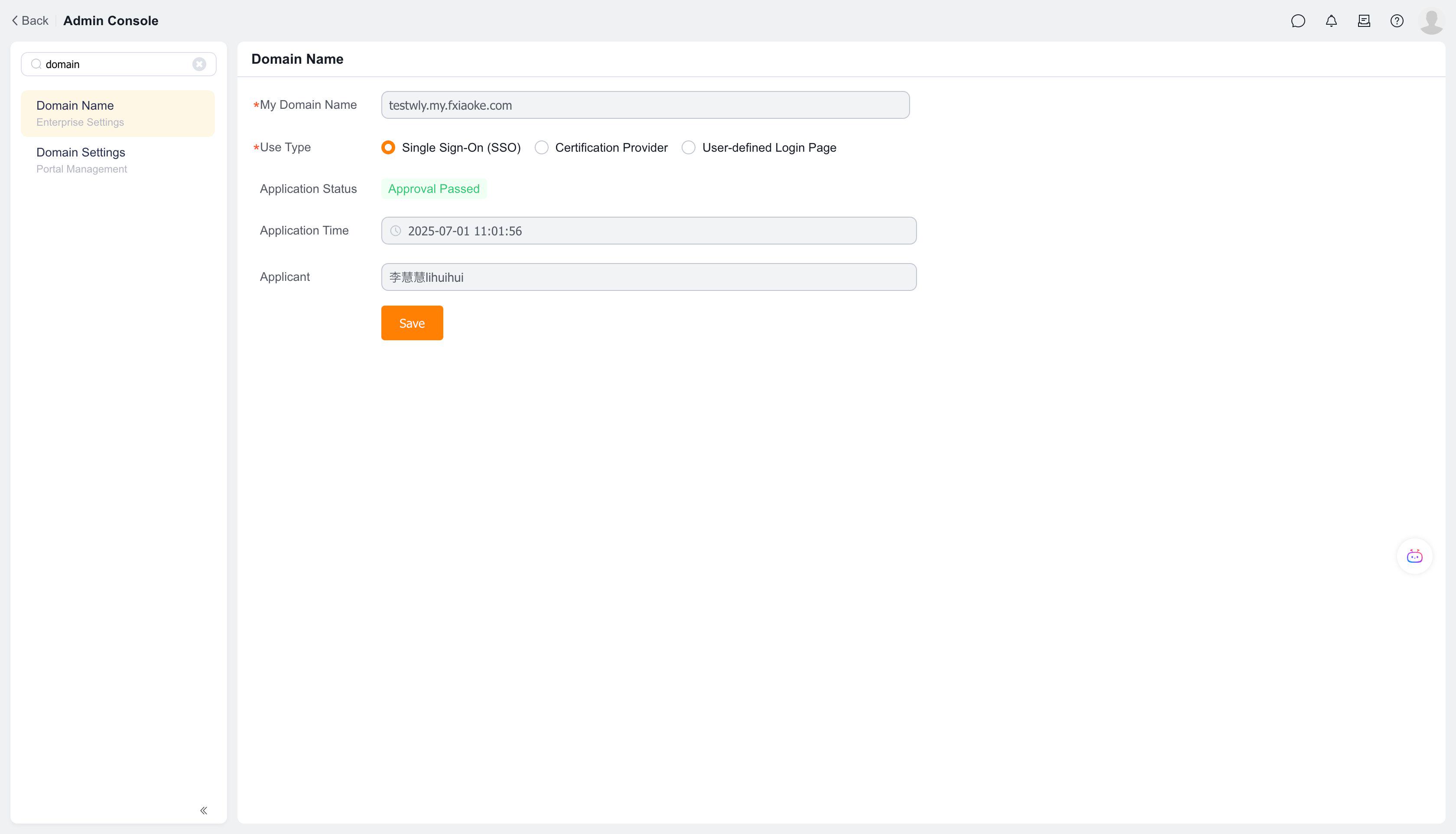
Search for "Domain Management" in the Fxiaoke backend to initiate a domain application. The domain should be a subdomain under fxiaoke.com. After approval, it will appear as shown below:
2. Client Side
Request the SAML protocol XML descriptor document (also called Federation Metadata) from the client's technical team. When generating this document, the client needs our callback URL after Microsoft authentication. Provide them with our SSO URL.
3. Start Configuring SSO
Both parties have completed preparations at this point. We have obtained the SSO URL after domain approval, and the client has provided the Federation Metadata document. We can now proceed with configuration based on this document. Below is a completed configuration example: 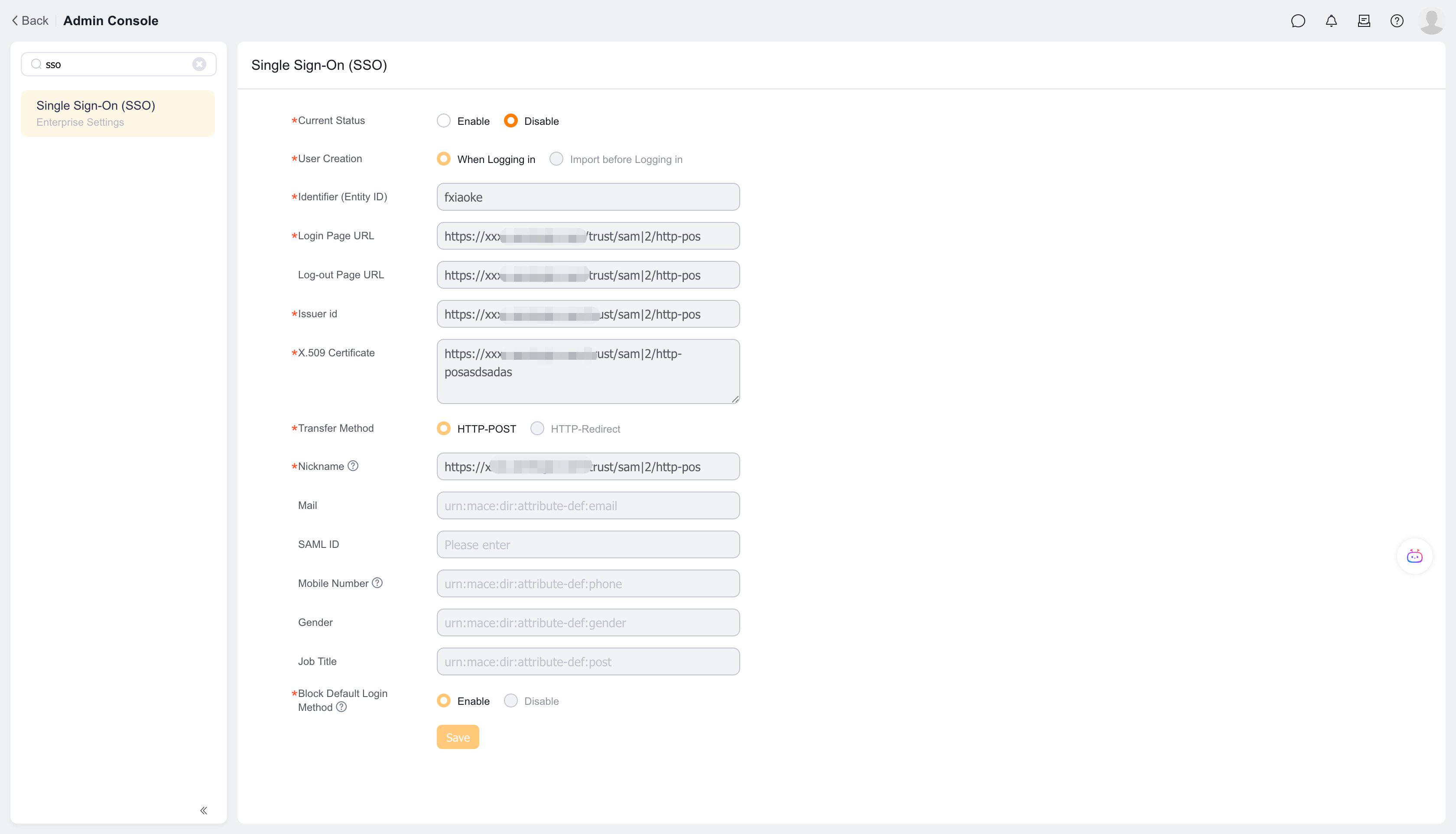
Now let's explain each configuration item and where to obtain them:
4. User Creation
There are two options:
- During Login: When using this method, after a user logs in via Microsoft AD, Microsoft returns user information to Fxiaoke. We query the [Personnel] form. If found, login succeeds; if not, a new employee is created using the information from Microsoft AD and logs into Fxiaoke. However, this newly created employee has no roles or permissions, so this method is not recommended.
- Pre-Login Import: Recommended method. Create personnel in advance in Fxiaoke and maintain the corresponding value in the "Single Sign-On Account" field of the [Personnel] object. This step is crucial and must not be overlooked.
5. Entity ID
This field can be filled with any value.
Note: We generate a SAML XML document based on this parameter. If this parameter is modified later, our XML document will change.
Generally, clients don't need our XML document. If required, after completing the configuration shown above, generate it via this link: https://xxxxxxx.my.fxiaoke.com/saml2/sp/sso/metadata.xml (replace the domain prefix with your own).
6. Login Page URL
Obtained from the client's XML document, corresponding to the Location value of the SingleSignOnService attribute. 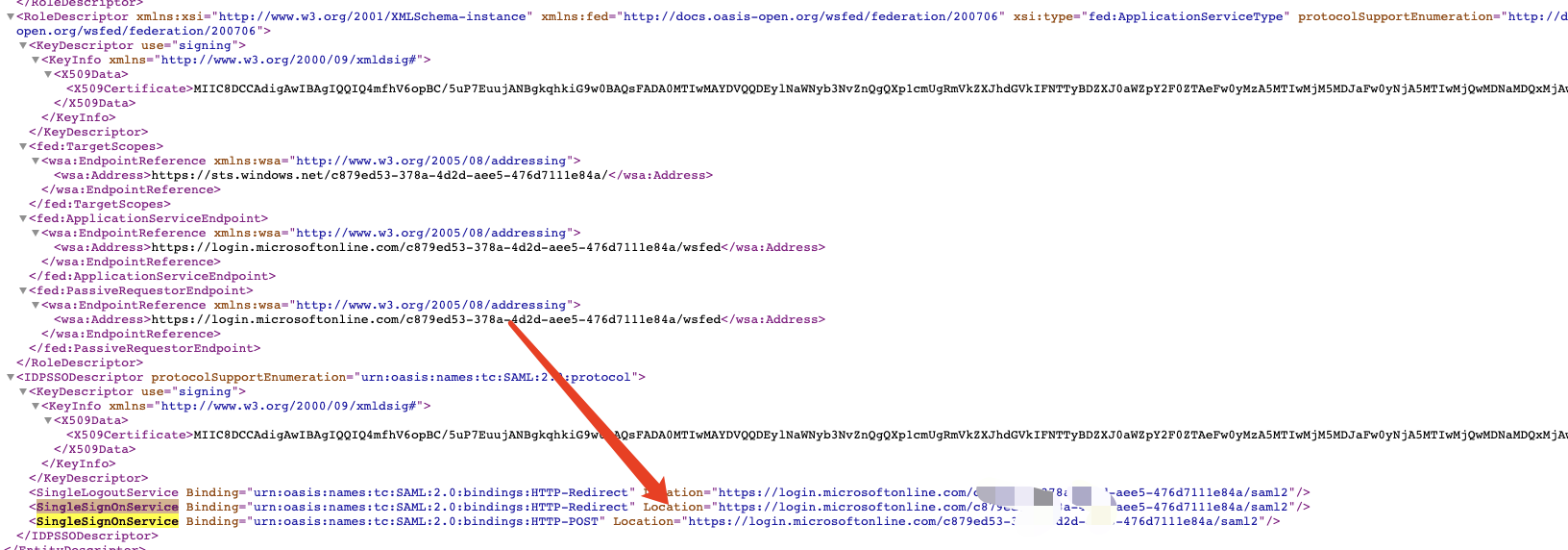
7. Logout Page URL
Obtained from the client's XML document, corresponding to the Location value of the SingleLogoutService attribute. 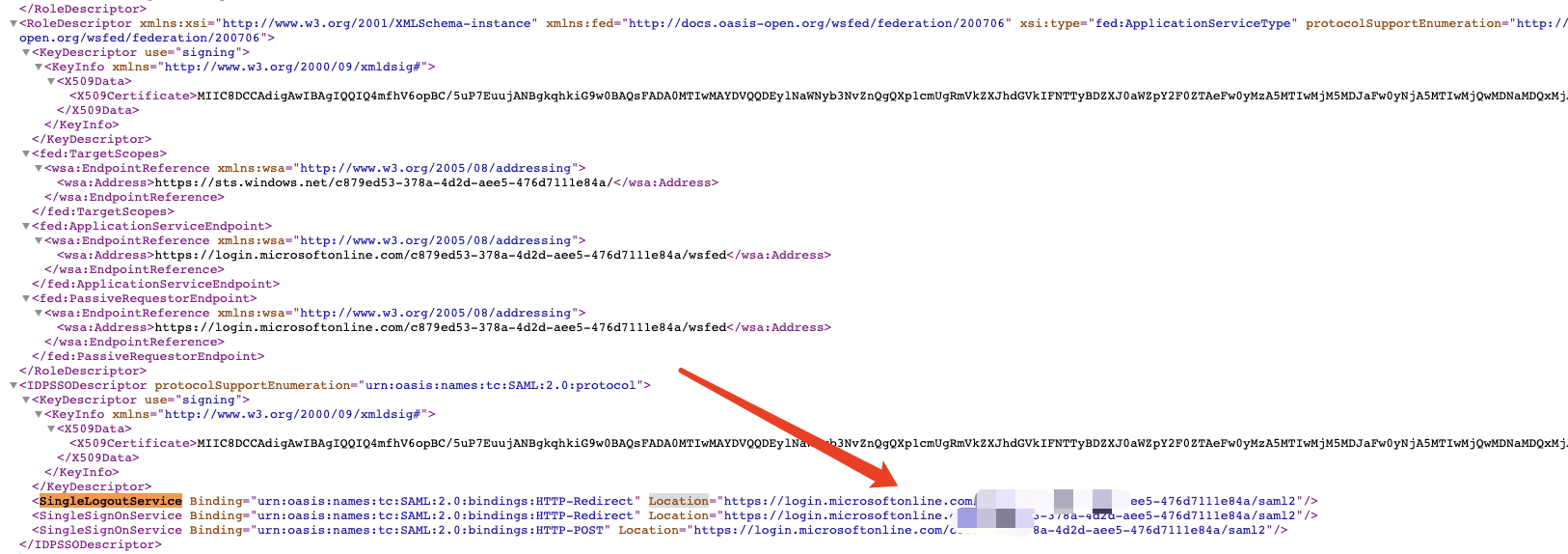
8. Issuer ID
Obtained from the client's XML document, corresponding to the entityID value of the EntityDescriptor attribute. 
9. X.509 Certificate
Obtained from the client's XML document, corresponding to the X509Certificate value. 
10. Redirect Method
Obtained from the client's XML document, corresponding to the suffix of the Binding attribute in SingleSignOnService. There are two methods here, and HTTP-POST works in our case.

The above parameters are all fixed values obtained from the client's XML document.
11. Nickname
This is used to display which user failed to log in when SSO fails. 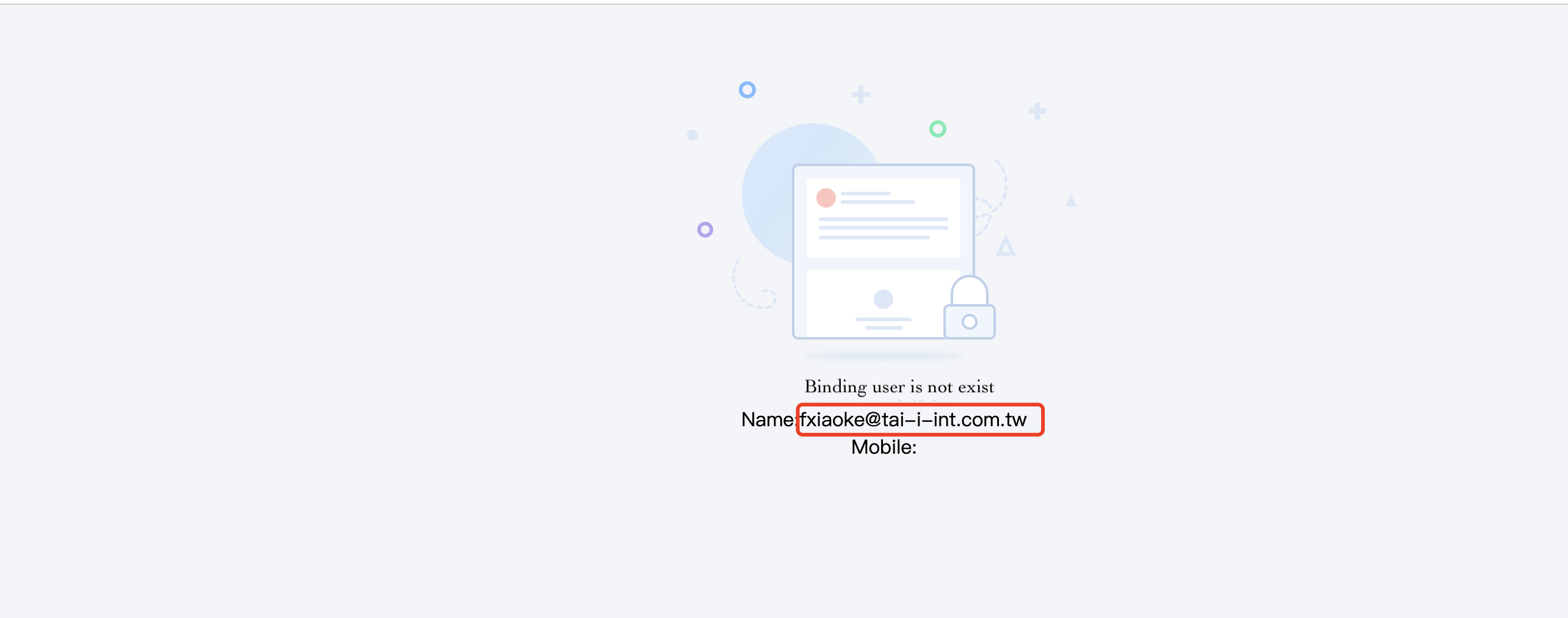
12. SAML ID
After successful authentication, user information is returned in the response.
This parameter specifies which field in the response should be compared with Fxiaoke's "Single Sign-On Account" field. Note: If not configured, the default behavior is to compare the Name field in the response with the "Single Sign-On Account" field.
Therefore, this parameter is optional.