

English
How to Test APL Code
After completing your APL code, you can test it with sample data.
Testing Steps:
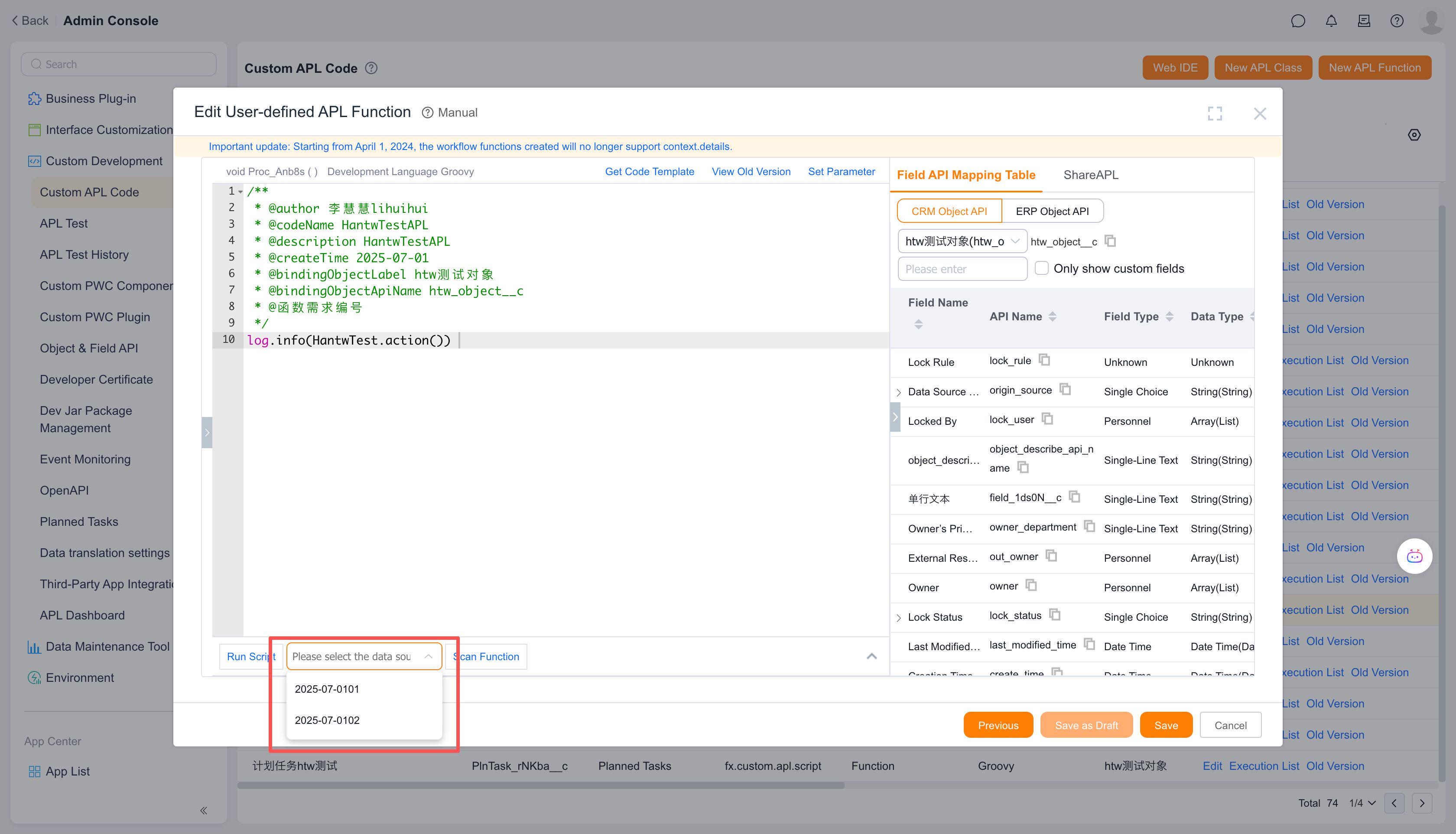
On the function editing page, select the data source for testing.
The data source consists of the latest 10 records from the object bound to the APL function, simulating the function's context in a business scenario.If your code involves data insertion, deletion, or modification, the test will perform these operations on real data. In such cases, it is recommended to create test data for validation.
After selecting the data source, click the Script Test button to execute the test.
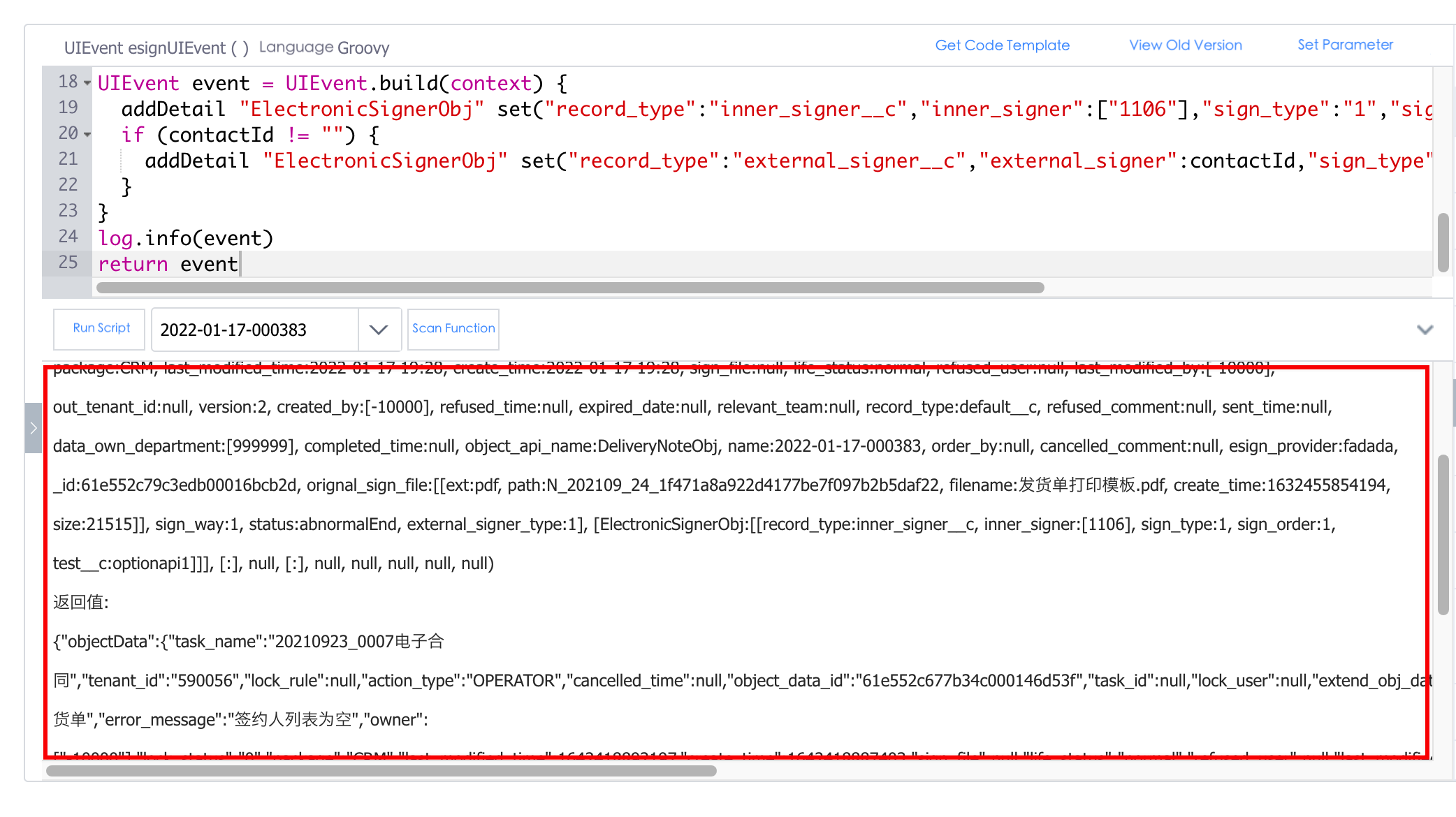
The test results will be displayed in the console area below.
The output includes:
- Logs from
log.infoandlog.debugin the code - The function's return result
- Logs from
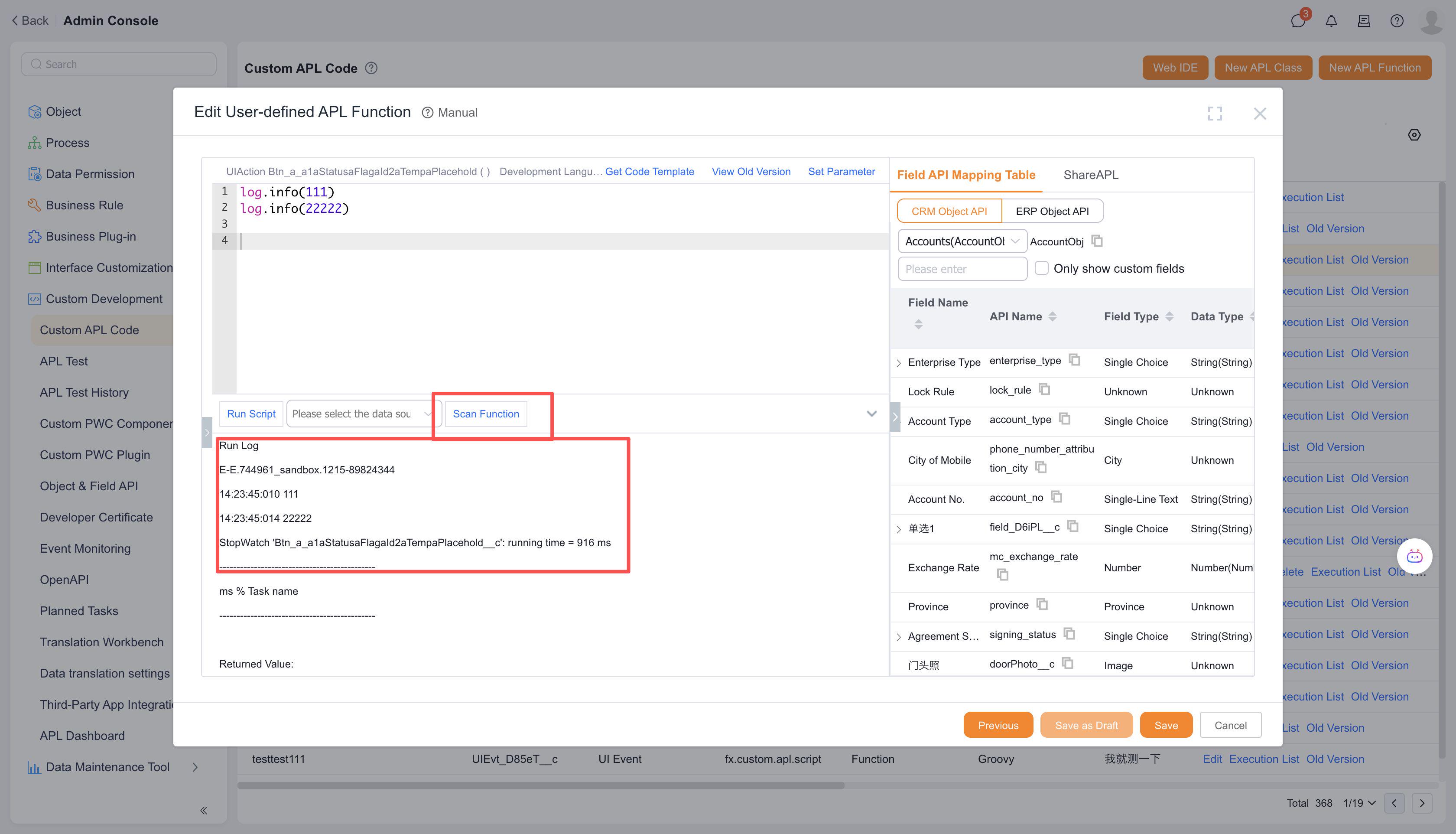
- Click the Scan Function button to receive suggested optimizations for the current code.
You can also test the code offline in VSCode IDE or WEBIDE. For details, refer to: VSCode IDE / WEBIDE.