

English
Configuration Steps
1. Configuration Entry
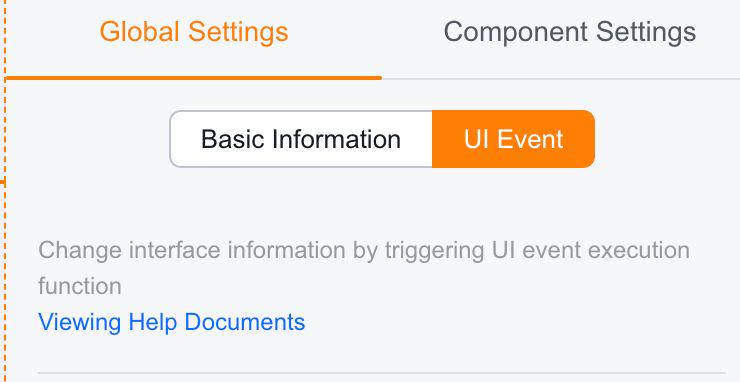
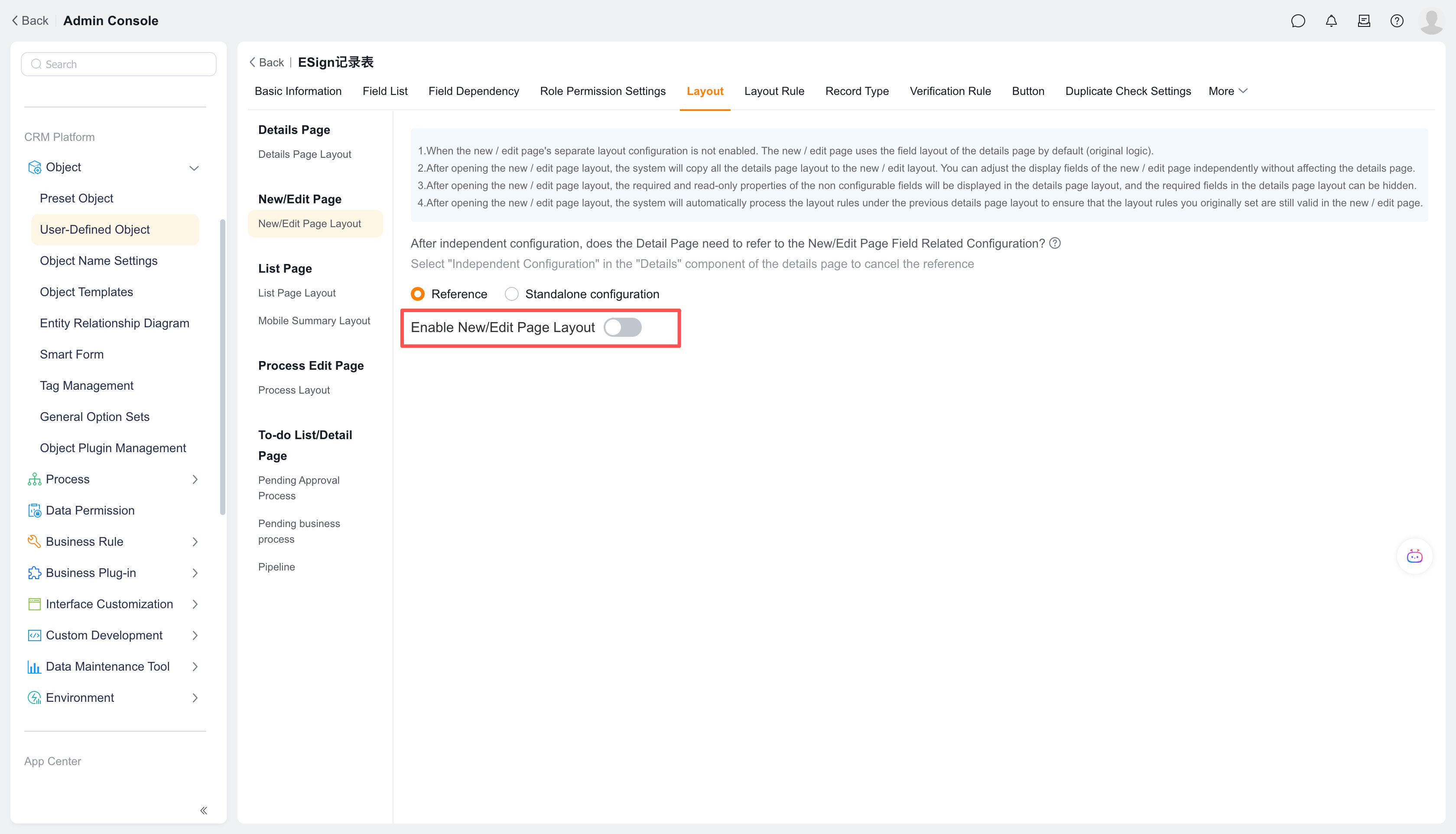
In Object Management → Layout, click "UI Events" in the global settings to configure. (UI events are configured in detail pages. However, if the create/edit page layout is enabled, configuration should be done there instead.)
Notes:
- Child objects cannot trigger UI events
- UI event execution results only apply to create/edit pages and take effect upon saving
- This feature is only available in Enterprise and Group editions
2. Data Update Events
2.1 Field Events
On create/edit pages, when a field is modified (value changed and focus lost), trigger custom functions to update data of the main object or child objects.
Use case: When creating an order, selecting a customer automatically syncs the customer's address to the order's shipping address field.
Configuration: UI Events → Add Data Update Event → Select "Field Event" category
Click "UI Events" under global settings: 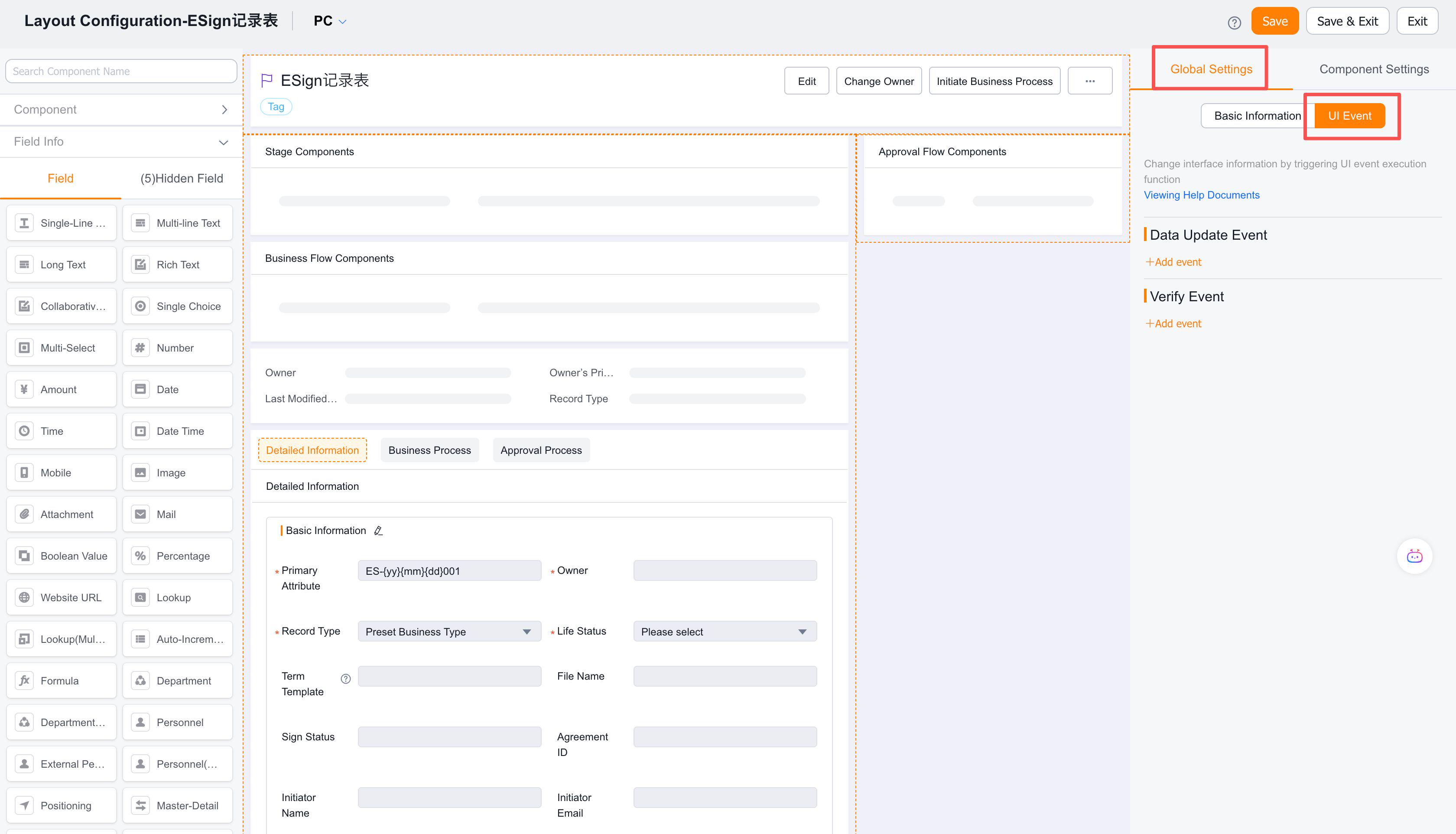
Click "Add Event" under Data Update Events: 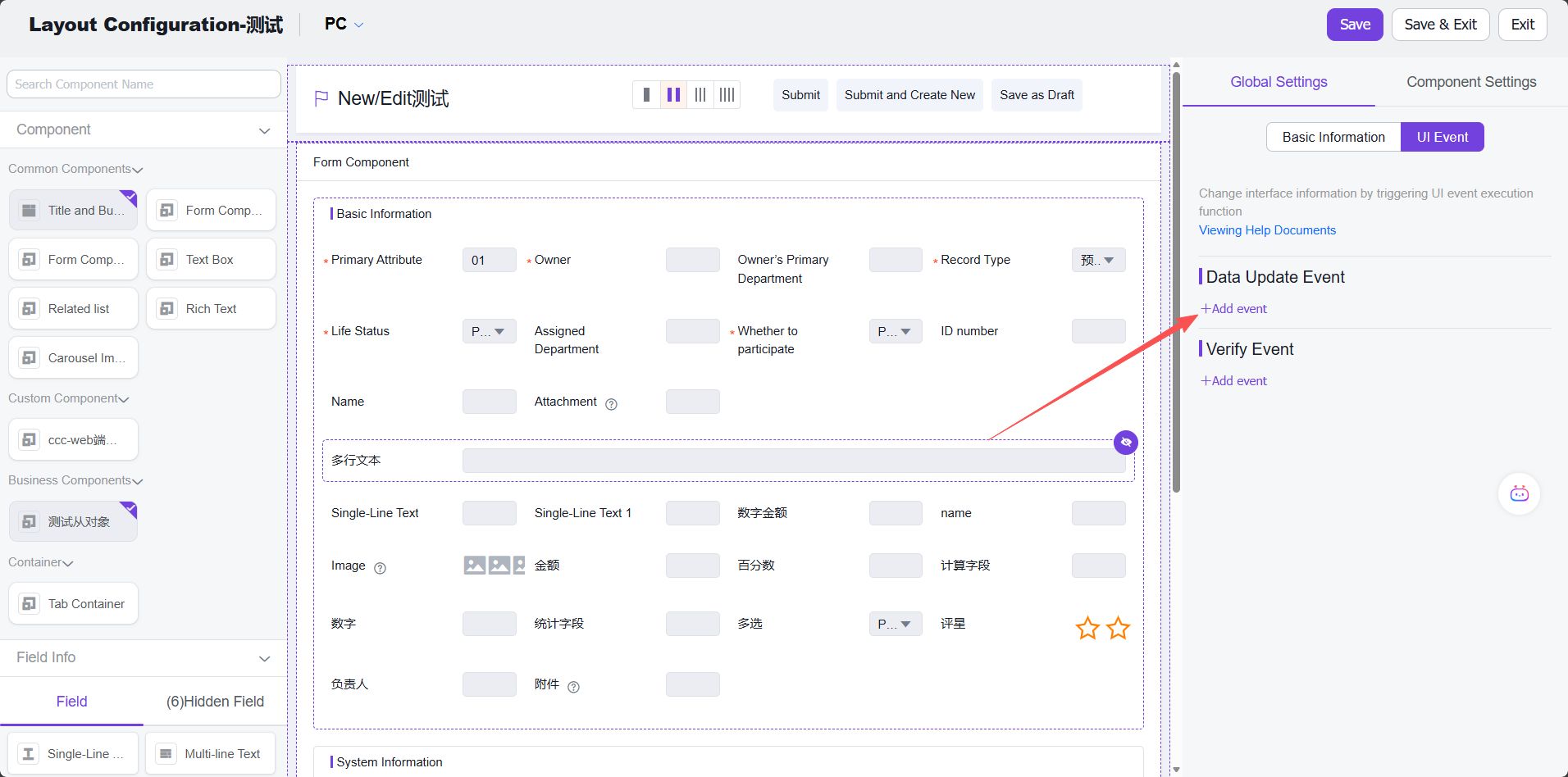
Click "Add Custom Function": 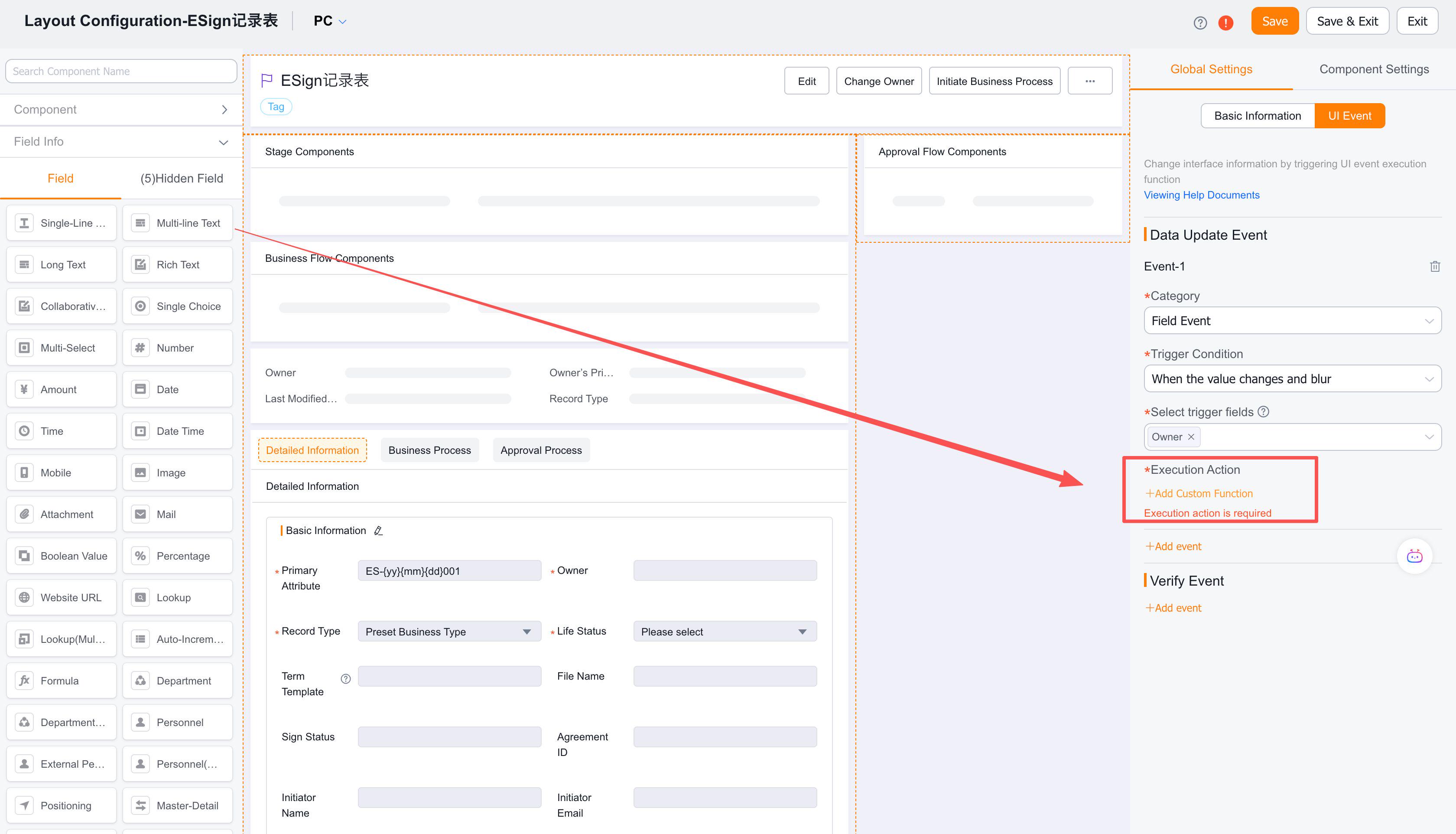
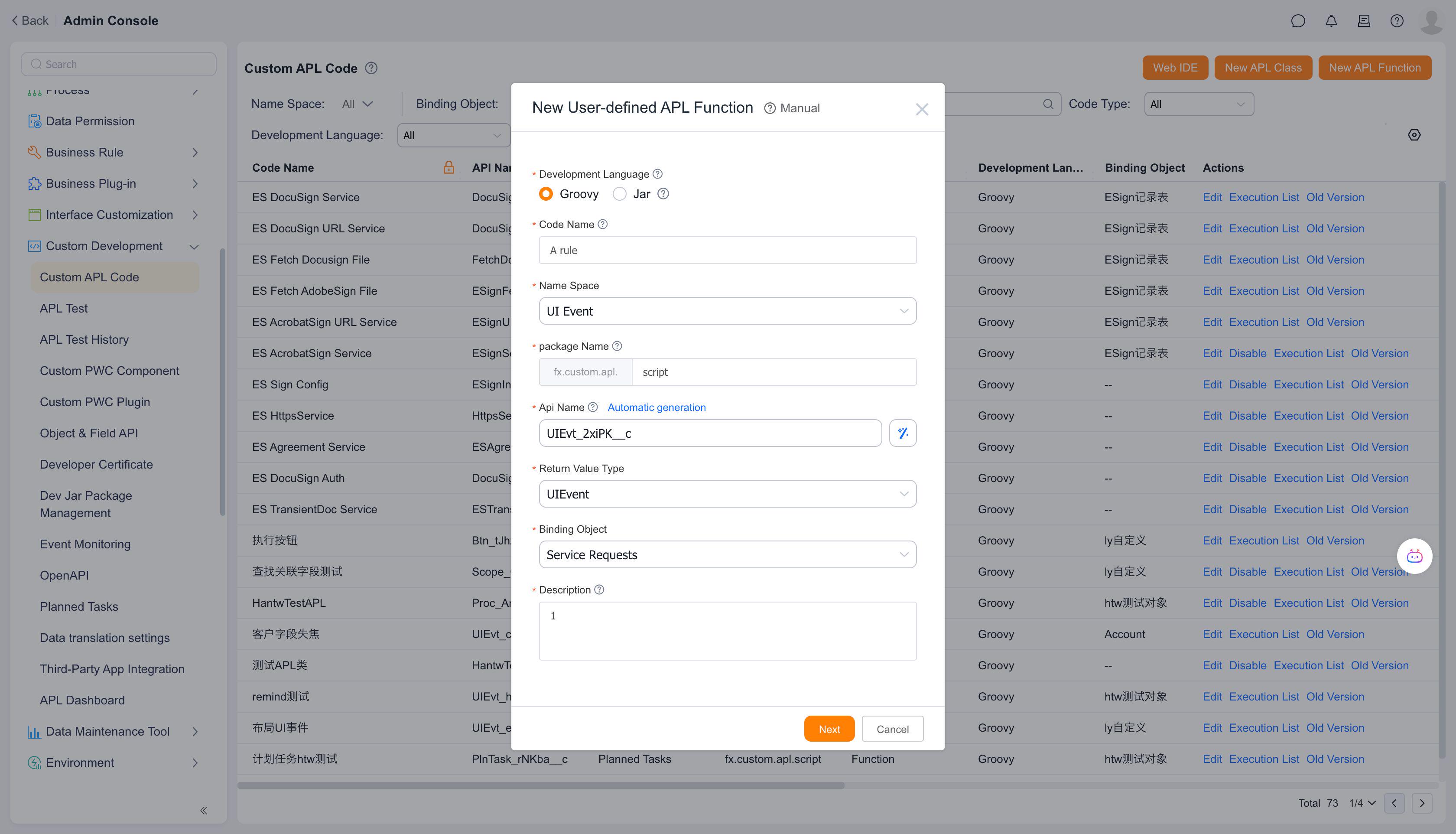
Create a custom APL function, fill in relevant information, and click "Next": 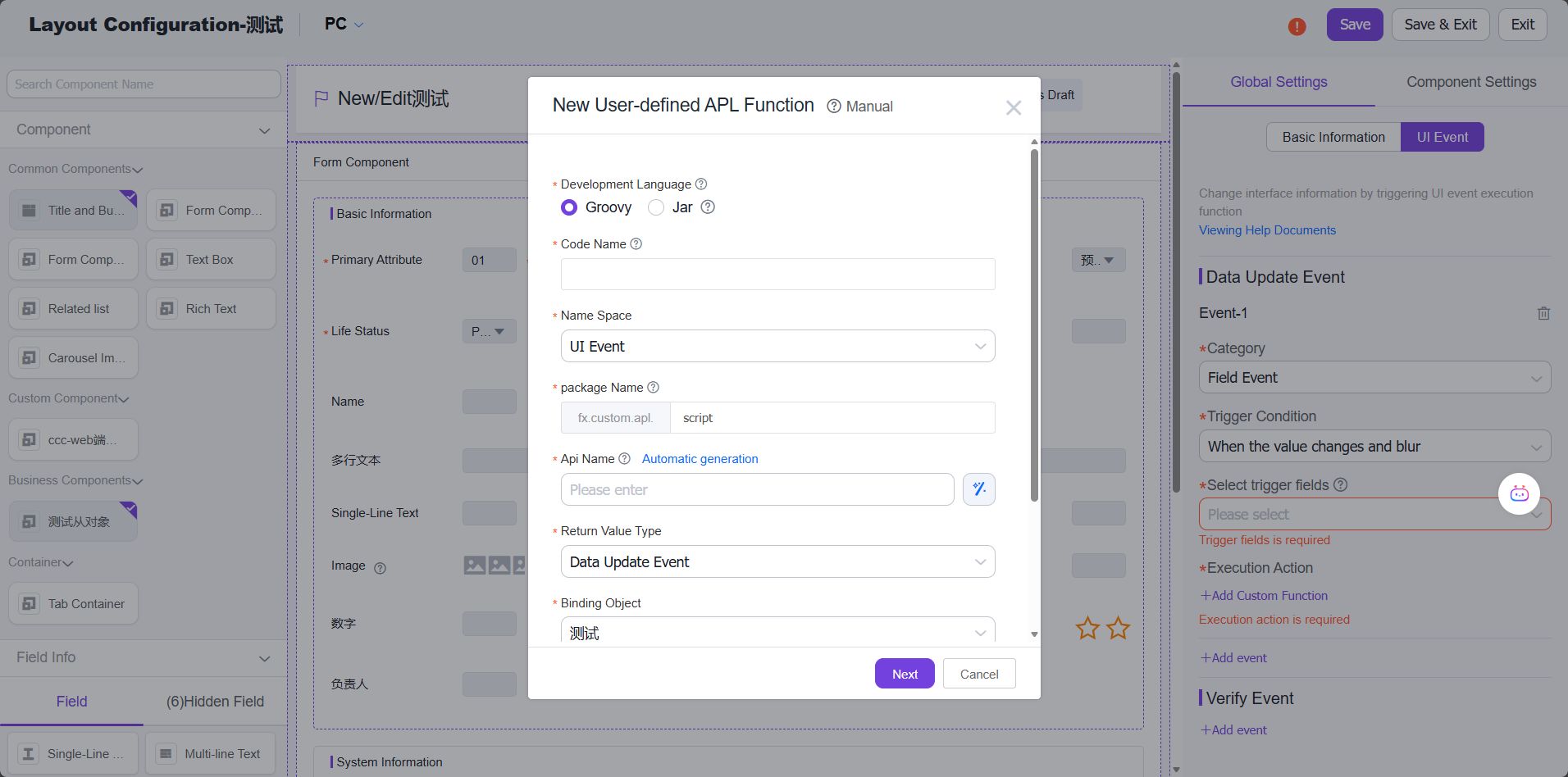
Select template - choose between using a template or empty template, then click "Confirm": 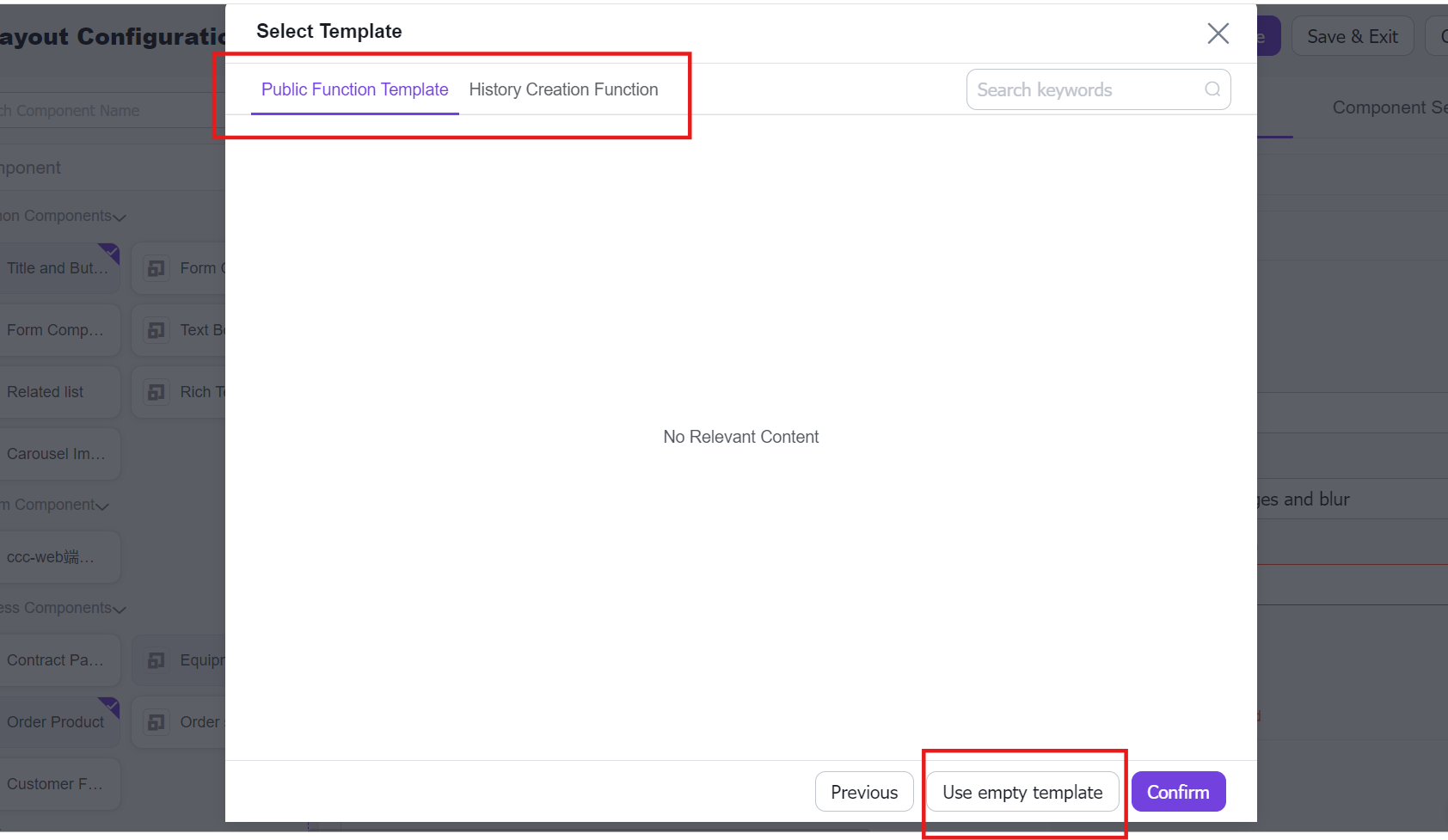
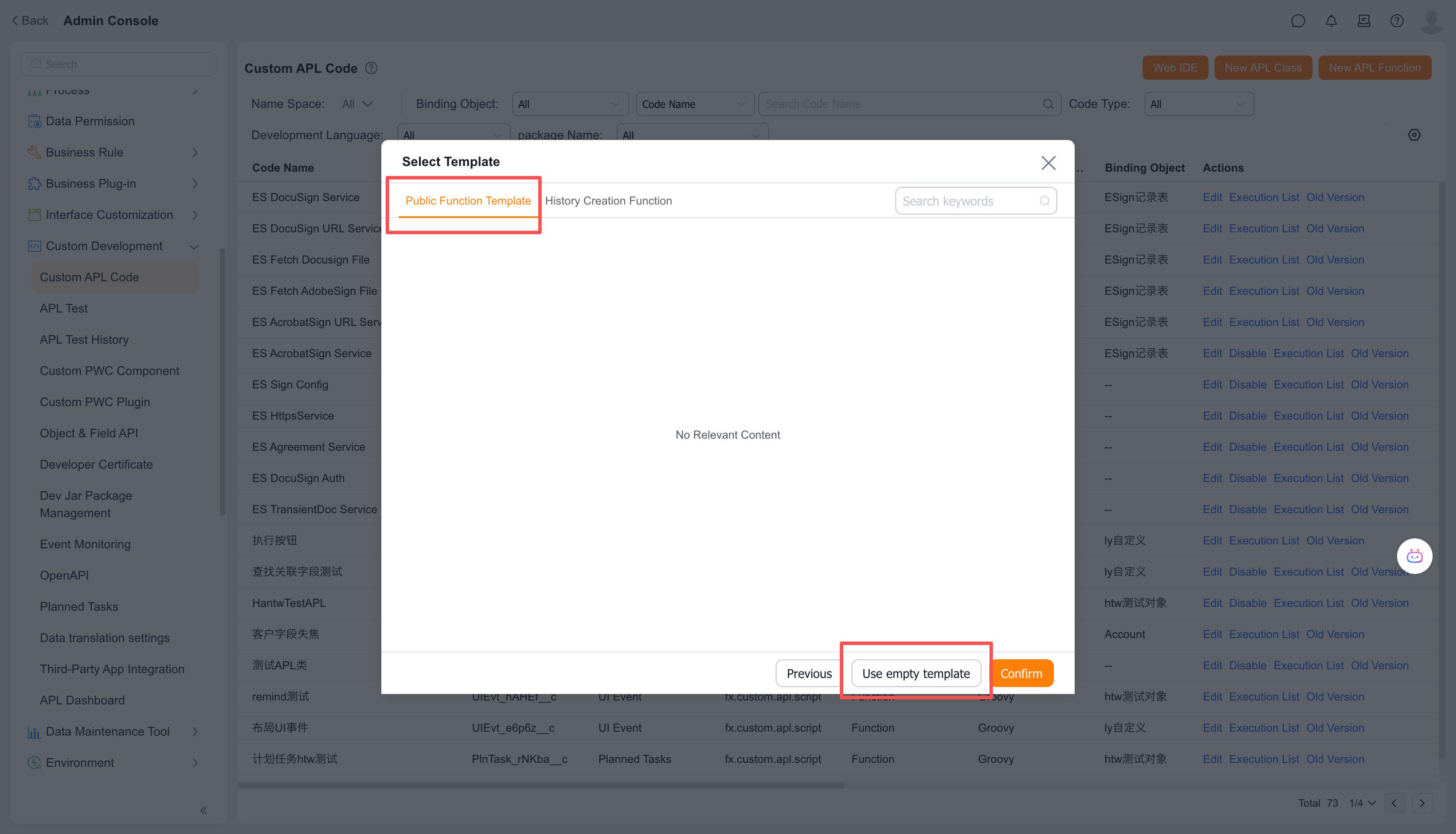
Click "Save" to complete function creation: 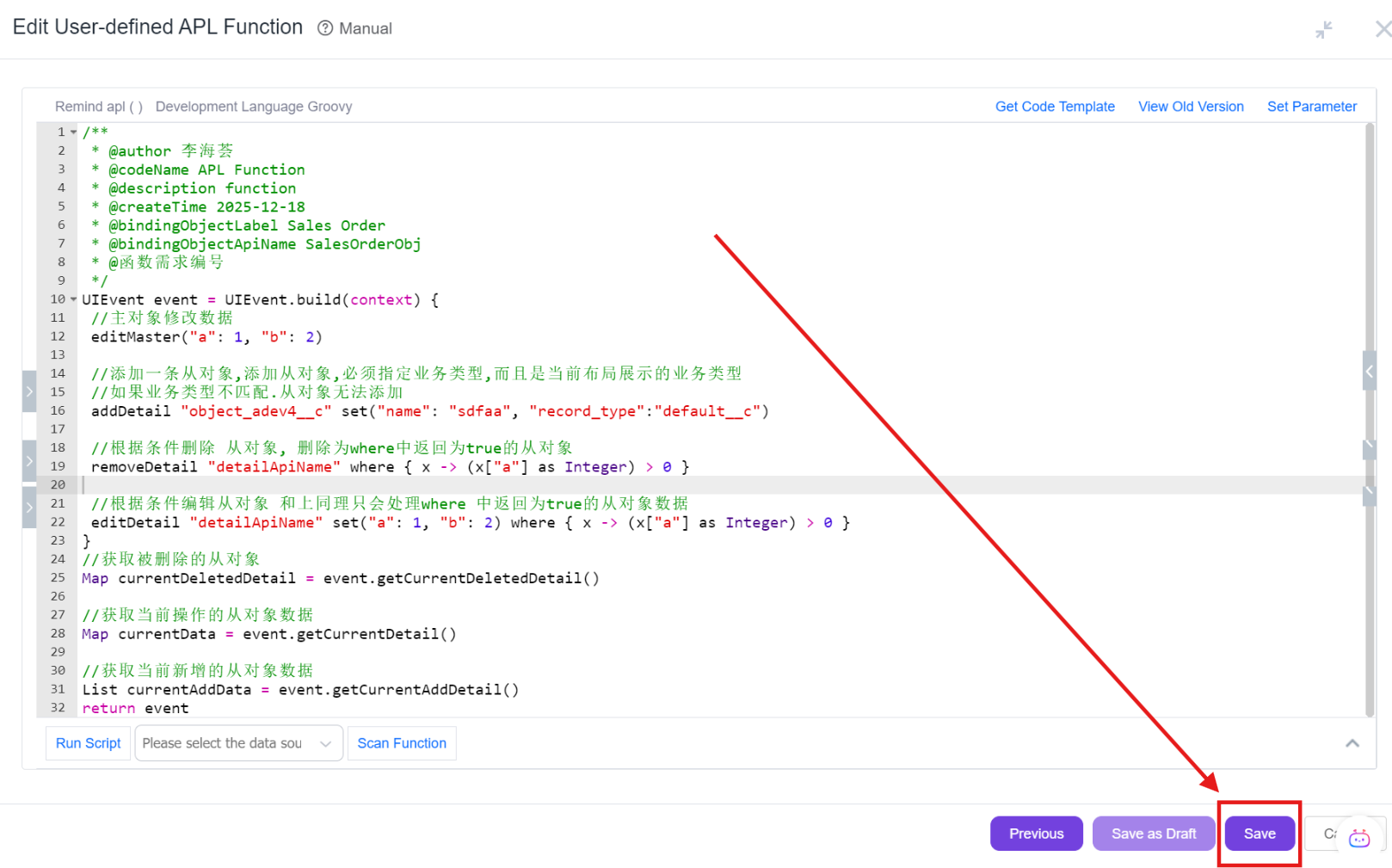
2.2 Child Object Events
On master-detail create/edit pages, when creating/editing/deleting child objects, trigger custom functions to update data of the main object or child objects. (Note: This option only appears when child objects exist)
Use case: When adding new order line items, automatically set the discount amount based on the customer's tier.
Configuration: UI Events → Add Data Update Event → Select "Child Object Event" category, with trigger conditions: add/edit/delete line items.
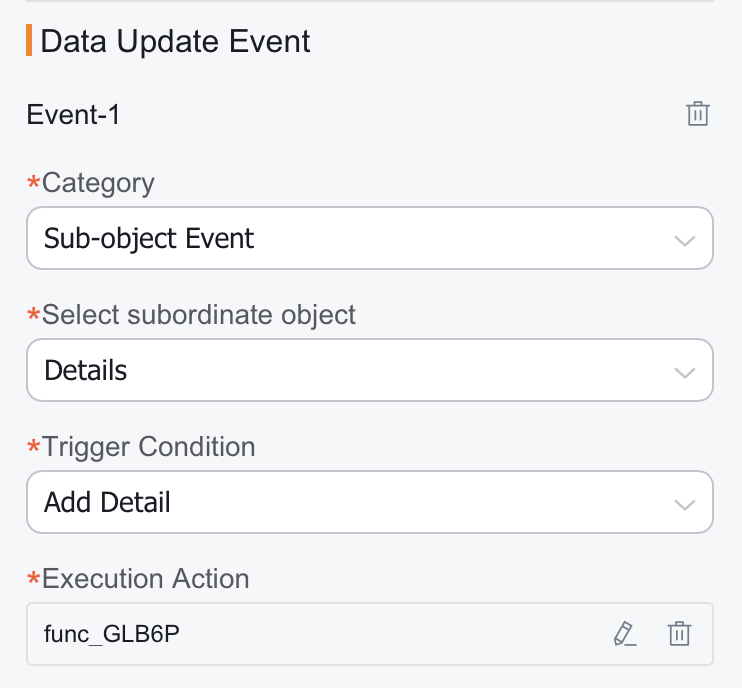
2.3 Page Load Events
On create/edit pages, trigger custom functions to update data of the main object or child objects when the page loads.
Use case: When creating e-signatures, automatically generate signer records based on associated business data.
Configuration: UI Events → Add Data Update Event → Select "Page Load Event" category.
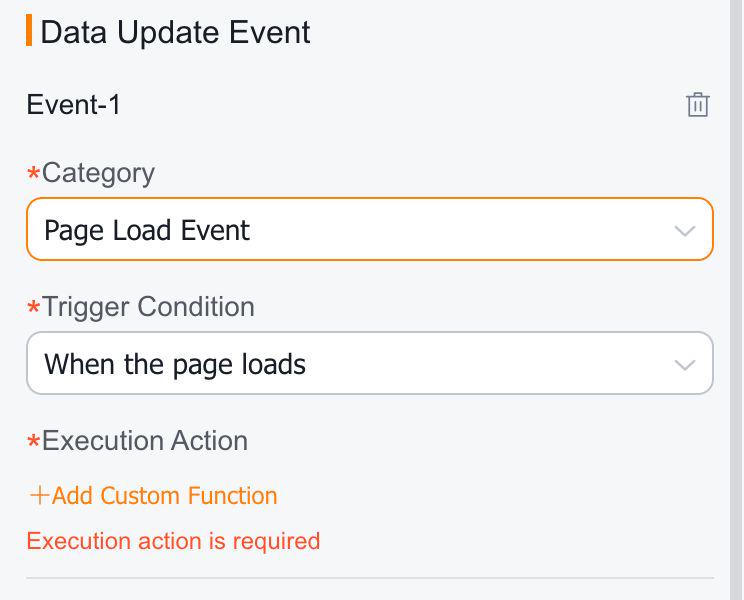
3. Validation Events
3.1 Field Validation
On create/edit pages, when a field is modified (value changed and focus lost), trigger custom functions to validate whether the field value meets specific conditions.
Use case: Immediately display frontend alerts when phone number/email format is invalid.
Configuration: UI Events → Add Validation Event.
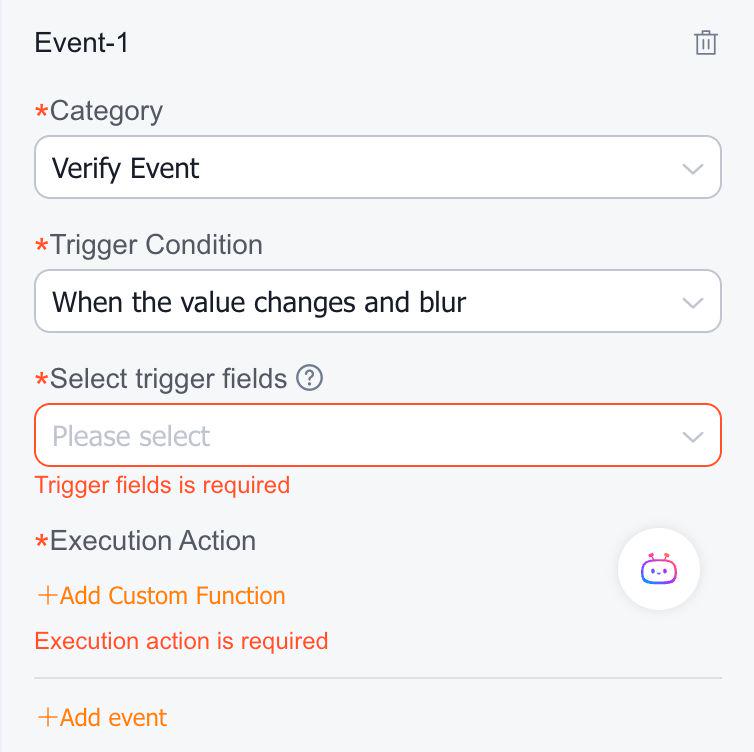
Add custom function: 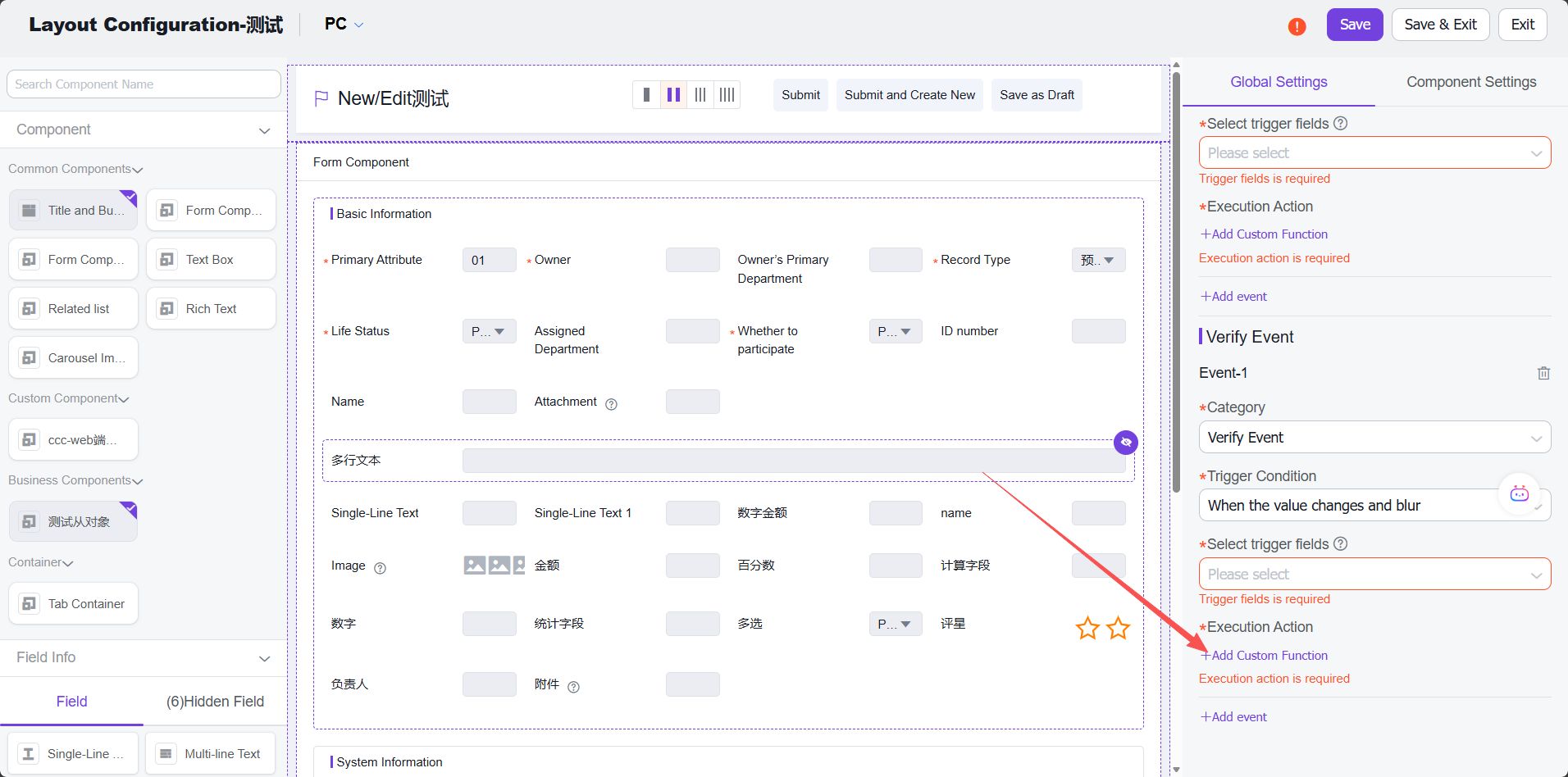
Create a custom APL function, fill in relevant information, and click "Next": 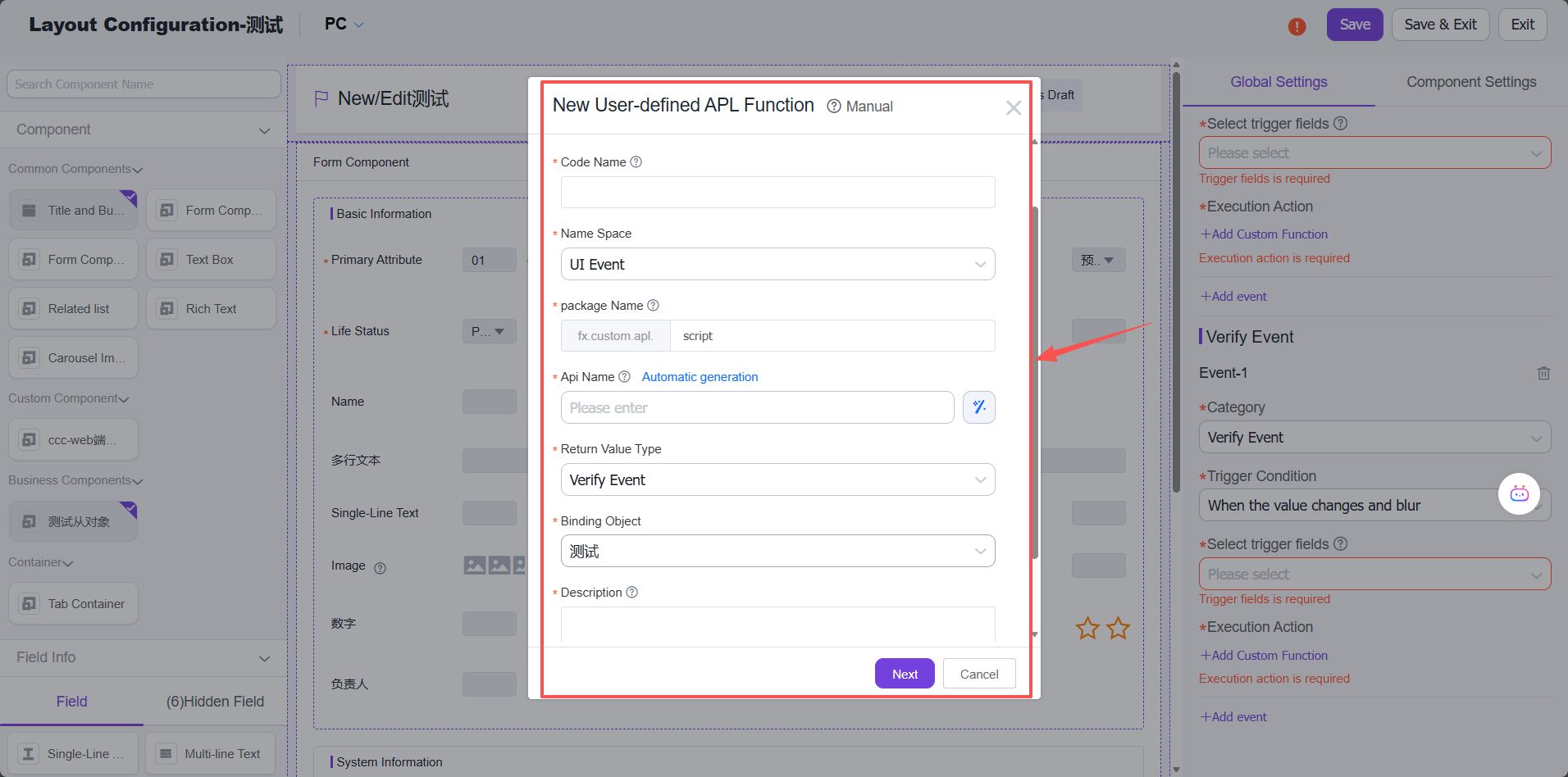
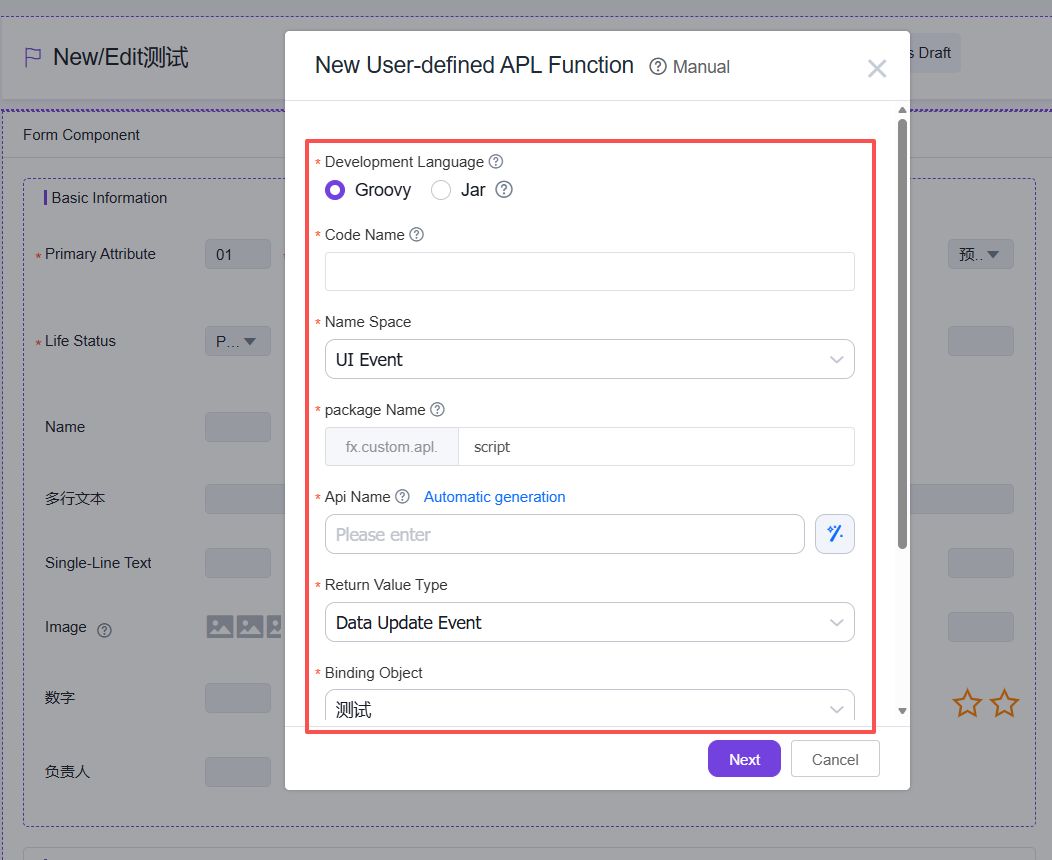
Select template - choose between using a template or empty template, then click "Confirm":
Click "Save" to complete function creation: