

English
Configuration Steps
1. Validate APL Code Before Import
1.1 In the import settings of object management, click "Validate APL Code Before Adding". 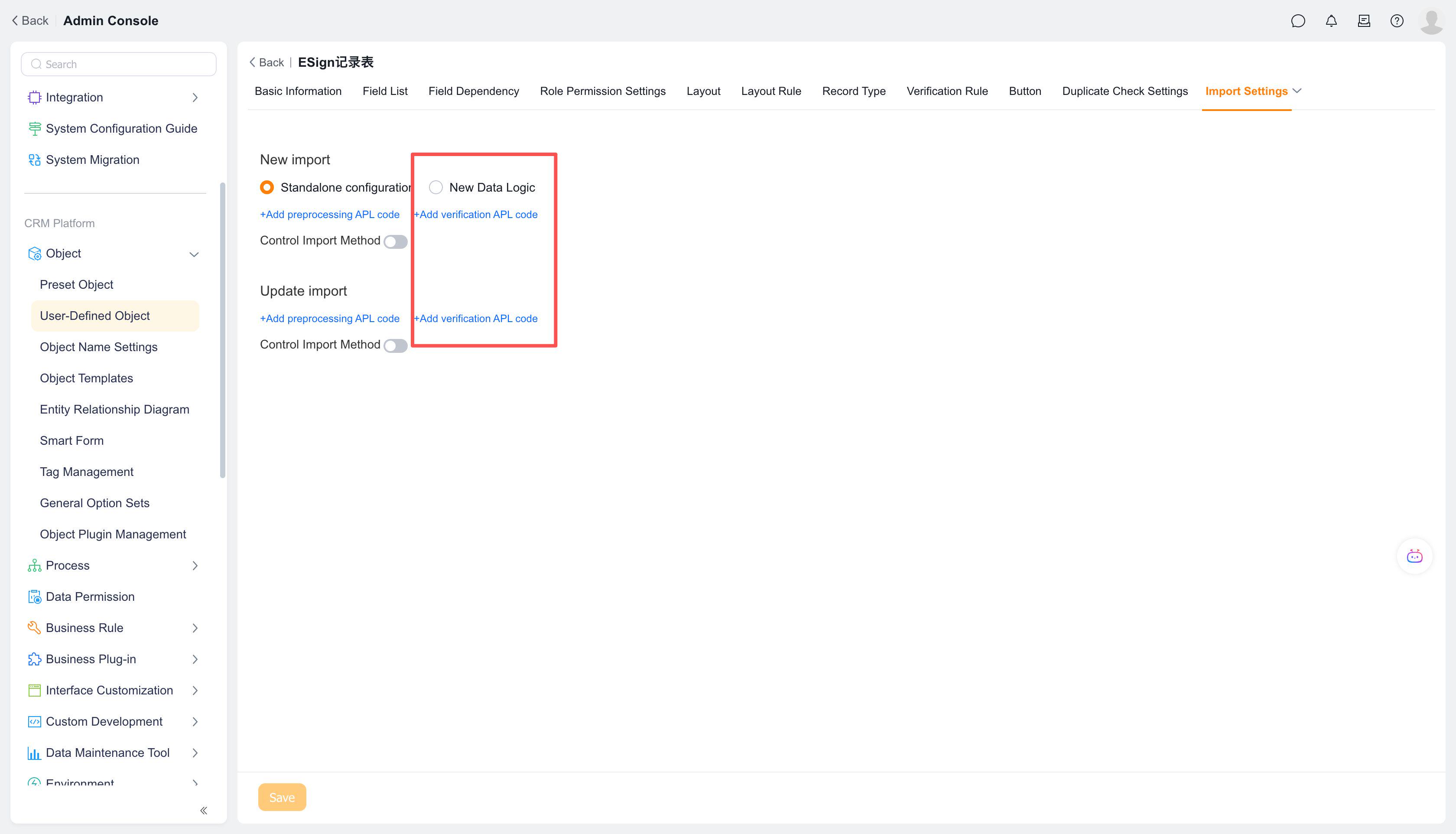
1.2 Create a custom APL function, fill in relevant information, and click [Next] 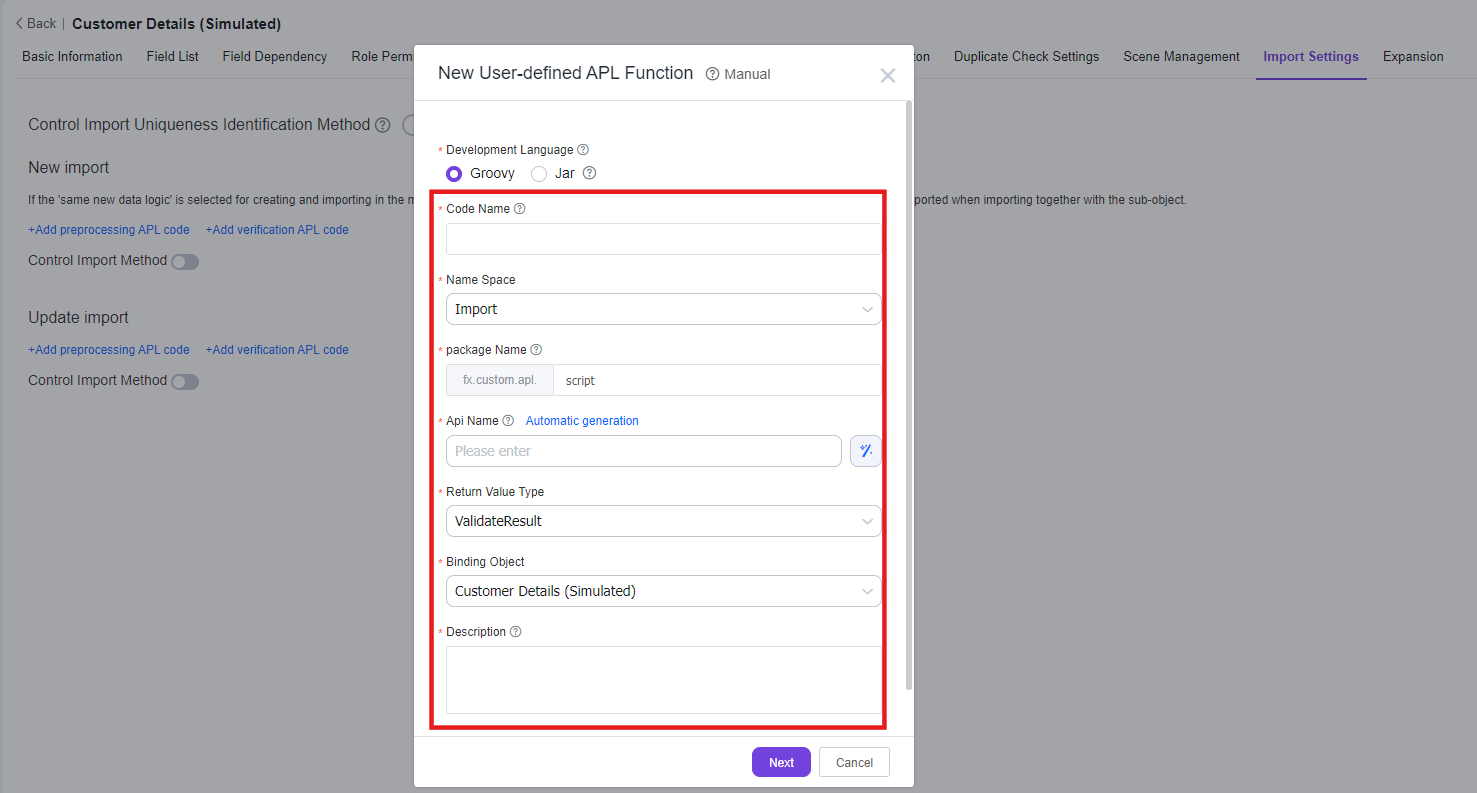
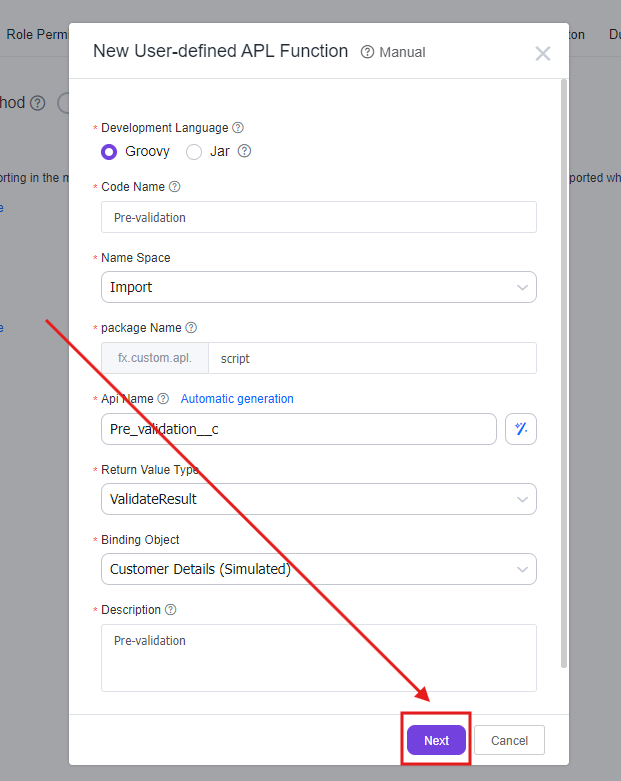
1.3 Select template - use template or use empty template; click [Confirm] 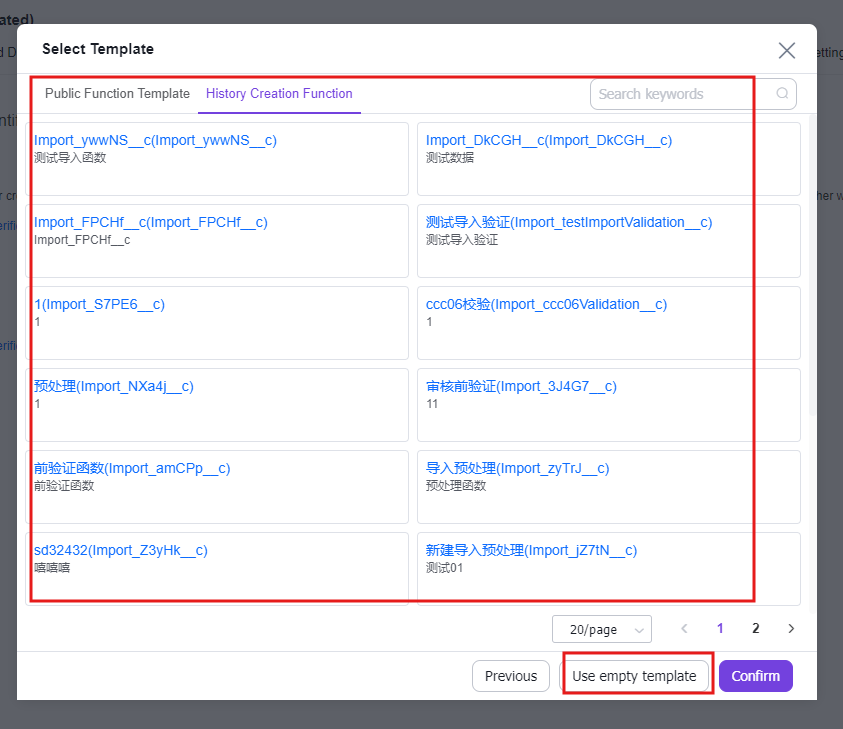
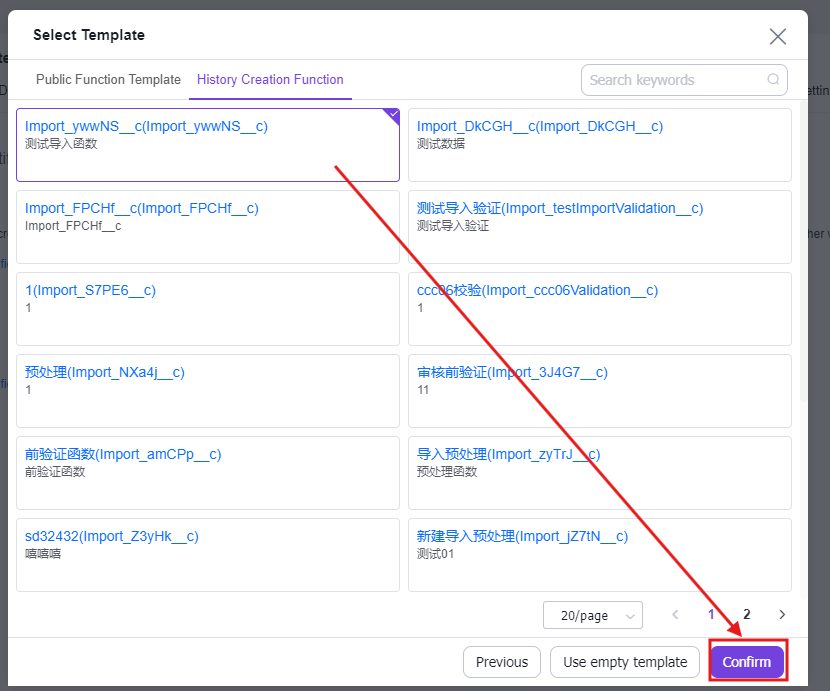
1.4 Click [Save] to complete function creation 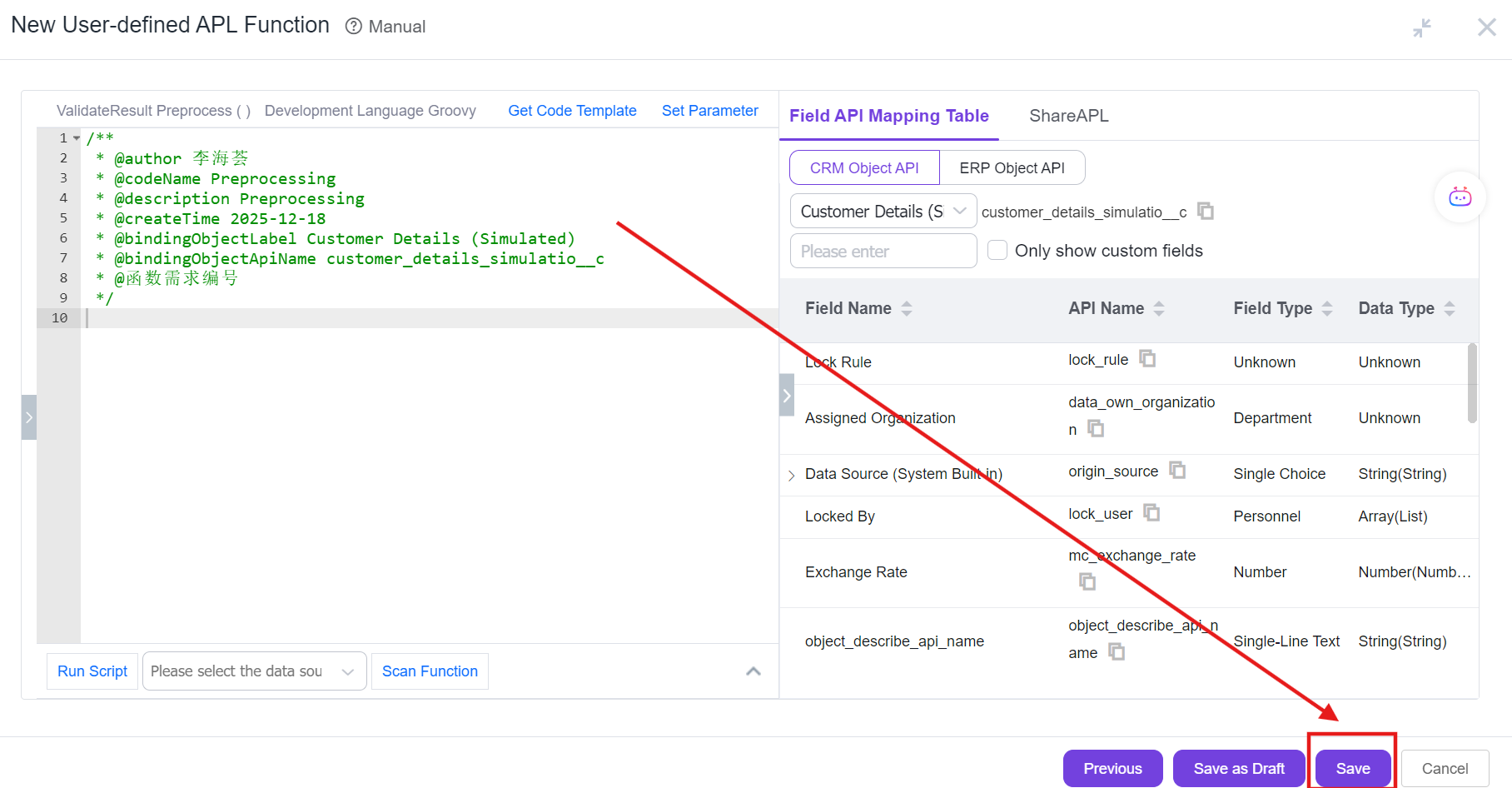
2. Preprocess APL Code Before Import
2.1 In the import settings of object management, click "Preprocess APL Code Before Adding". 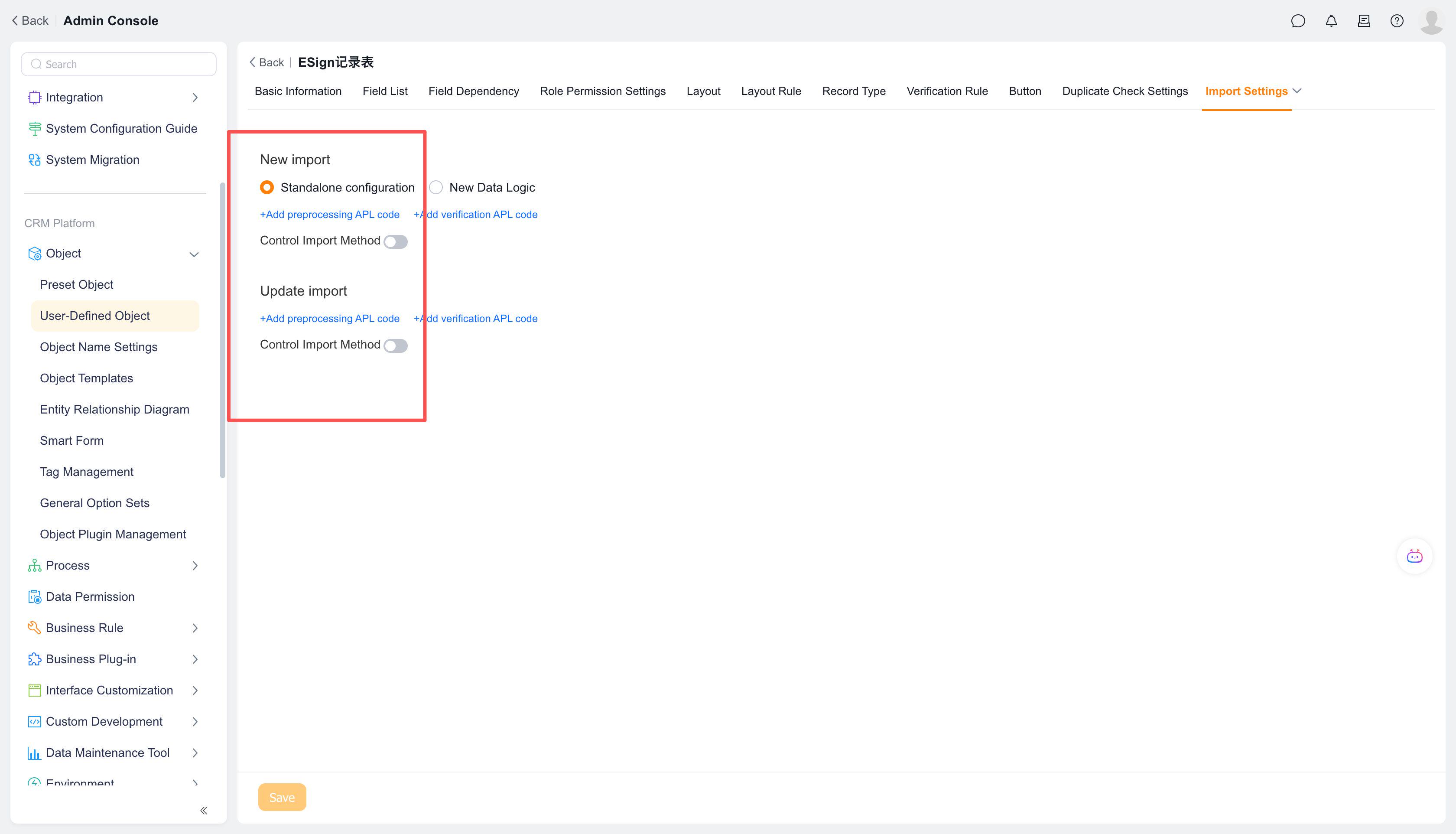
2.2 Create a custom APL function, fill in relevant information, and click [Next] 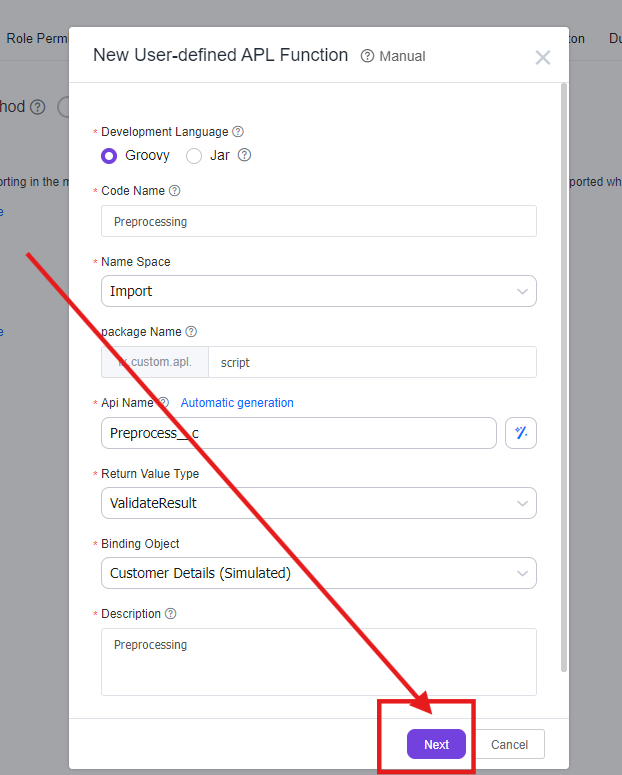
2.3 Select template - use template or use empty template; click [Confirm] 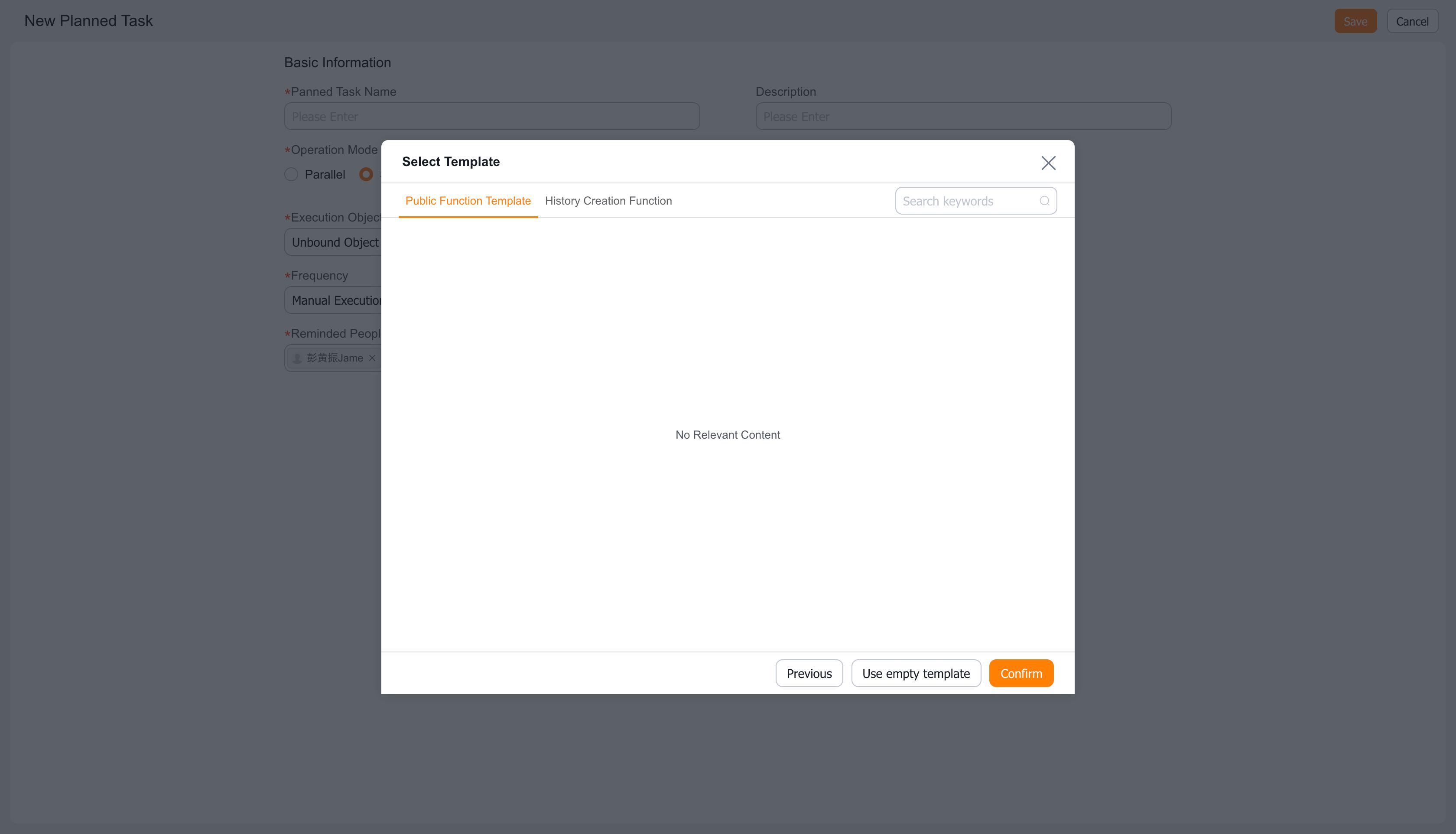
2.4 Click [Save] to complete function creation 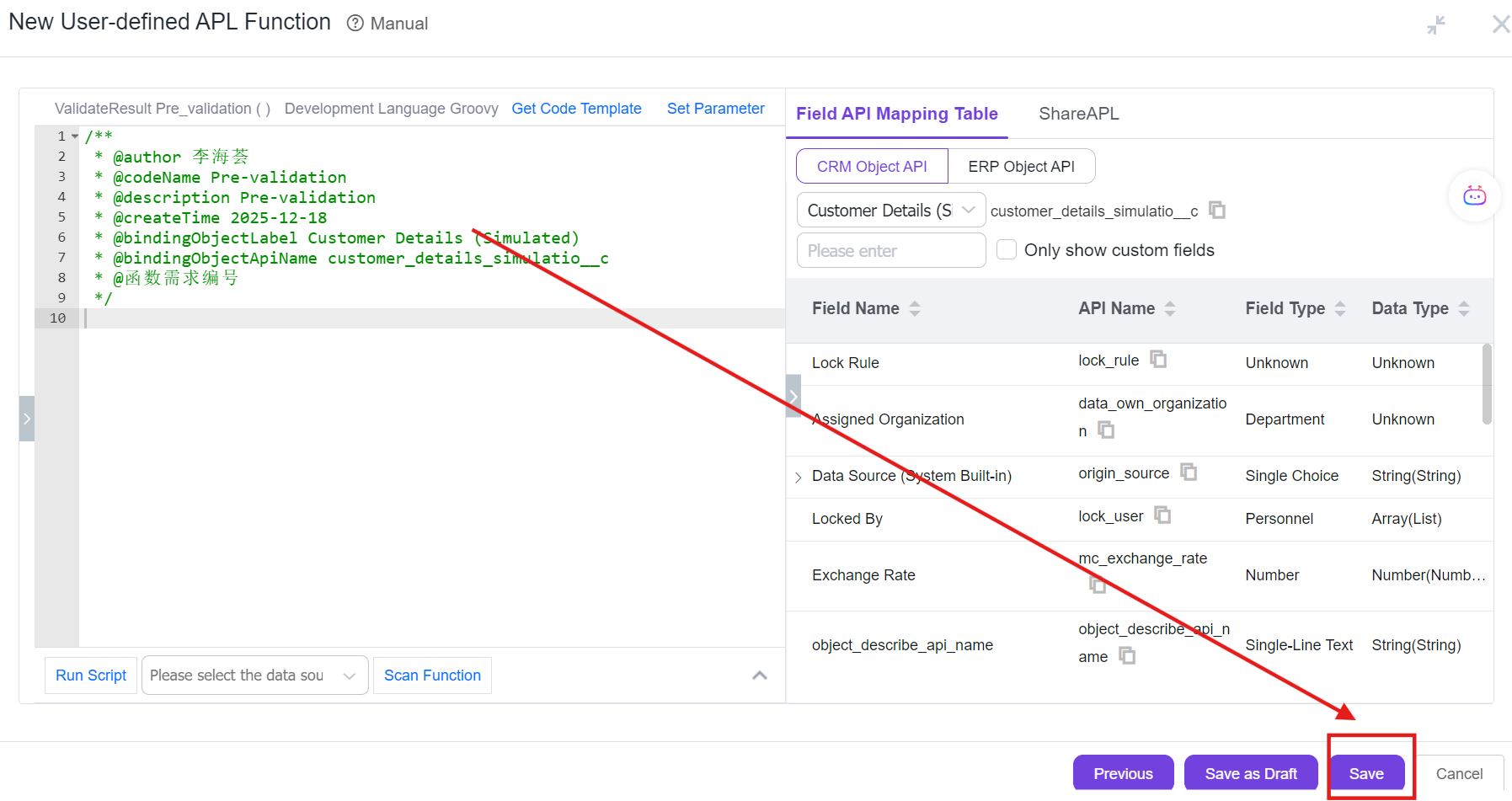
Notes:
- The pre-import validation function is similar to the validation function in new/edit operations, which can display validation messages and support blocking;
- If data import fails or validation errors occur, error messages will be filled back into the Excel failure list
- The return value type is validateResult