

English
Configuration Steps
I. Entry: Custom Development Platform → Scheduled Tasks → Create New Scheduled Task
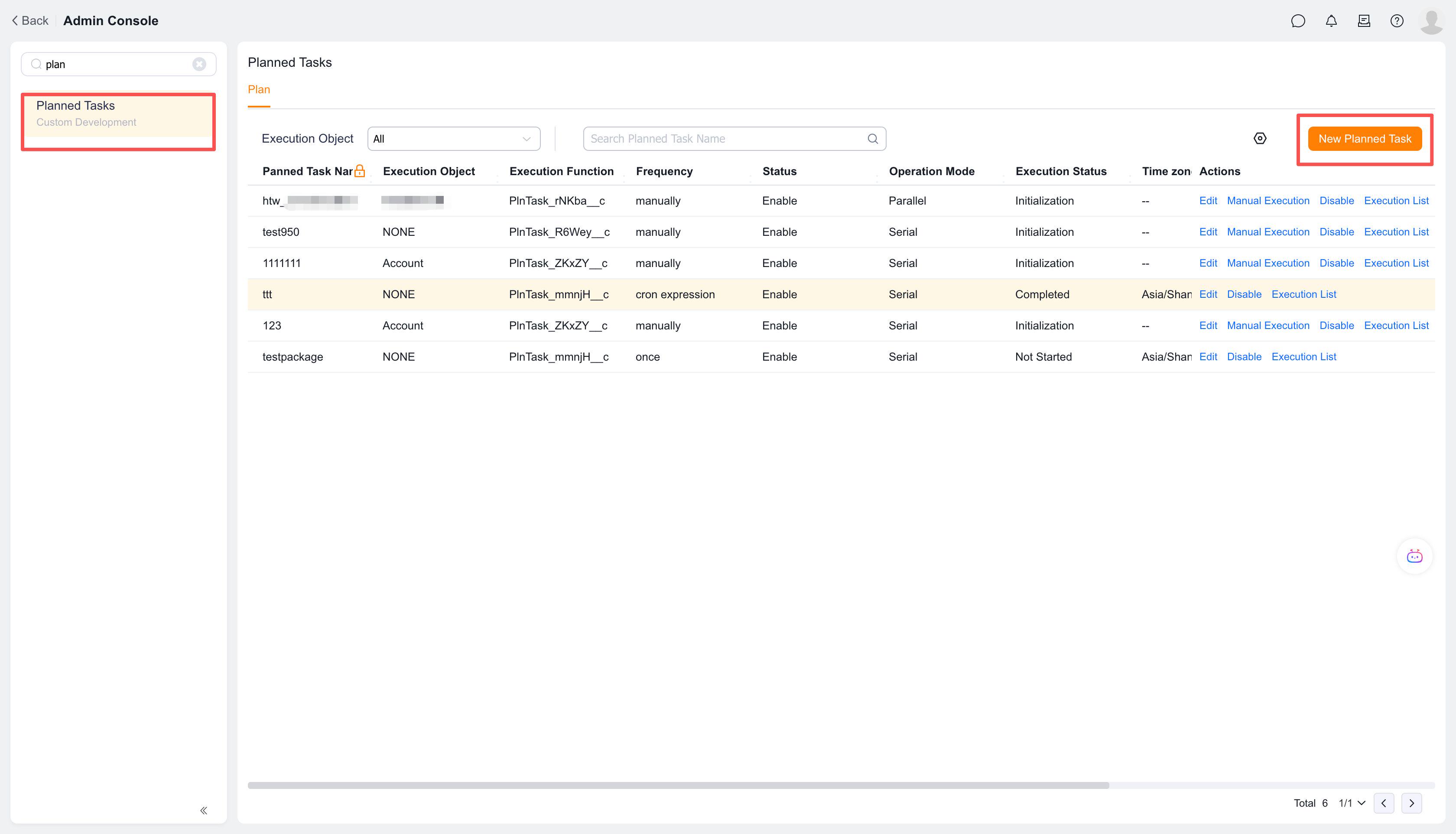
II. On the Create New Scheduled Task page, click "Execute Custom Function" to add.
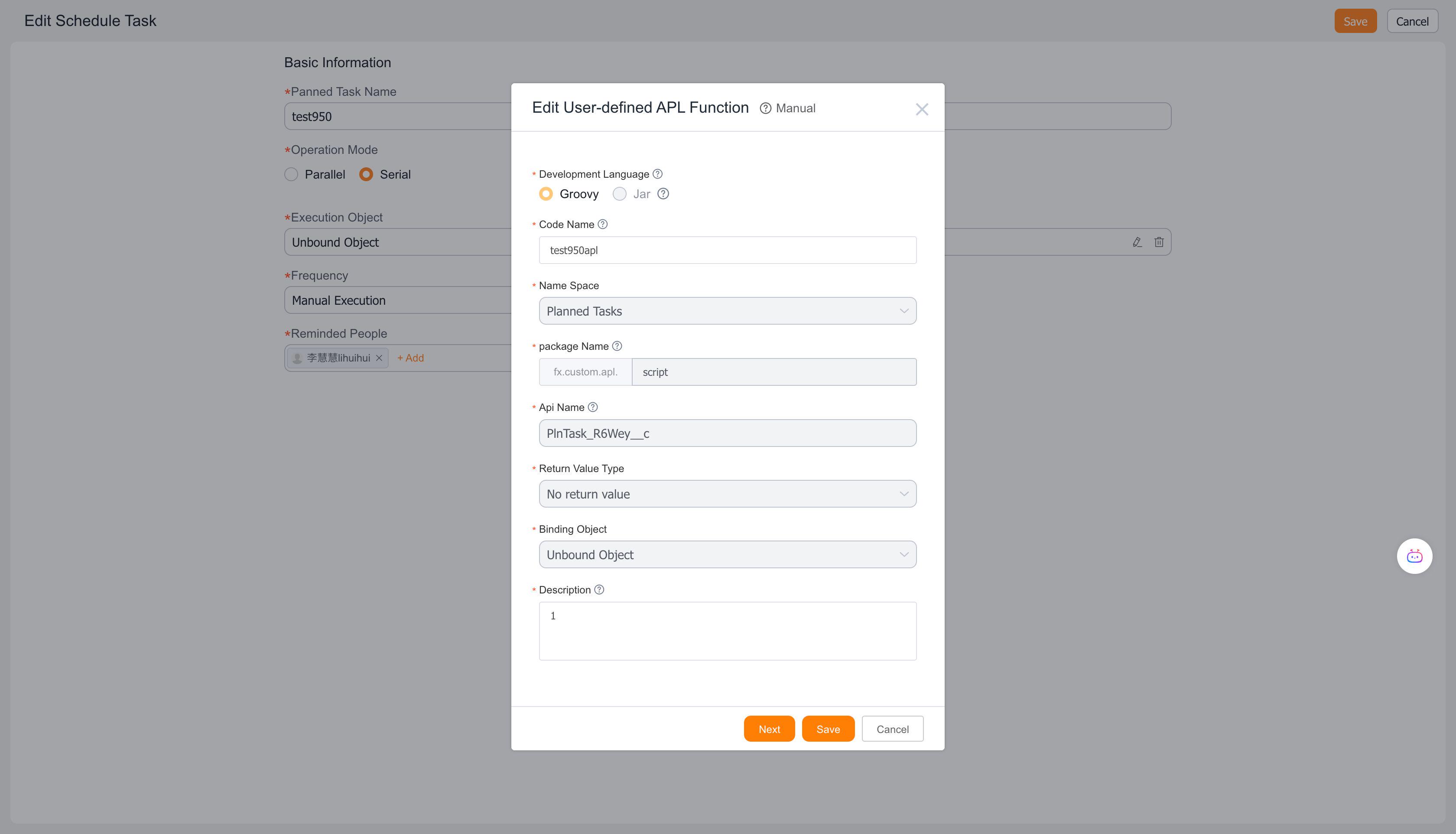
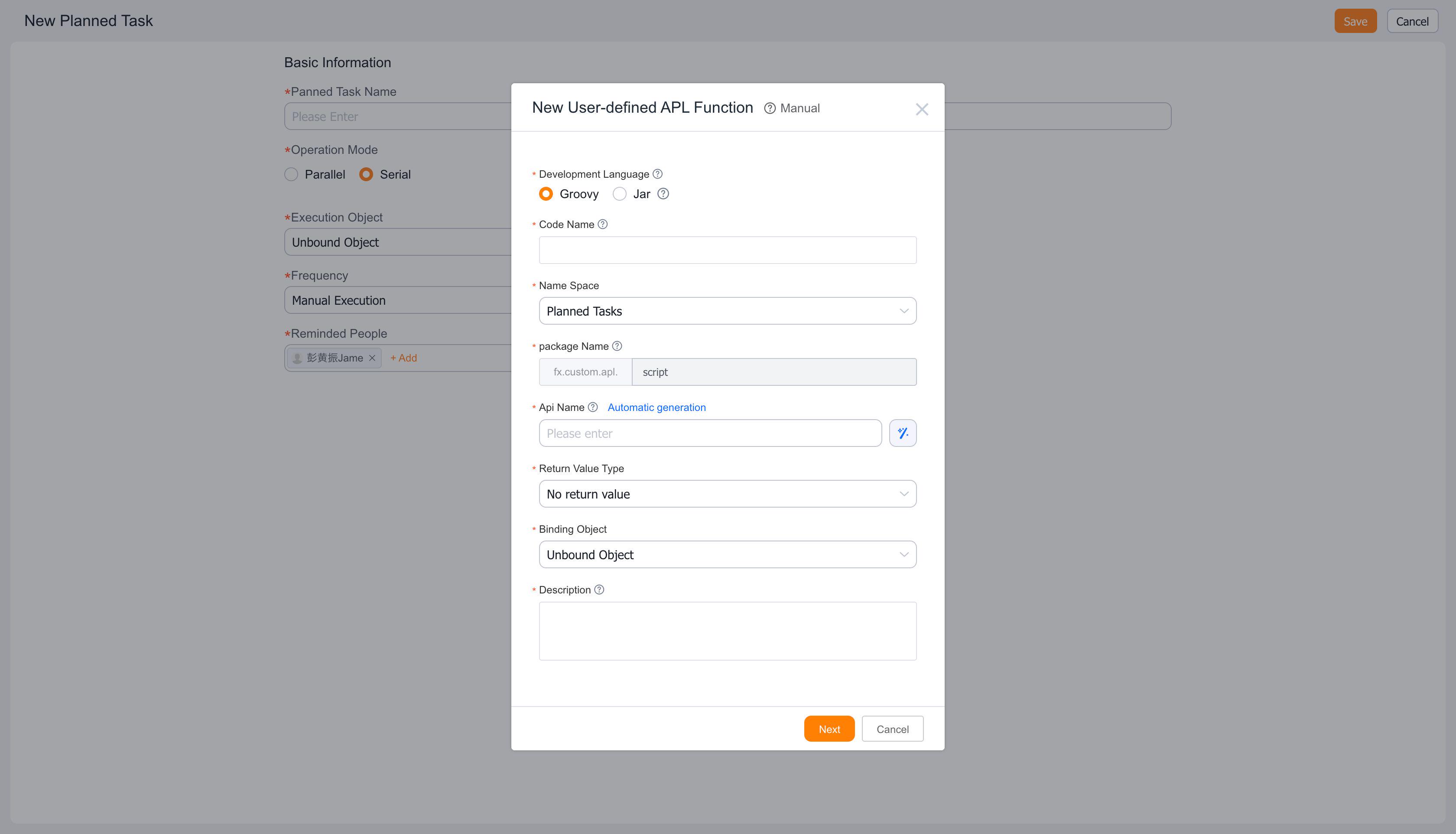
III. Click Next
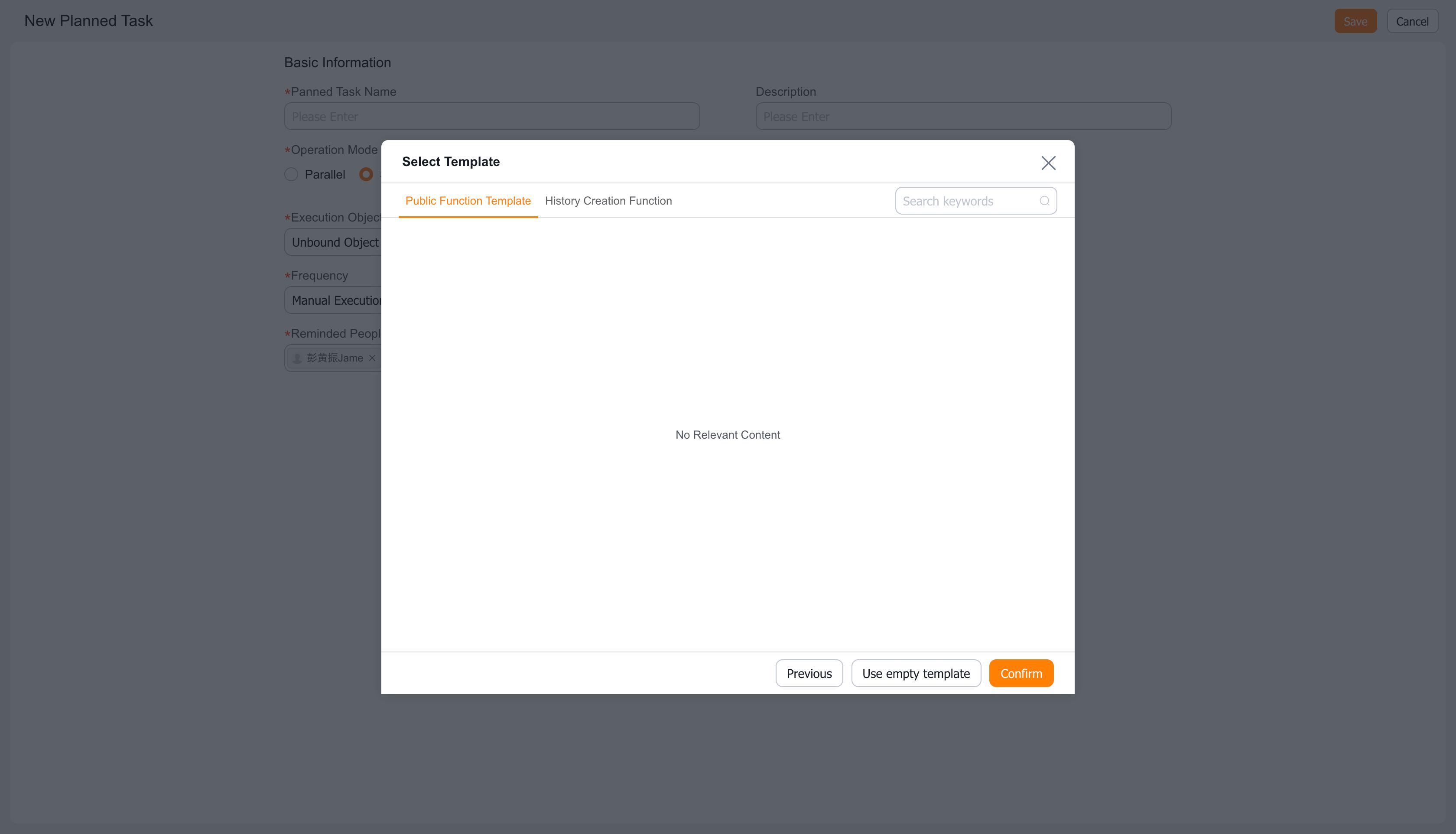
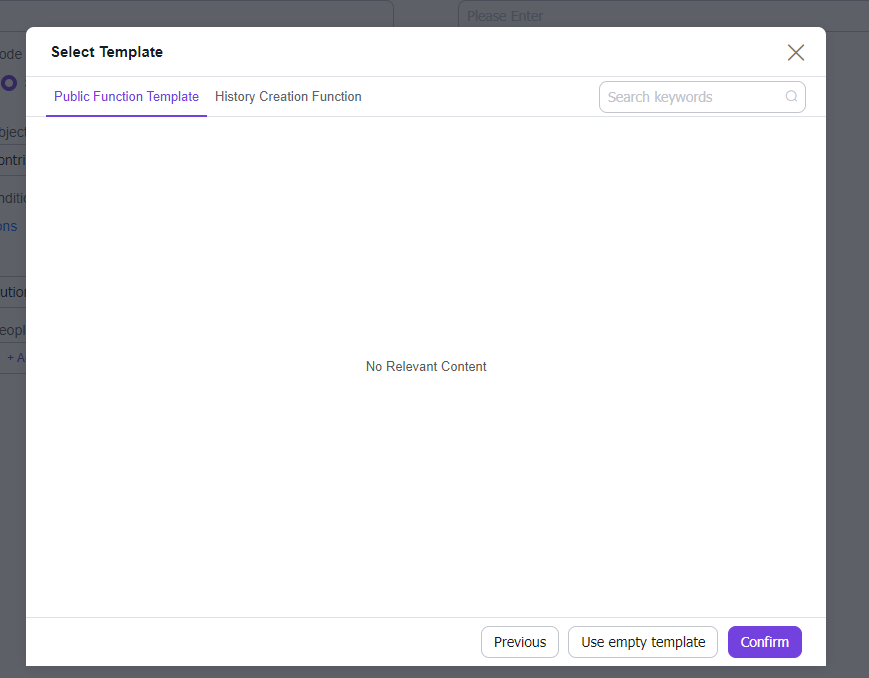
IV. Select Template — Choose between using a template or an empty template, then click [Confirm]
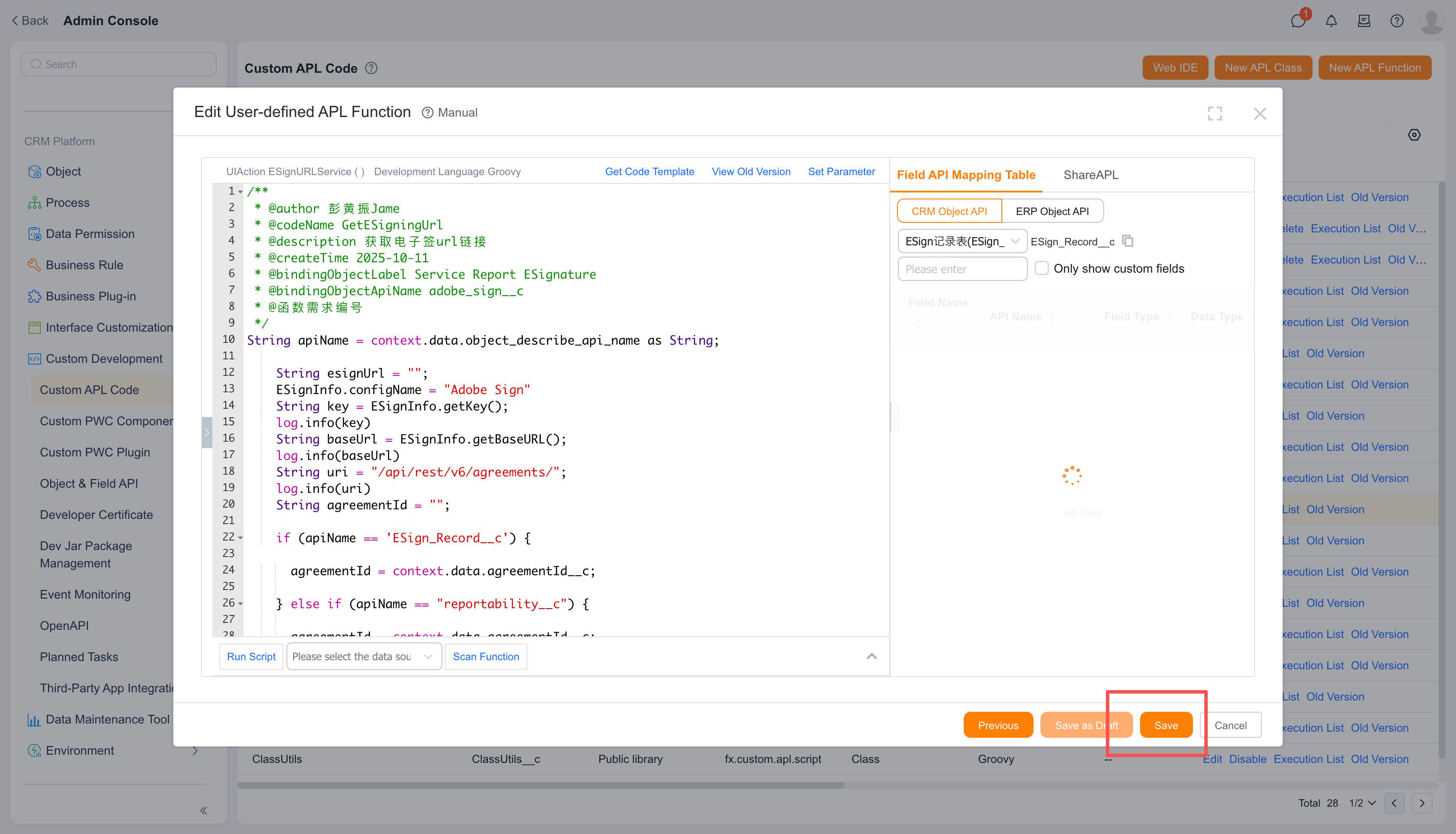
V. Click [Save] to complete function creation
Notes:
- Execution Target: The object type requiring batch processing. Each scheduled task can only be bound to one object.
- Execution Function: The processing logic to be executed.
- Execution Conditions: Filters object instances requiring processing (function execution) based on the execution target's fields.