English
Configuration Steps
I. Binding eSign Electronic Signature
1. Bind the electronic signature vendor in Management - Electronic Signature
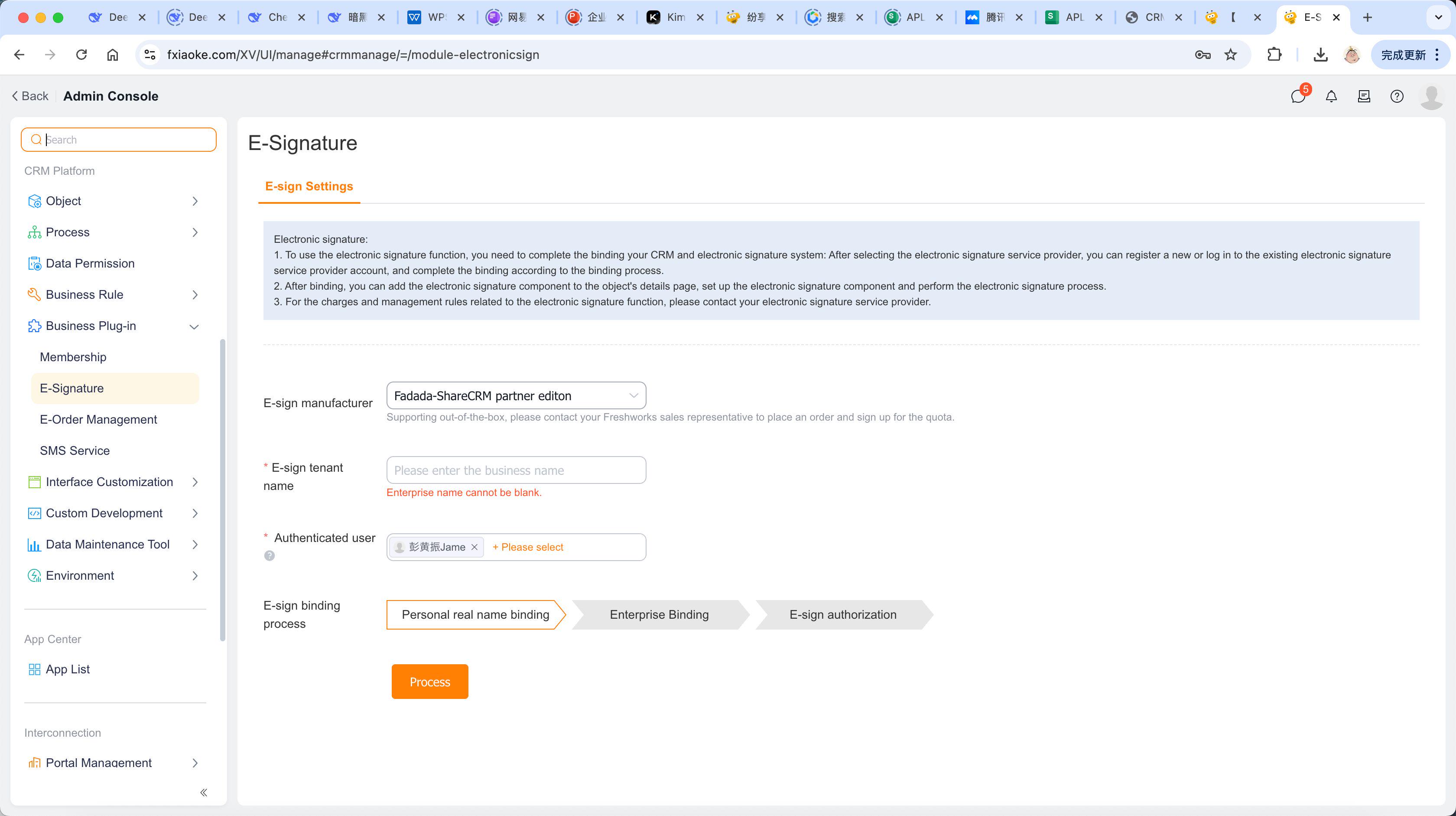
Notes:
- Select "Custom Vendor" for the electronic signature vendor;
- The electronic signature function needs to be configured as a class function in custom APL code. For function details, refer to: eSign Standard Edition API - Electronic Signature Plugin Functions;
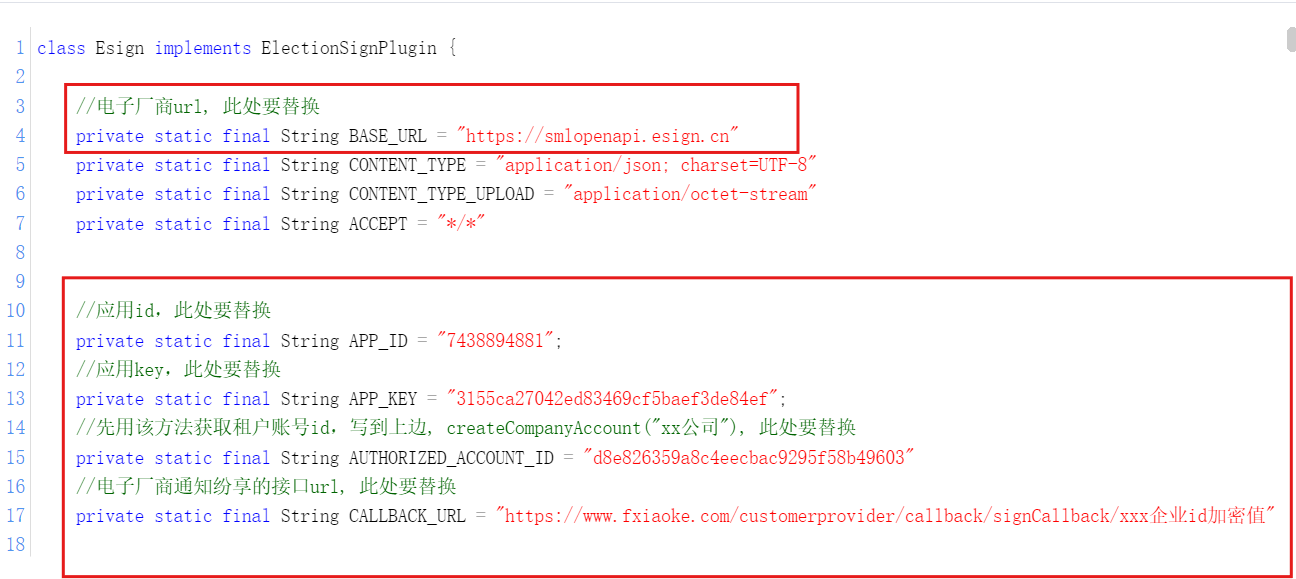
- Update eSign information to reflect your enterprise's details:
2. Click "Process" to activate electronic signature
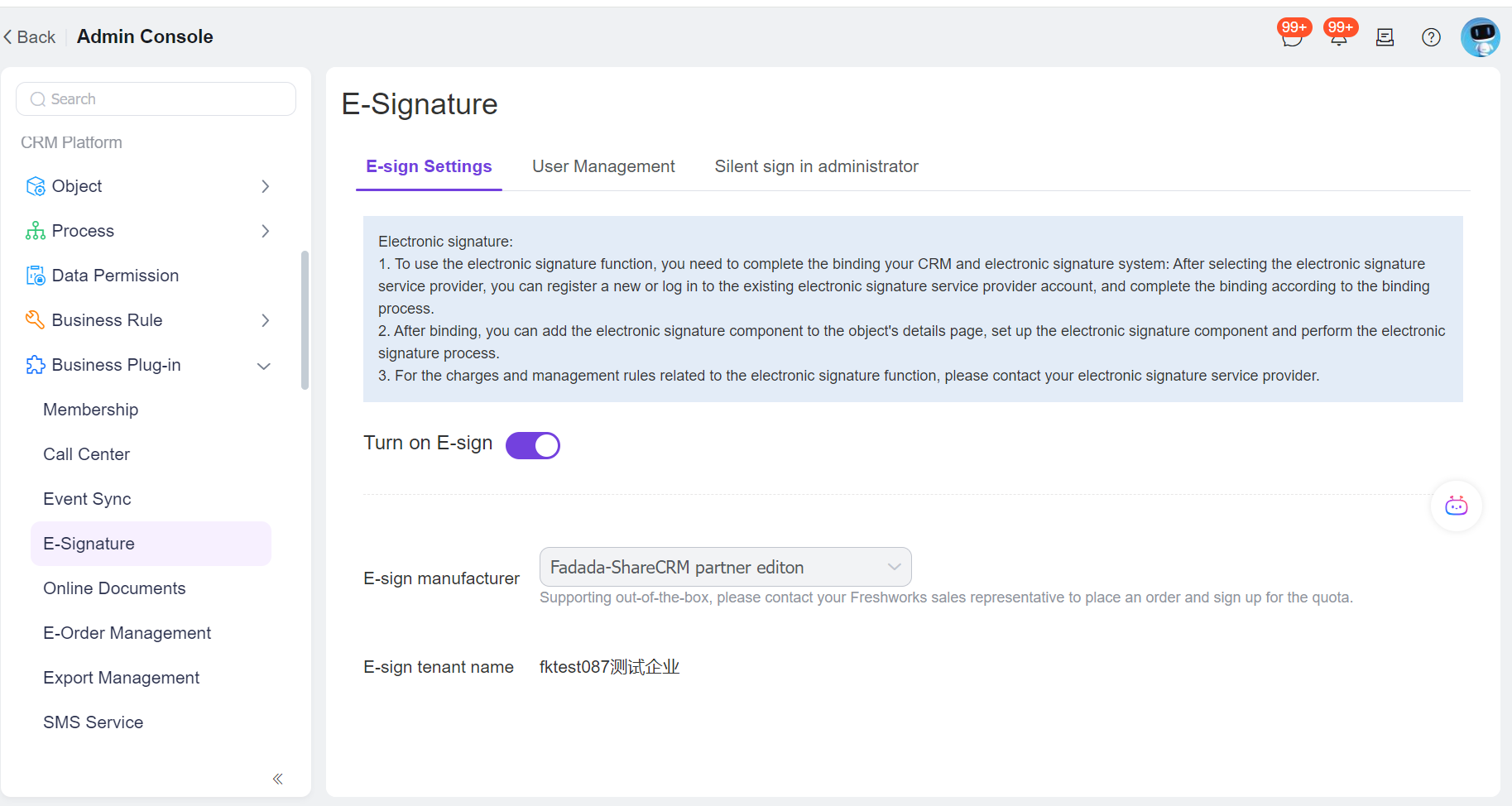
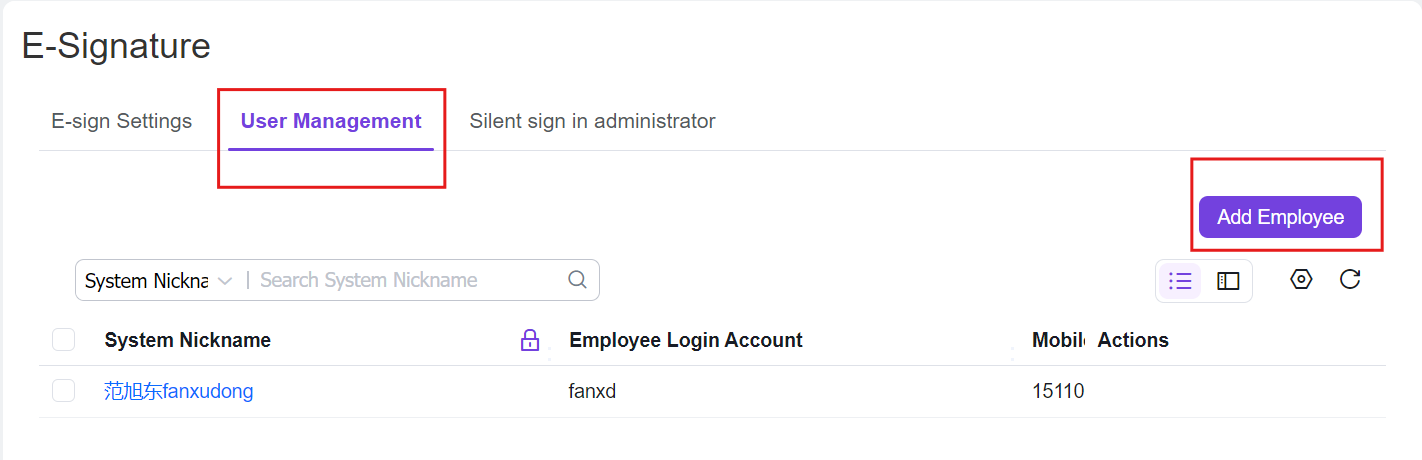
3. Add employees in User Management. Authenticated employees will become internal signers when initiating electronic signatures (added personnel will receive authentication SMS from the signature vendor)
II. Configuring Electronic Signature Components in Objects
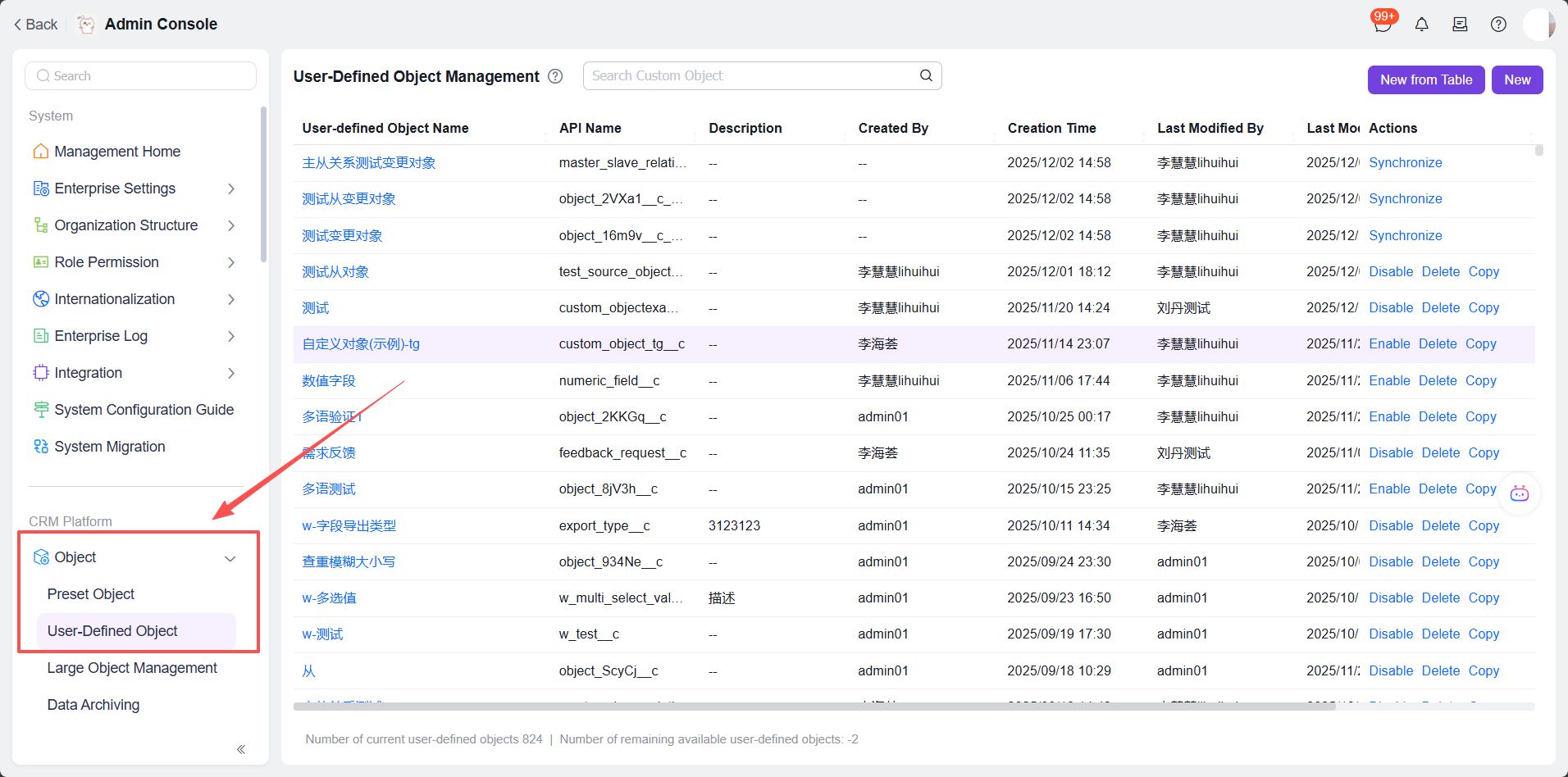
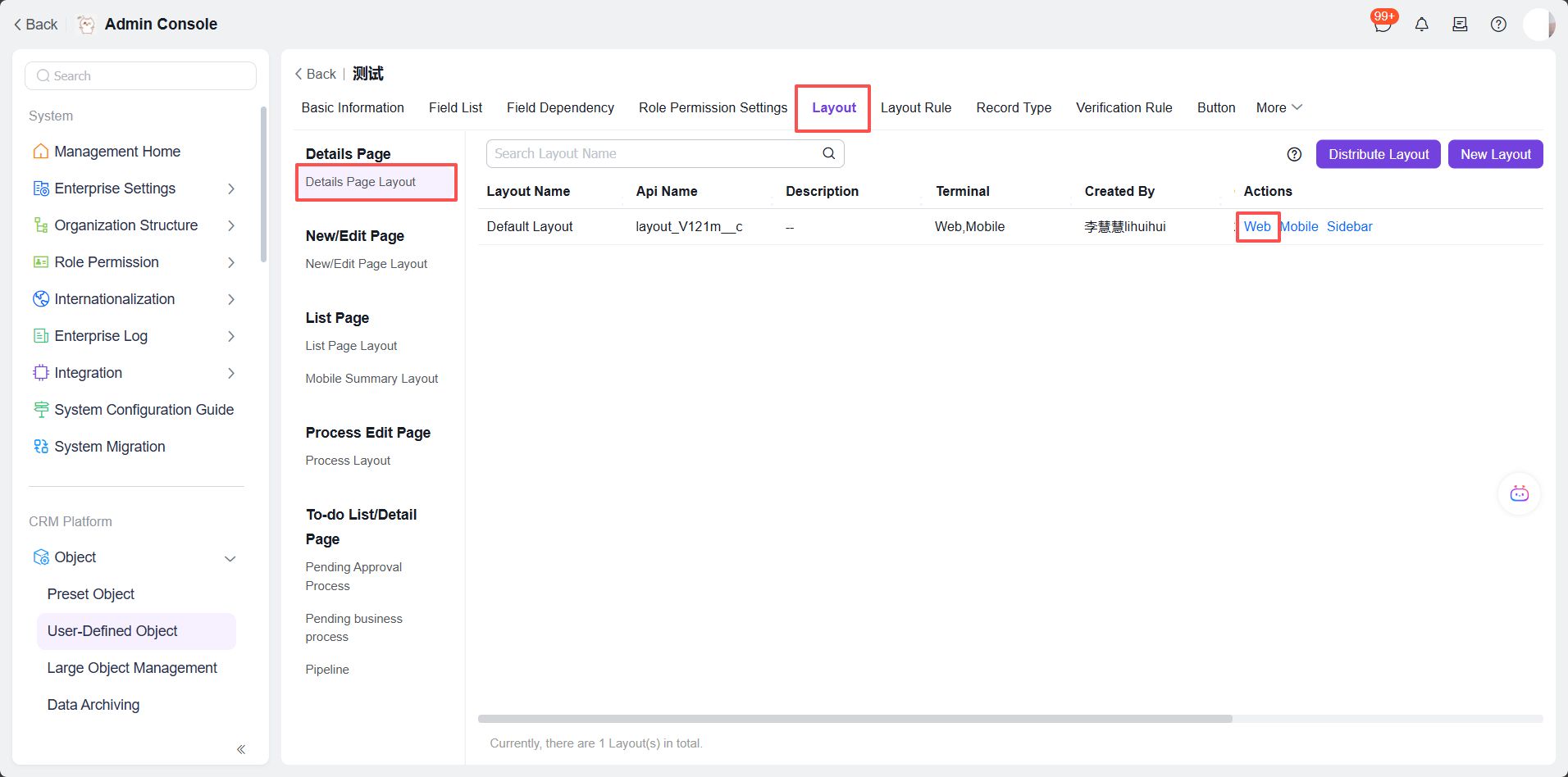
1. In Object Management, select the target object for electronic signature configuration. Navigate to Layout - Detail Page Layout (using Web layout as example)
2. Drag the Electronic Signature component from the component list to the layout
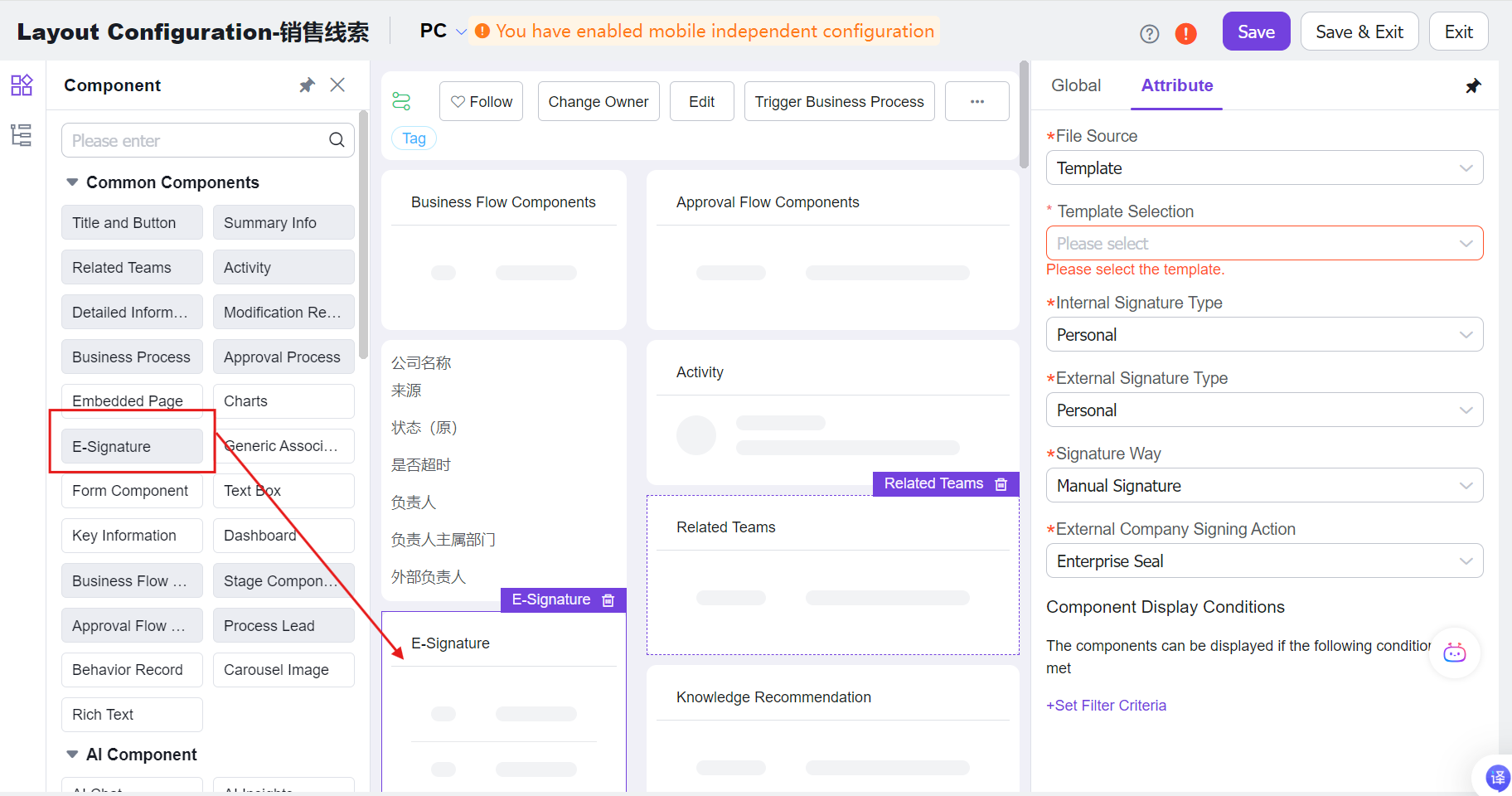
3. Configure the electronic signature component settings
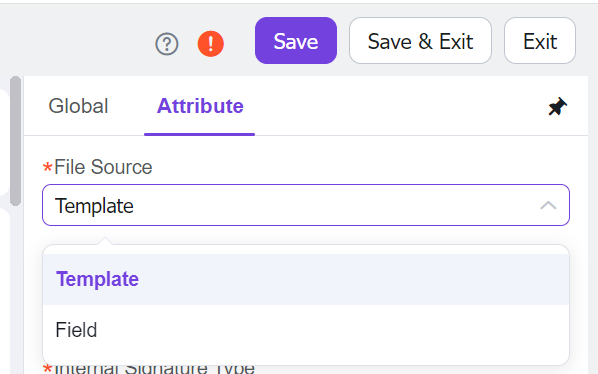
III. Initiating Electronic Signature Configuration
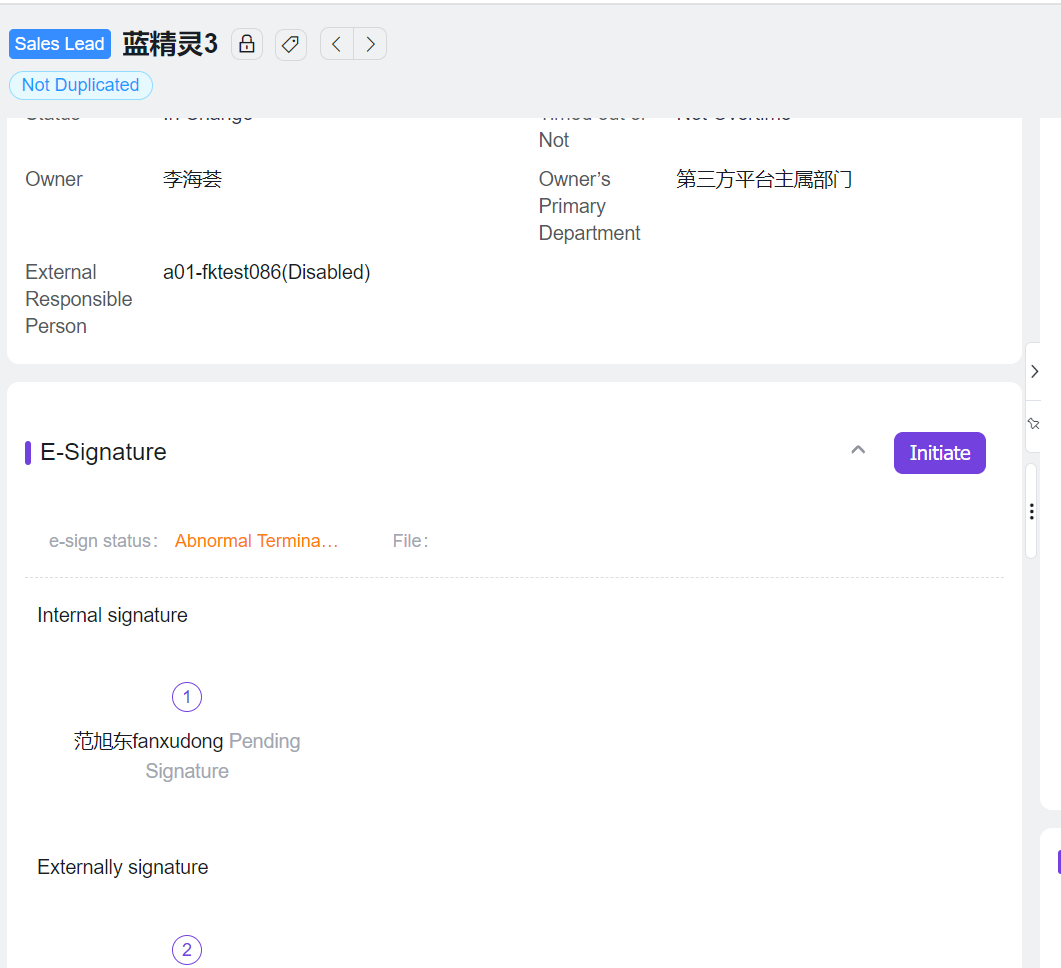
1. The initiation button will be visible on the object detail page
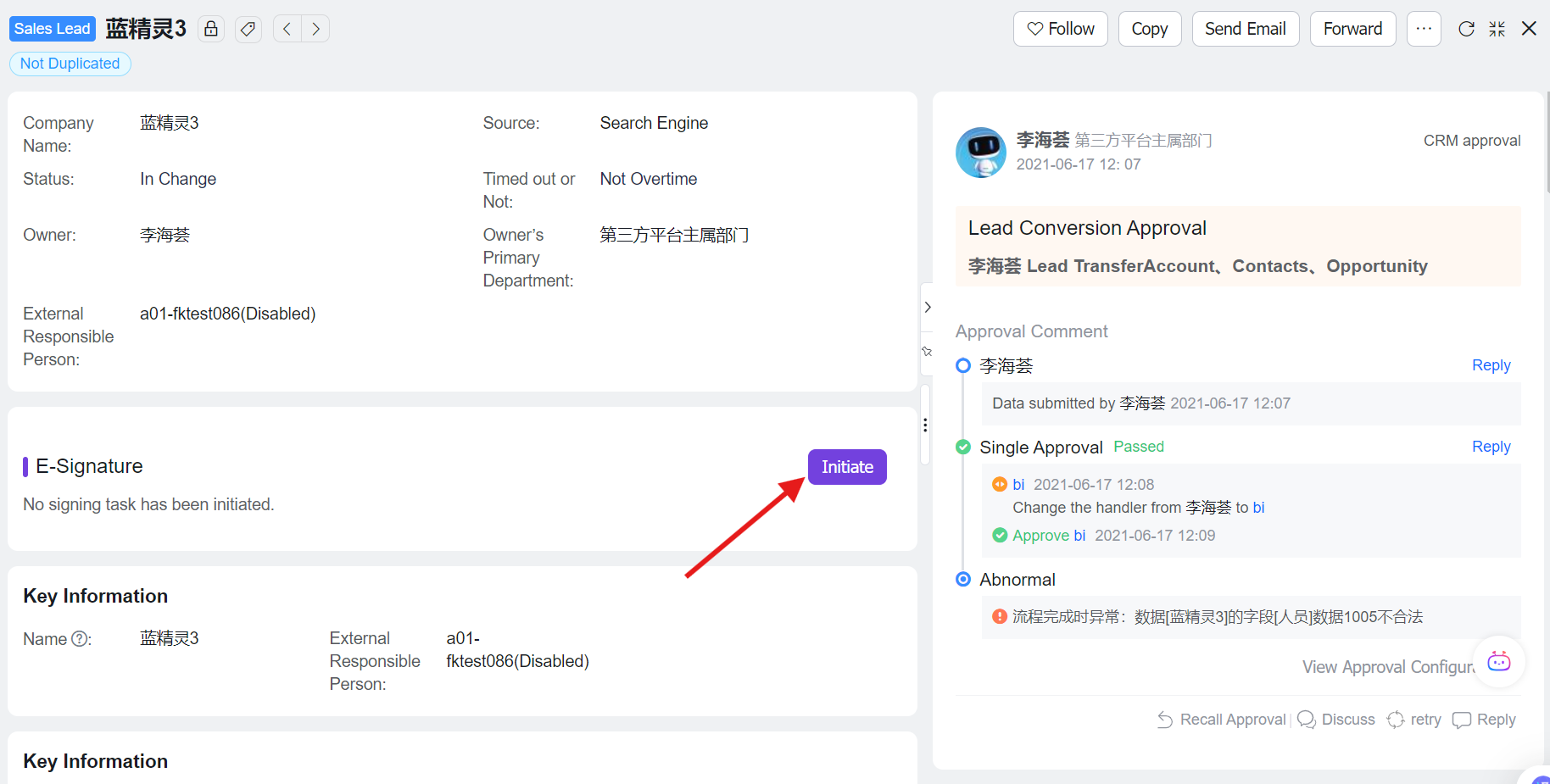
2. Click "Initiate" to enter the signature initiation interface
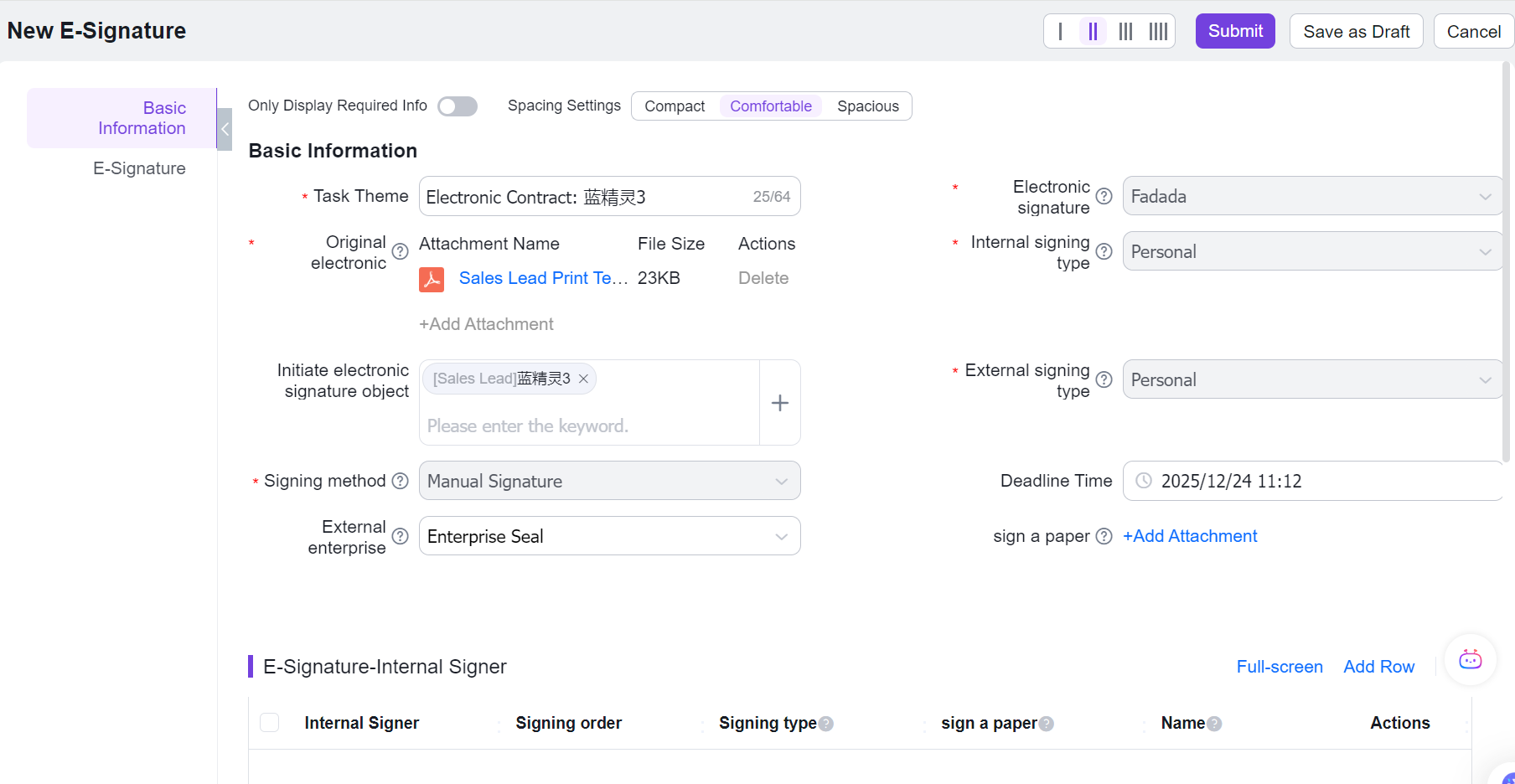
3. Configure internal signers

Notes:
- Internal signers can be selected from authenticated colleagues in User Management;
- Signing order indicates the sequence (can be modified, but duplicate orders are not allowed);
- Signing method defaults to component configuration but can be modified;
- Signature files are selected from original documents (multiple selection supported, first file selected by default);
- If component is configured for silent signing, internal signer configuration is not required.
4. Configure external signers

Notes:
- External signers can be selected from contacts in the Contact object (company information is validated, with "company" as a required field);
- Signing order indicates the sequence (can be modified, but duplicate orders are not allowed);
- Signing method defaults to component configuration but can be modified;
- Signature files are selected from original documents (multiple selection supported, first file selected by default).
5. Successful submission display