English
Usage Tips
How to Get Object and Field APIs?
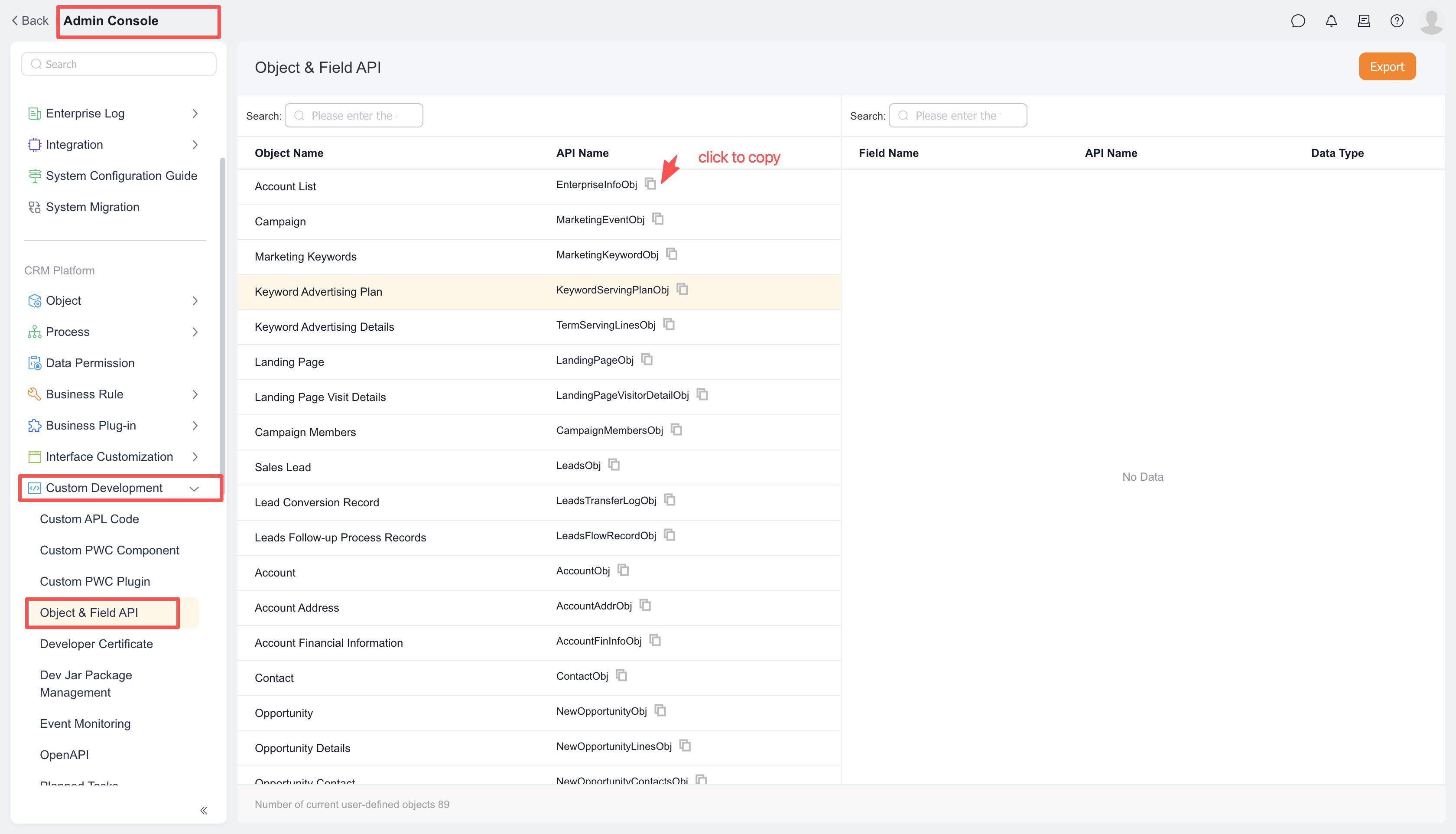
Log in to the Fxiaoke web client, navigate to the [Management] channel, and open the [Object & Field APIs] page under [Custom Development]. Here you'll find all objects and their corresponding field API Names. Click the copy icon next to an API Name to instantly copy it into the function editor.
How to Get an Object Instance ID?
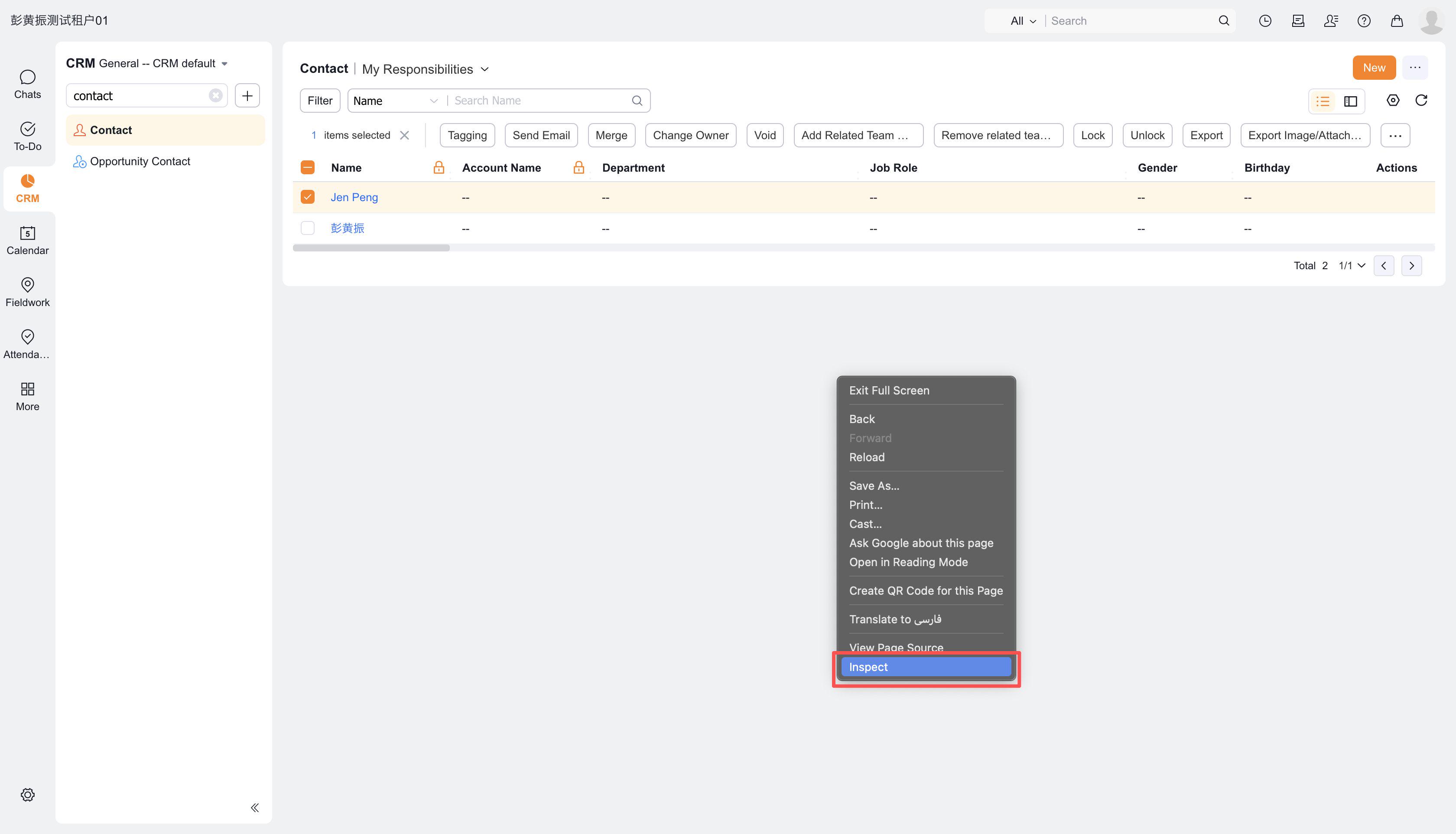
- Right-click on the target object list page and select [Inspect] to enter developer mode
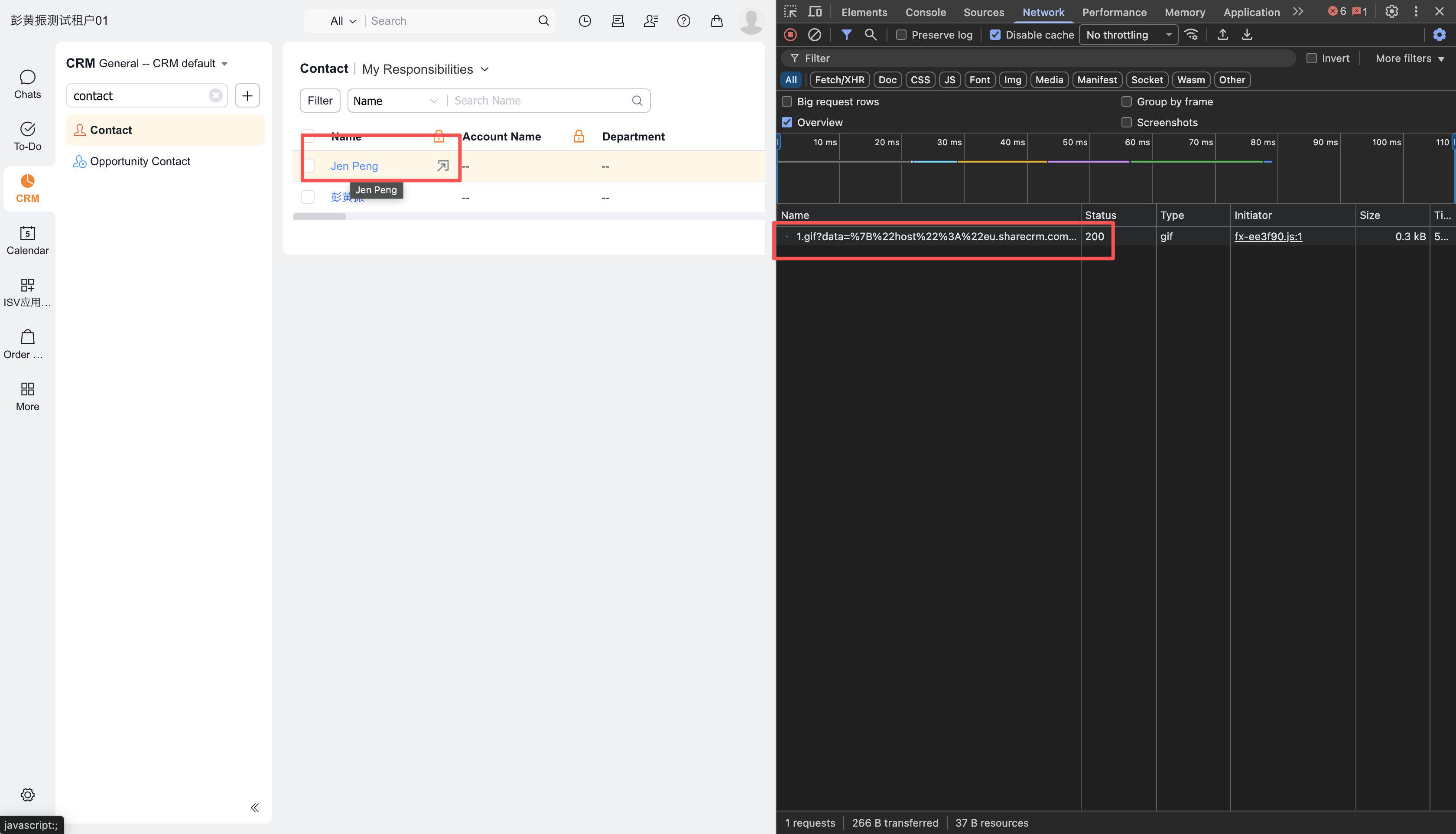
- In developer mode, switch to the [Network] tab, then click the target object instance in the left panel (e.g. "Zhang Dasan" in the example below)
- Observe that developer mode dynamically loads multiple files - locate the file beginning with "Detail"
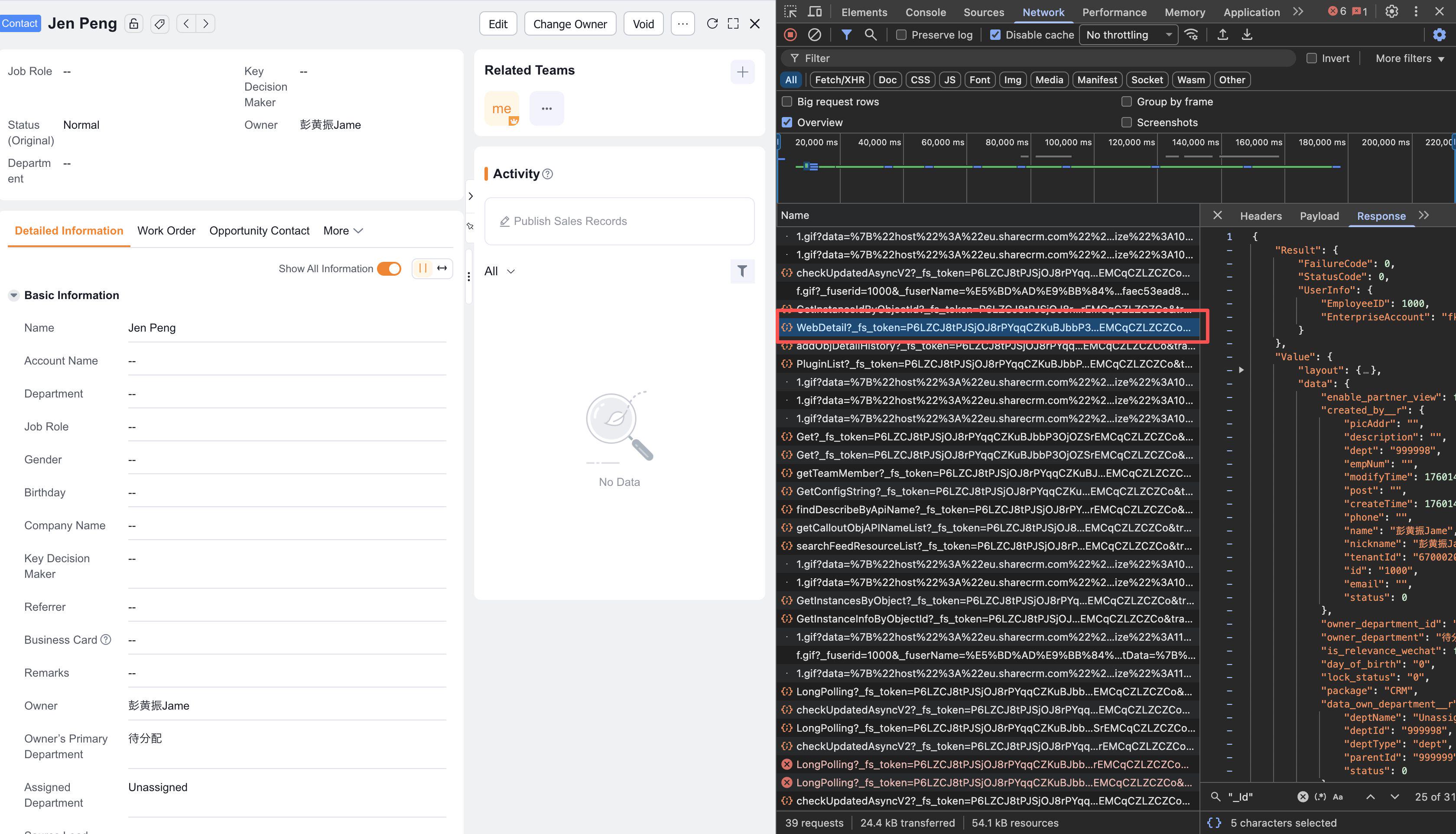
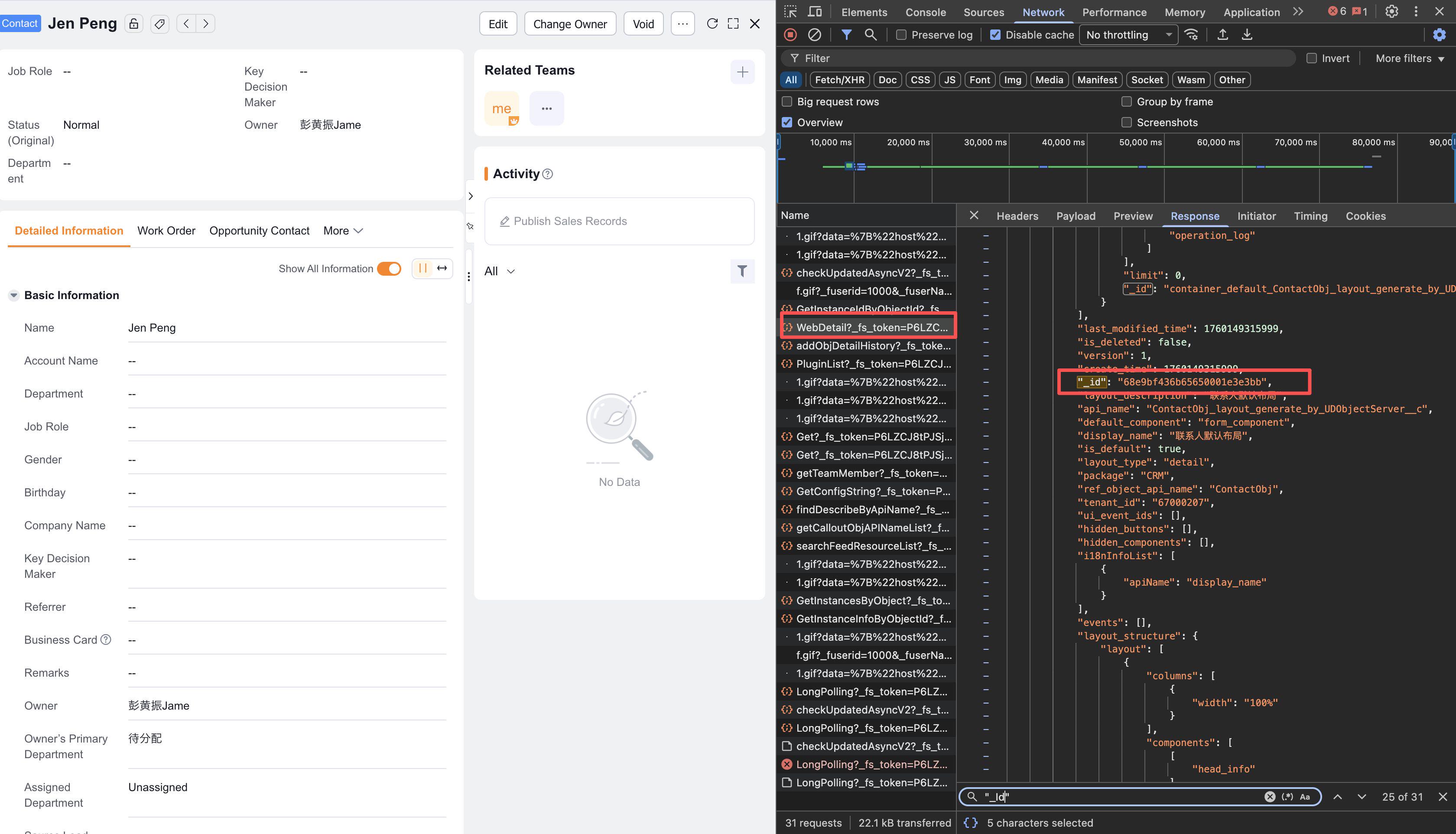
- In the right panel, find all contact parameter information loaded under the data field within Value
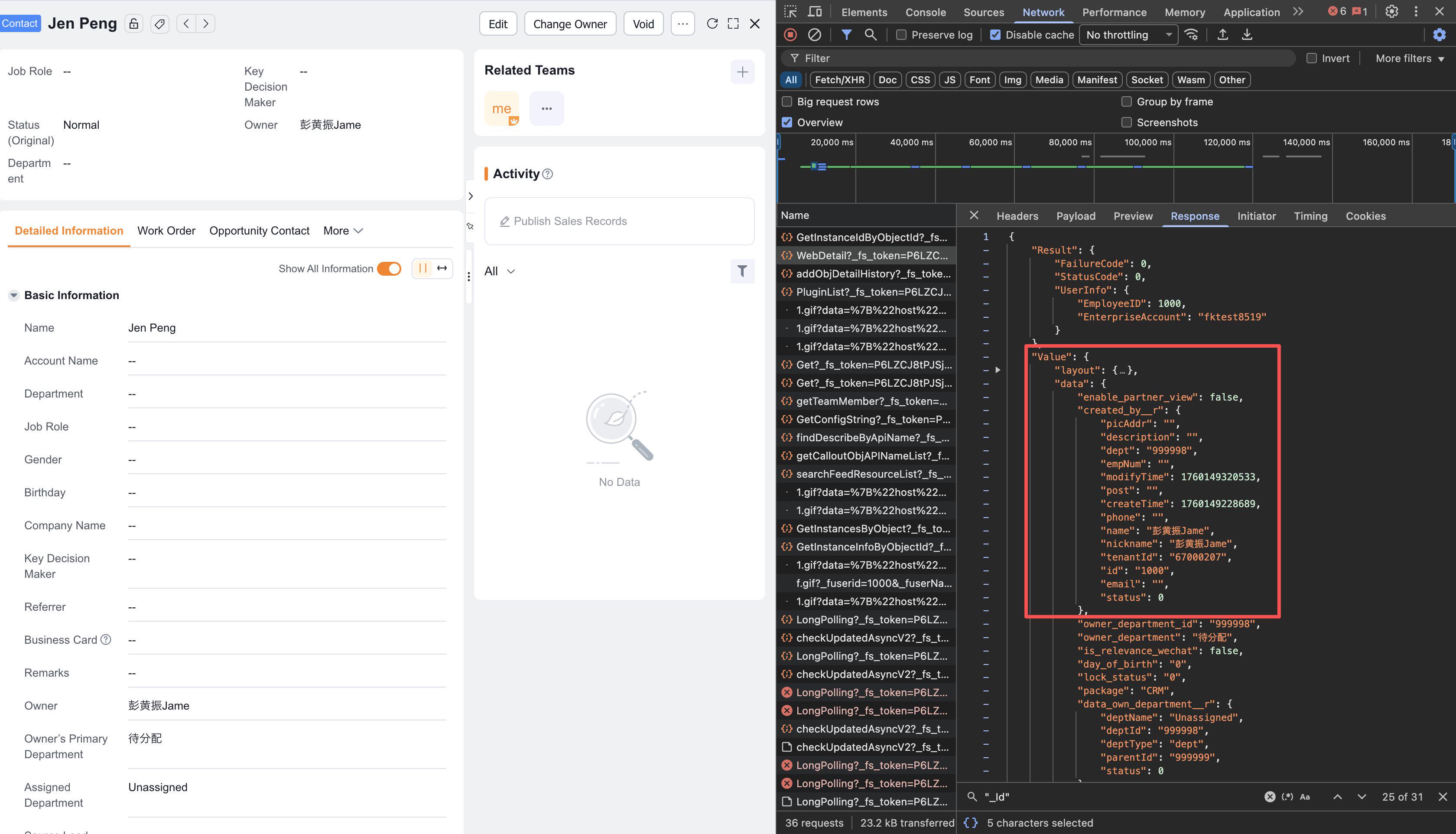
- The _id field below represents the contact ID for "Zhang Dasan"