English
Configuration Steps
1. Create a Function
First, create an APL function with the namespace type [AI Prompt Template]
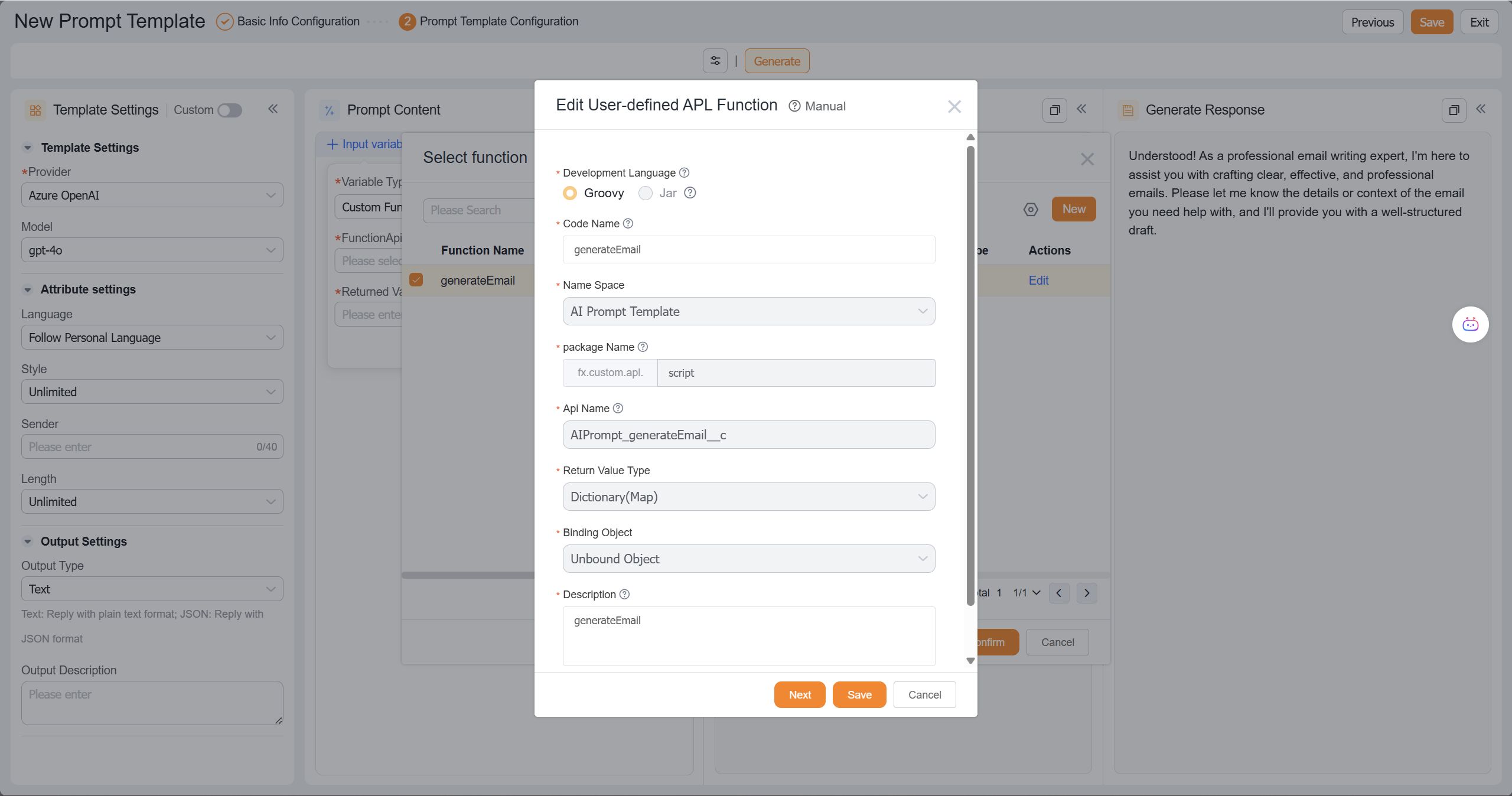
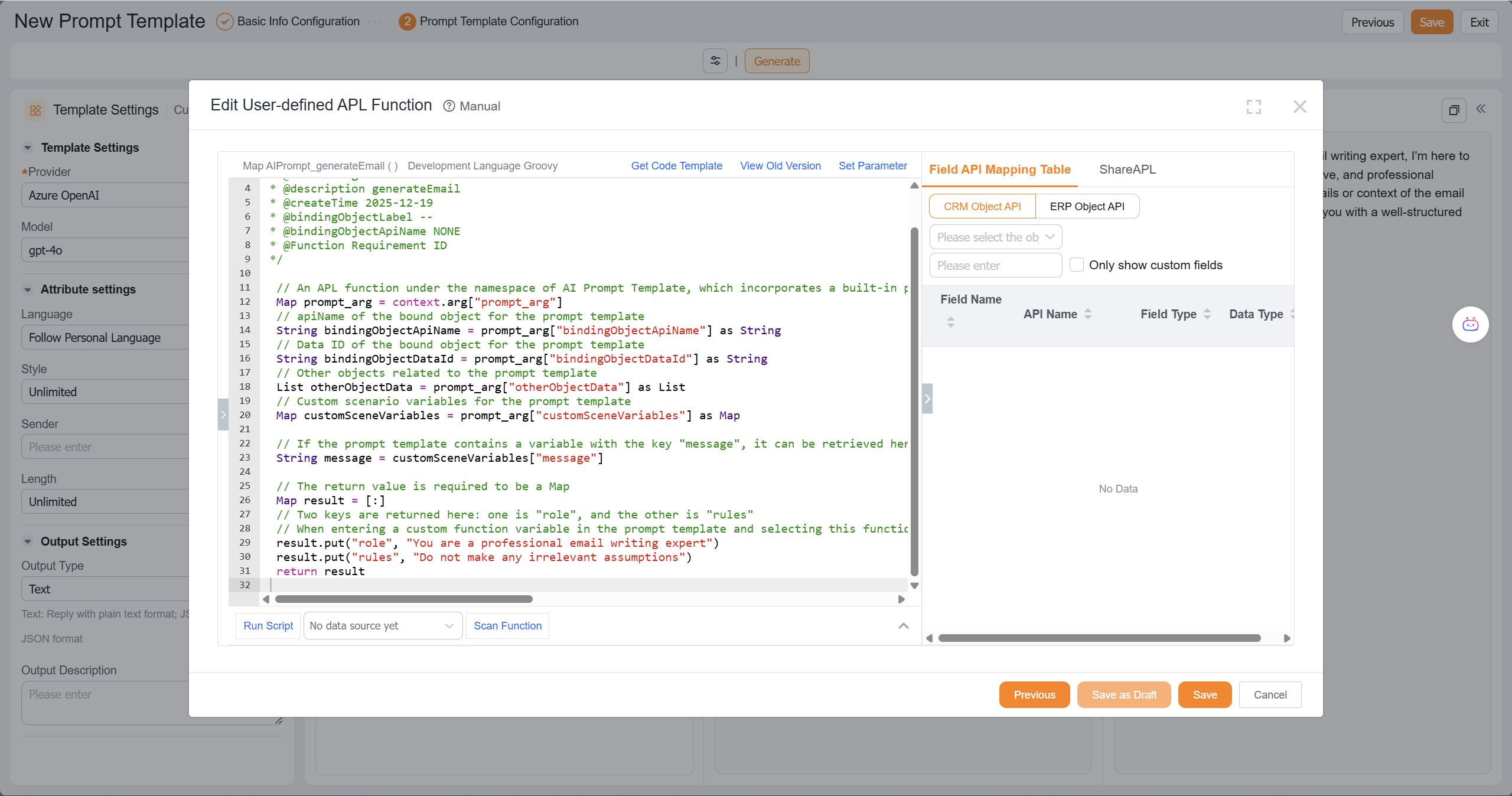
Then implement your logic using APL code:
- The
context.argcontains aprompt_argparameter, which passes the prompt template information as arguments for use within the function. Refer to the function template for details. - Note: The function must return a Map. The key-value pairs in the Map can be used as variables in the prompt template.
2. Prompt Template Configuration
Once the function is created successfully, it can be used in the prompt template:
- Input variables and select "Custom Function"
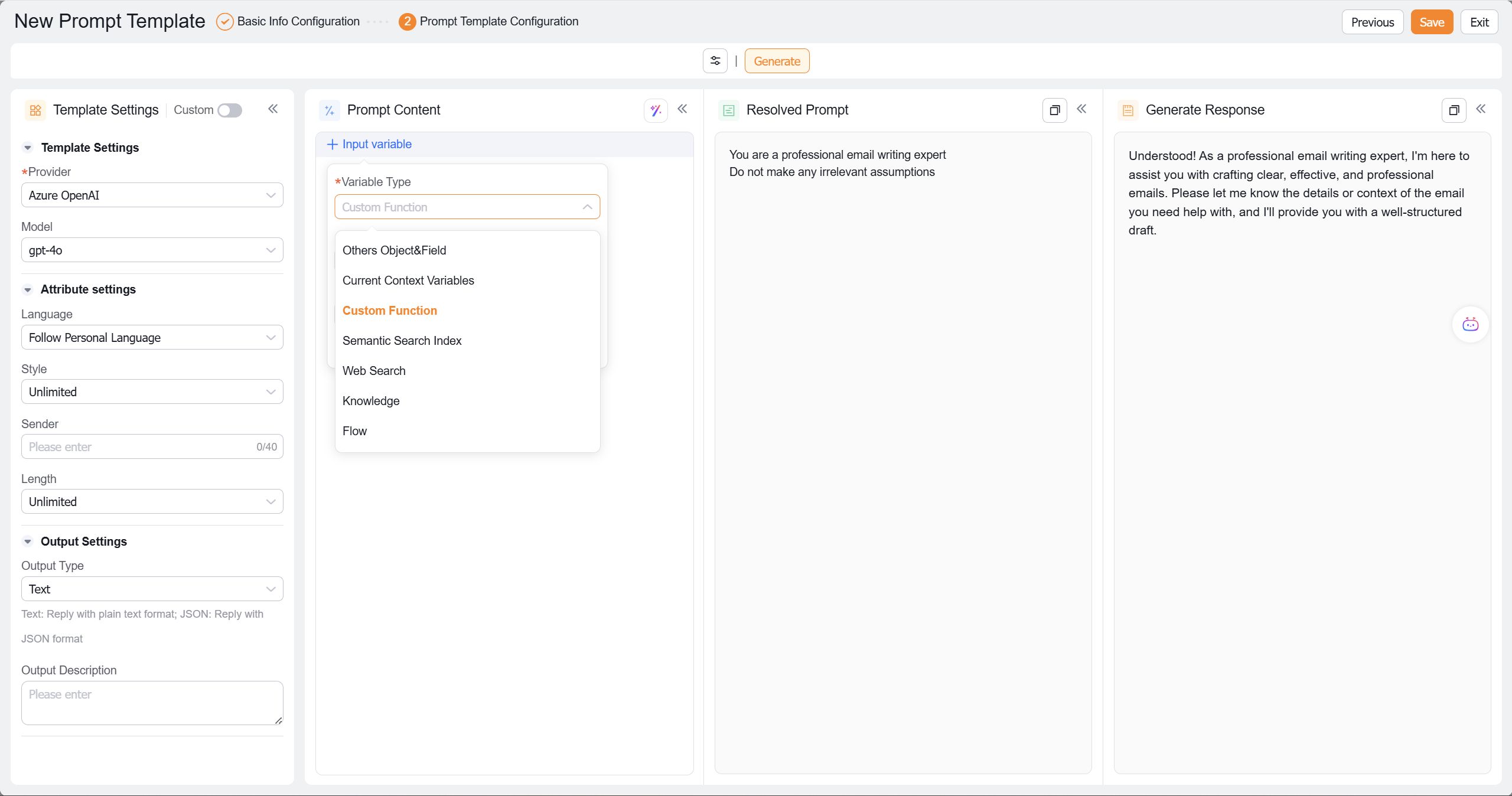
- Choose the custom function you just created
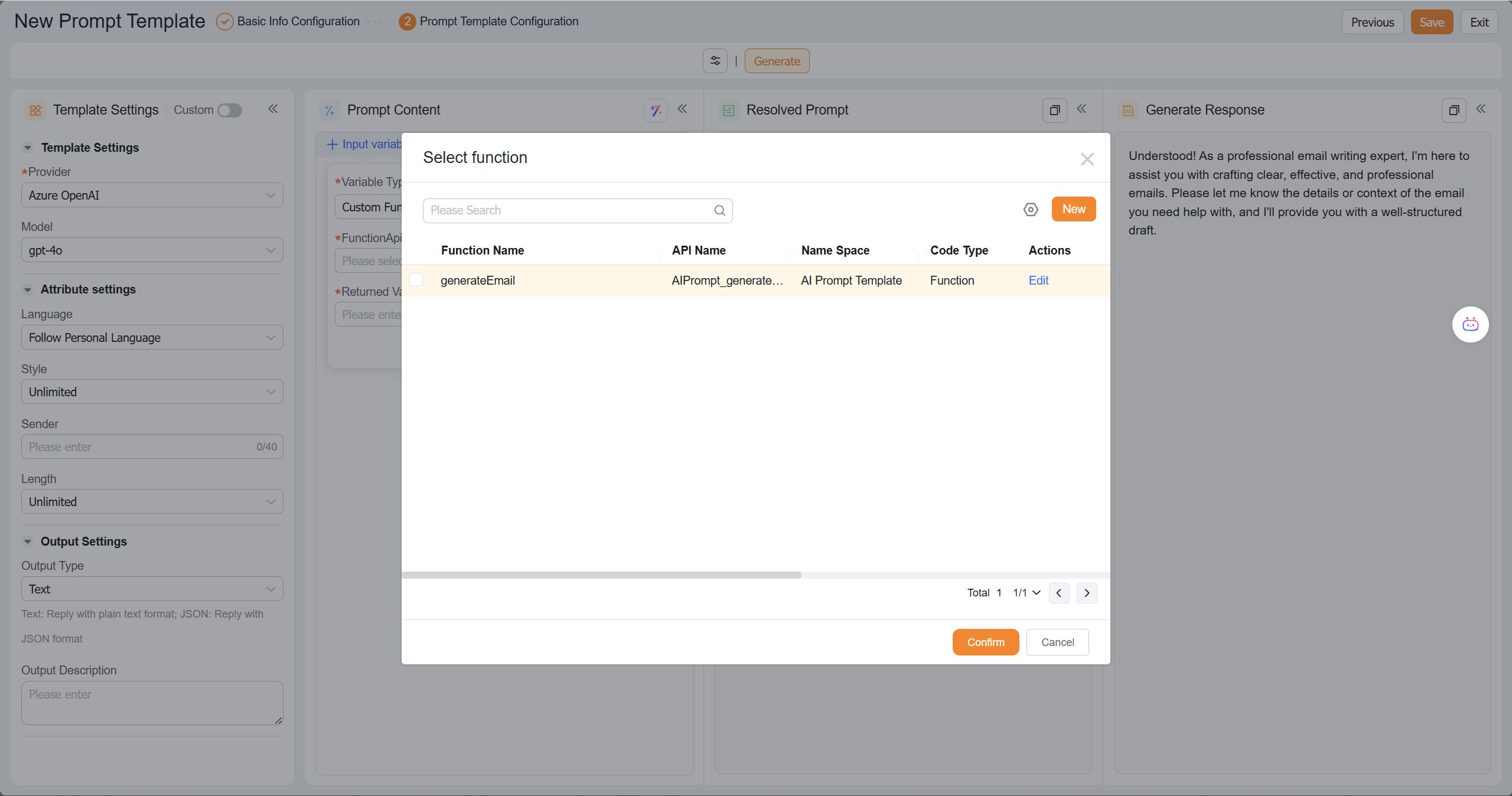
- Enter the key from the function's return value (the corresponding value will be passed to the prompt template as a variable)
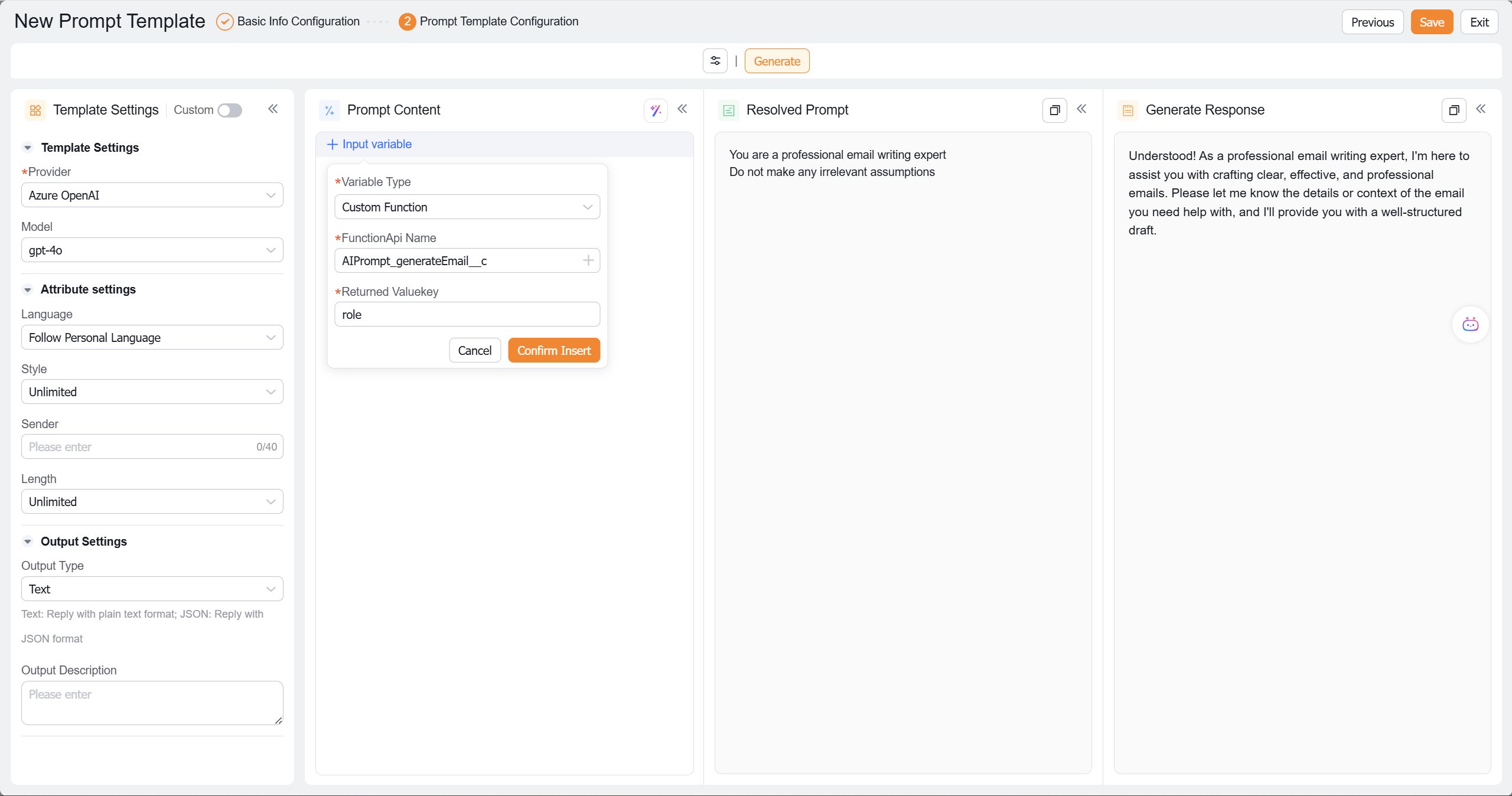
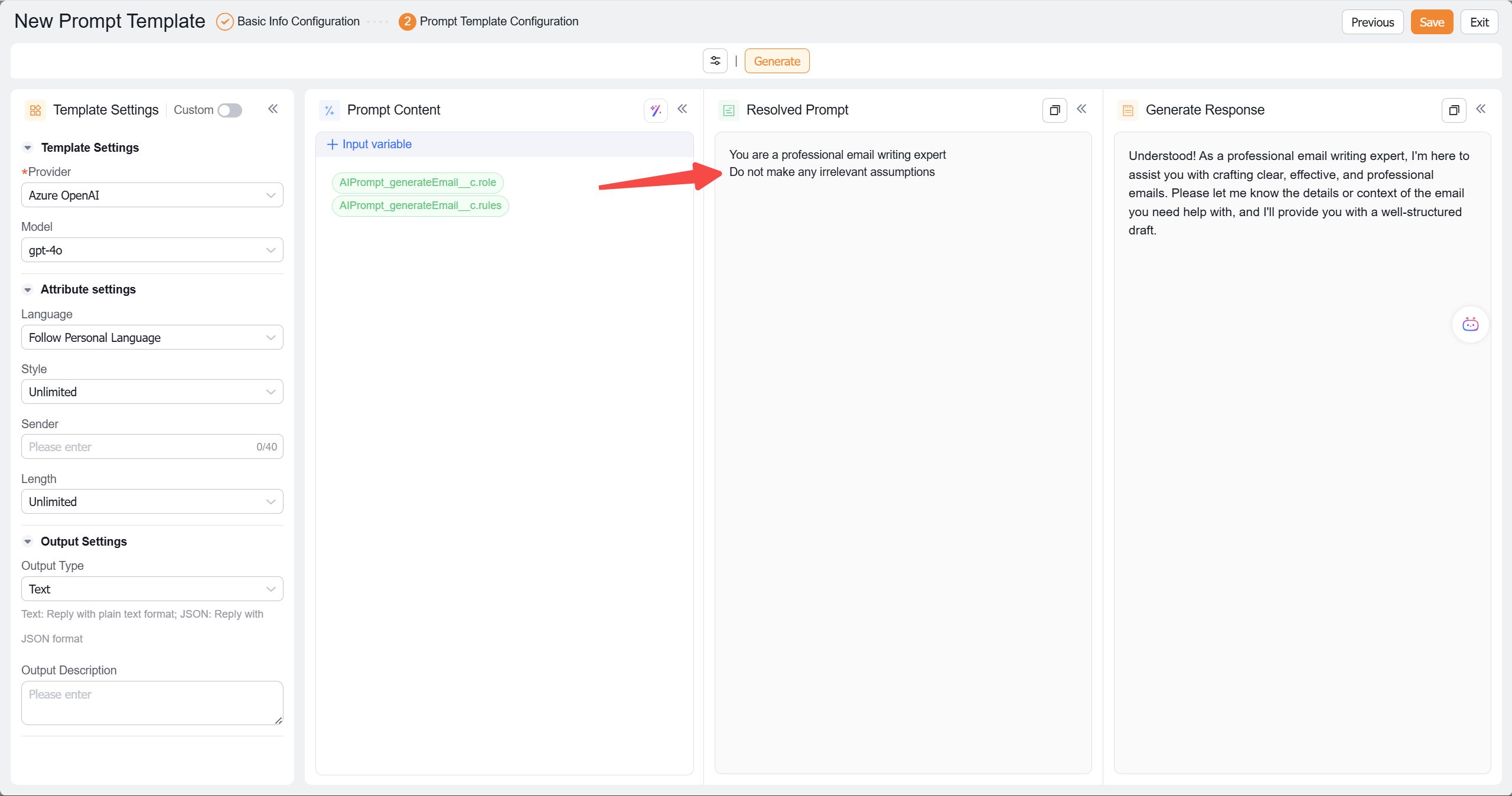
- After configuration, click the "Generate Preview" button to execute the function and populate the template with values from the returned Map