English
Configuration Steps
I. Create Function
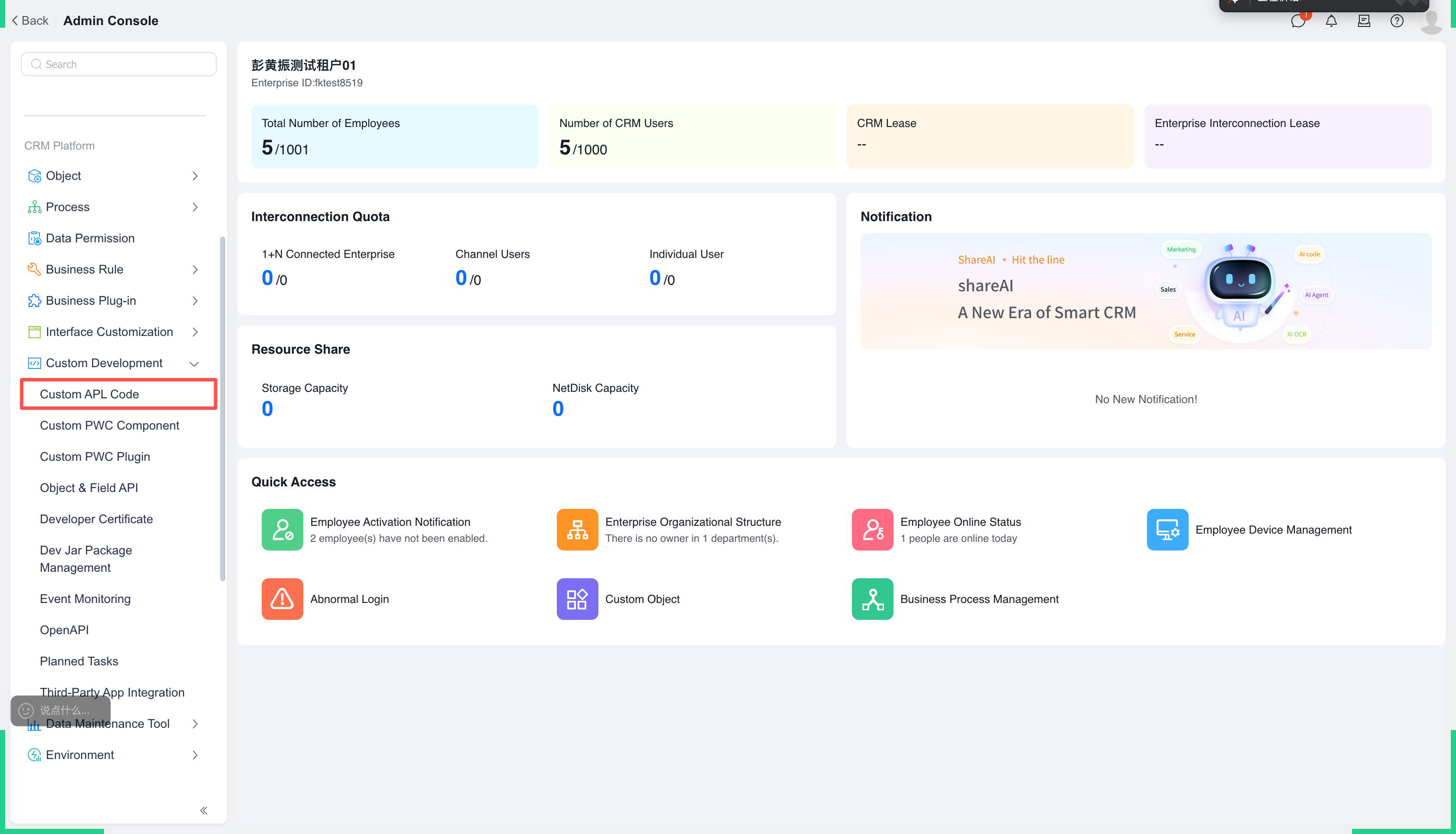
1. Entry Point
【Custom Development Platform】-【Custom APL Code】
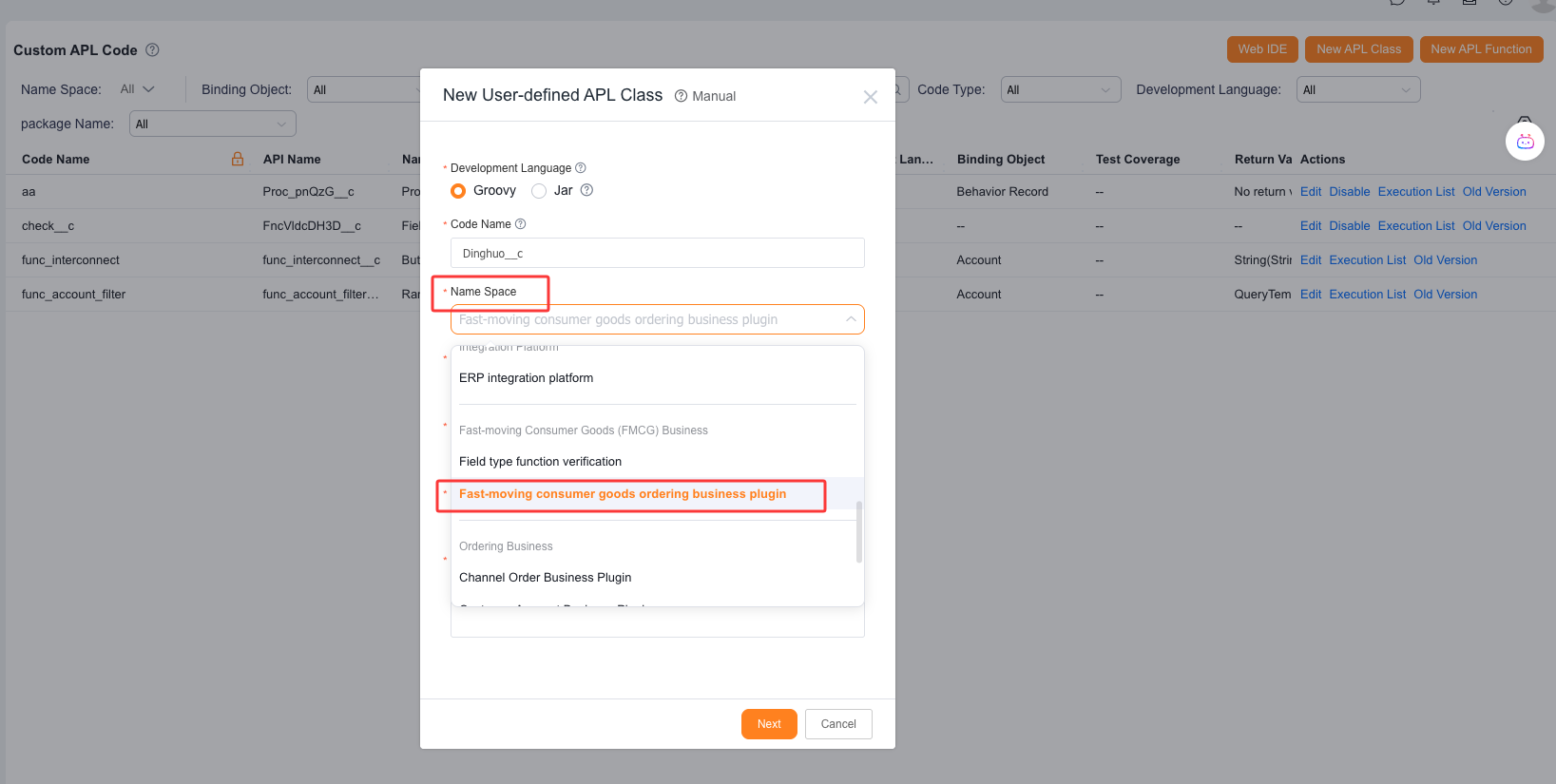
2. Create a new custom APL class and select namespace 【FMCG Order Business Plugin】
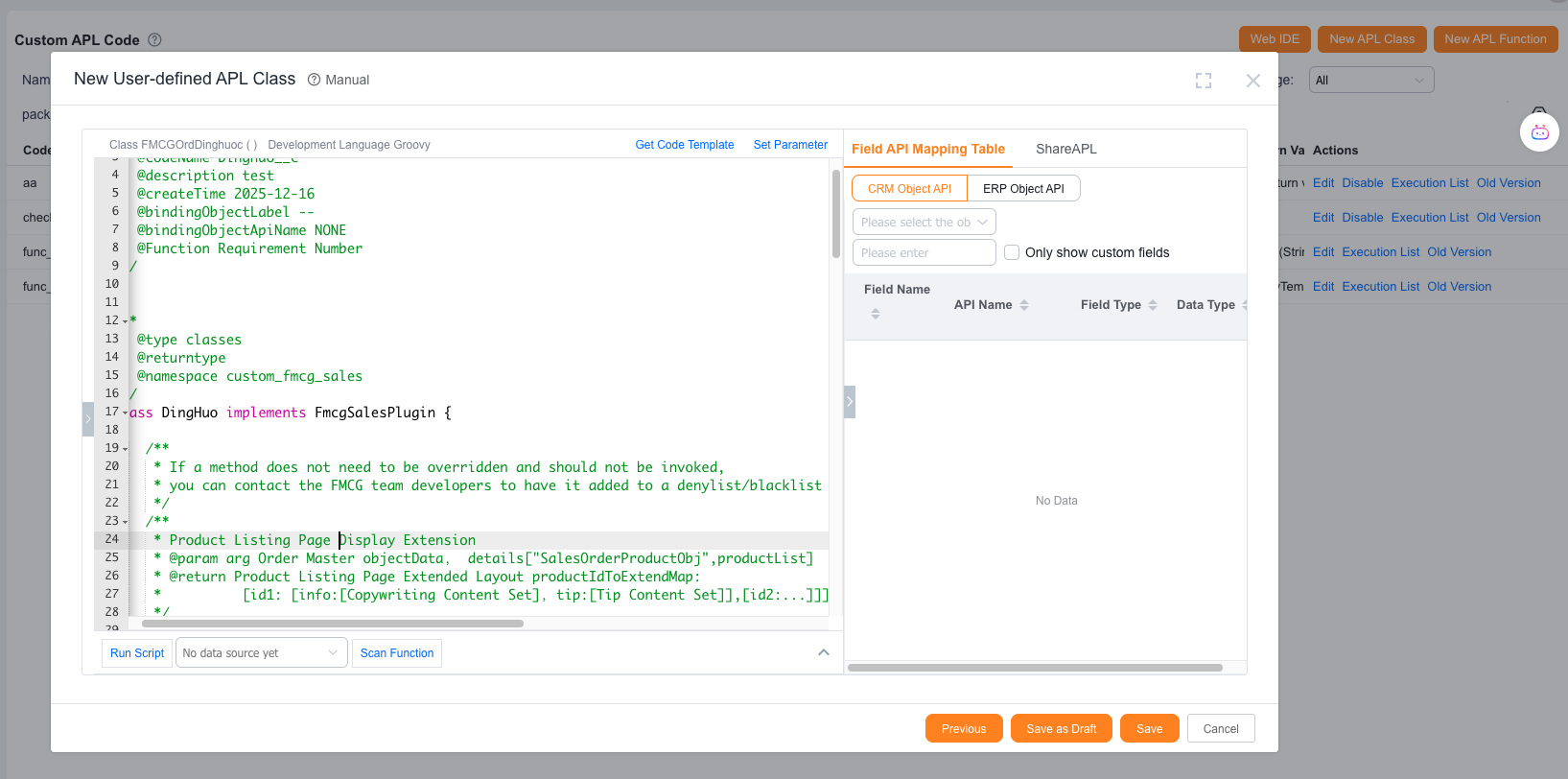
3. The development team has pre-written function templates. Implementation personnel only need to modify specific functions according to the comments.
II. Field Operation - Field Action - Order Action - Bind Function
1. Entry Point
【More】-【Field Operations】
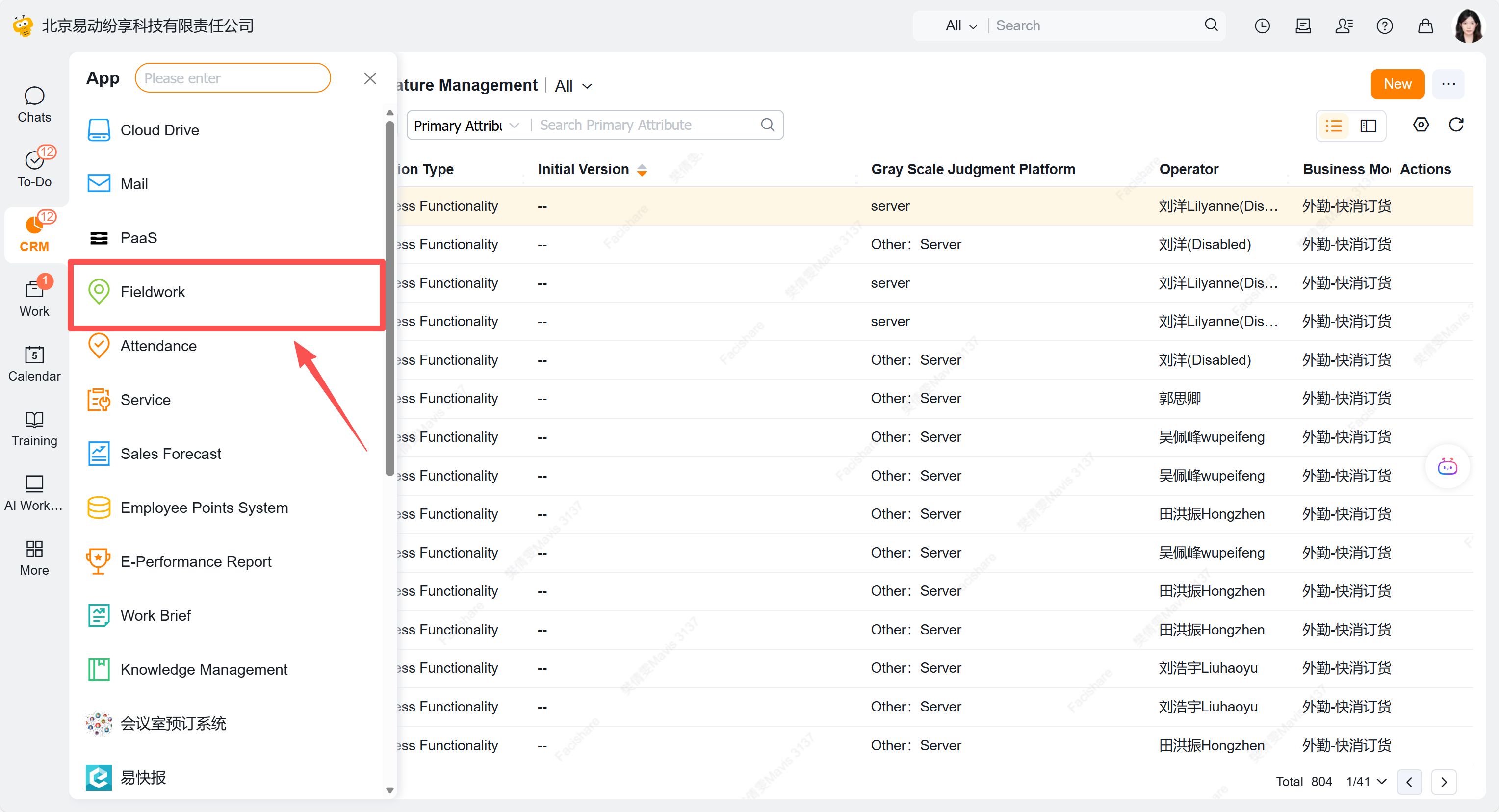
2. Click 【Field Settings】-【Field Actions】
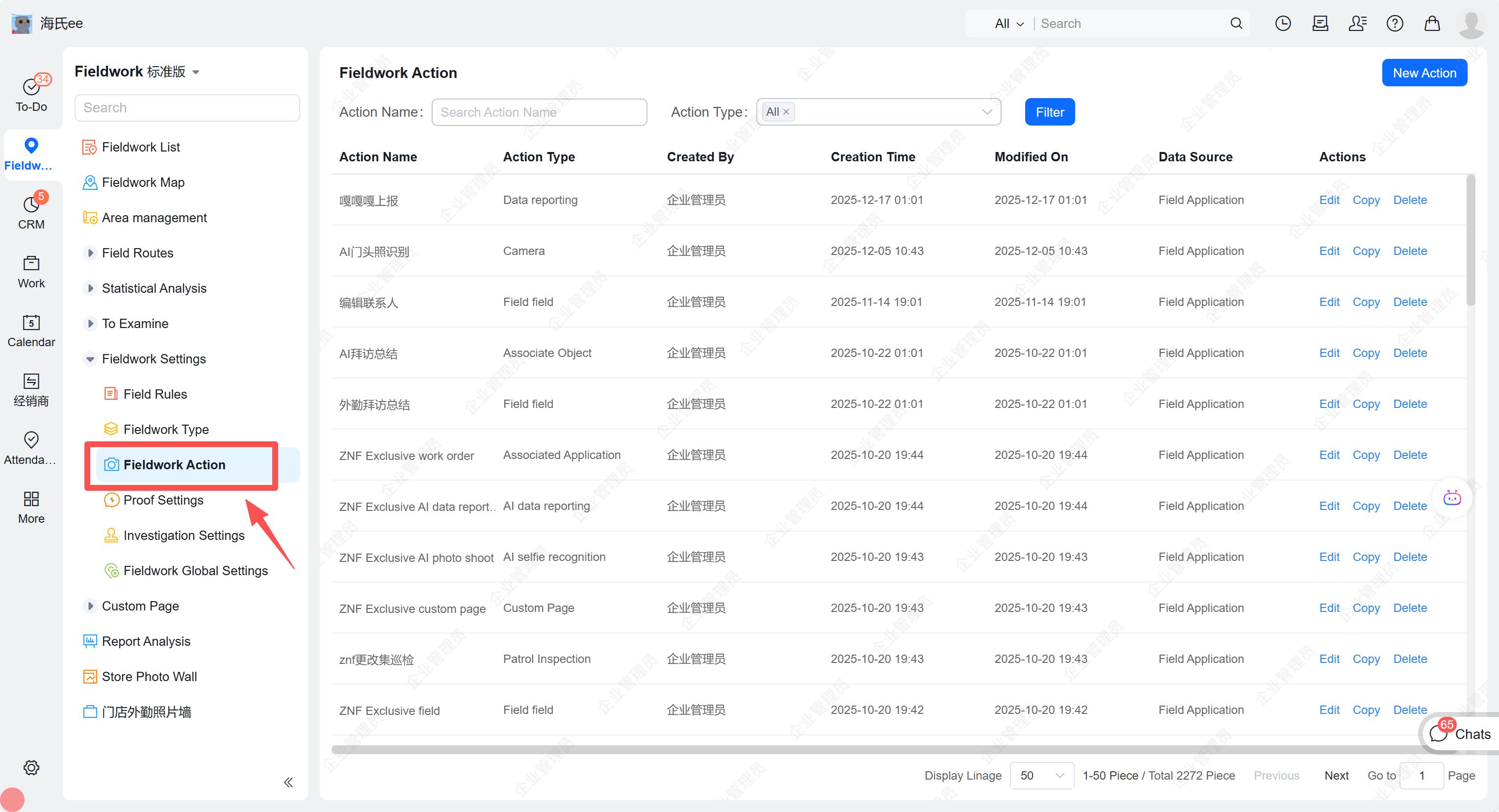
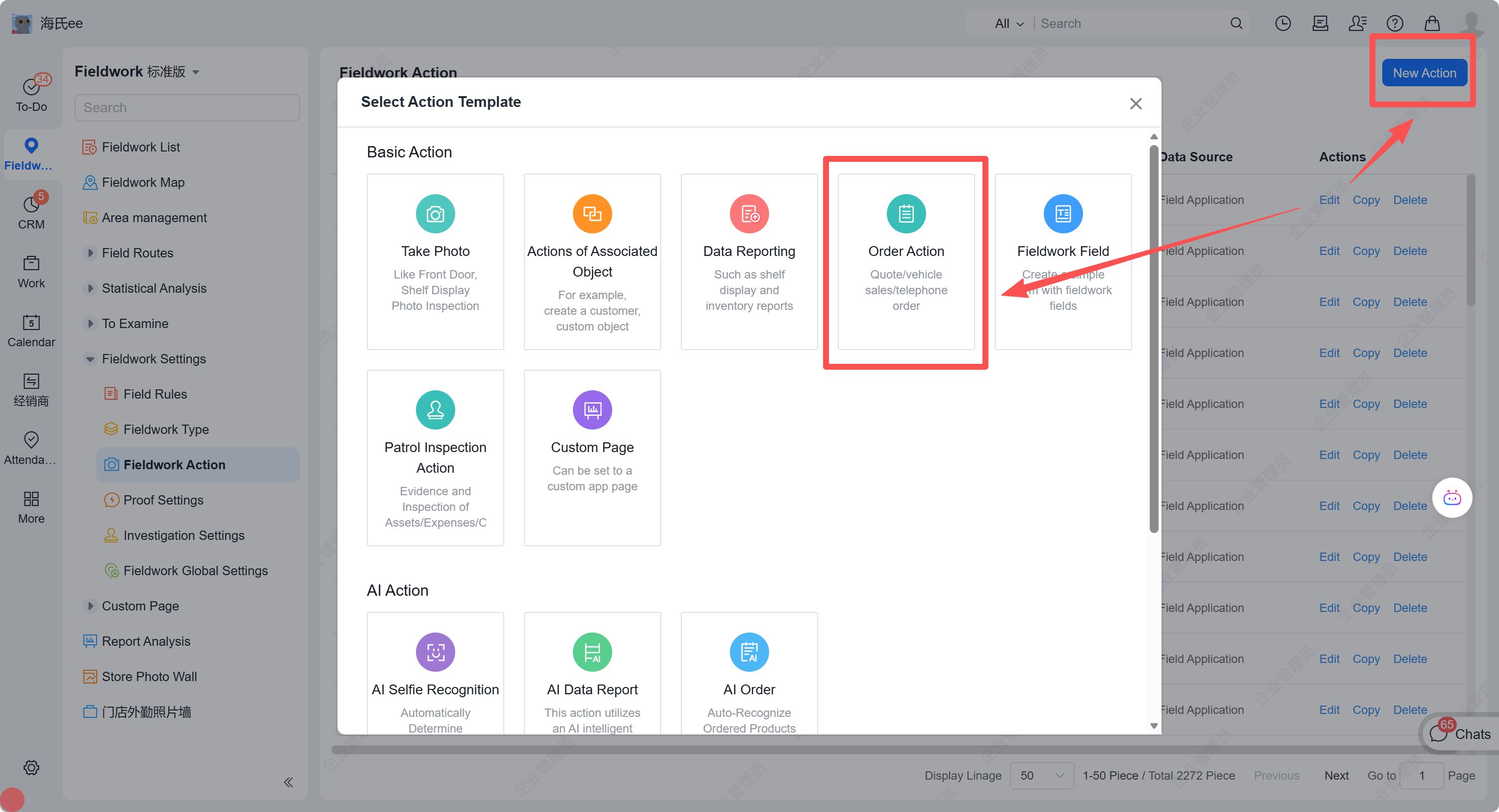
3. Click "New Action" to create 【Order Action】
4. To utilize list page or data submission capabilities, select the specified function in the "Advanced Capabilities" section of the order action.
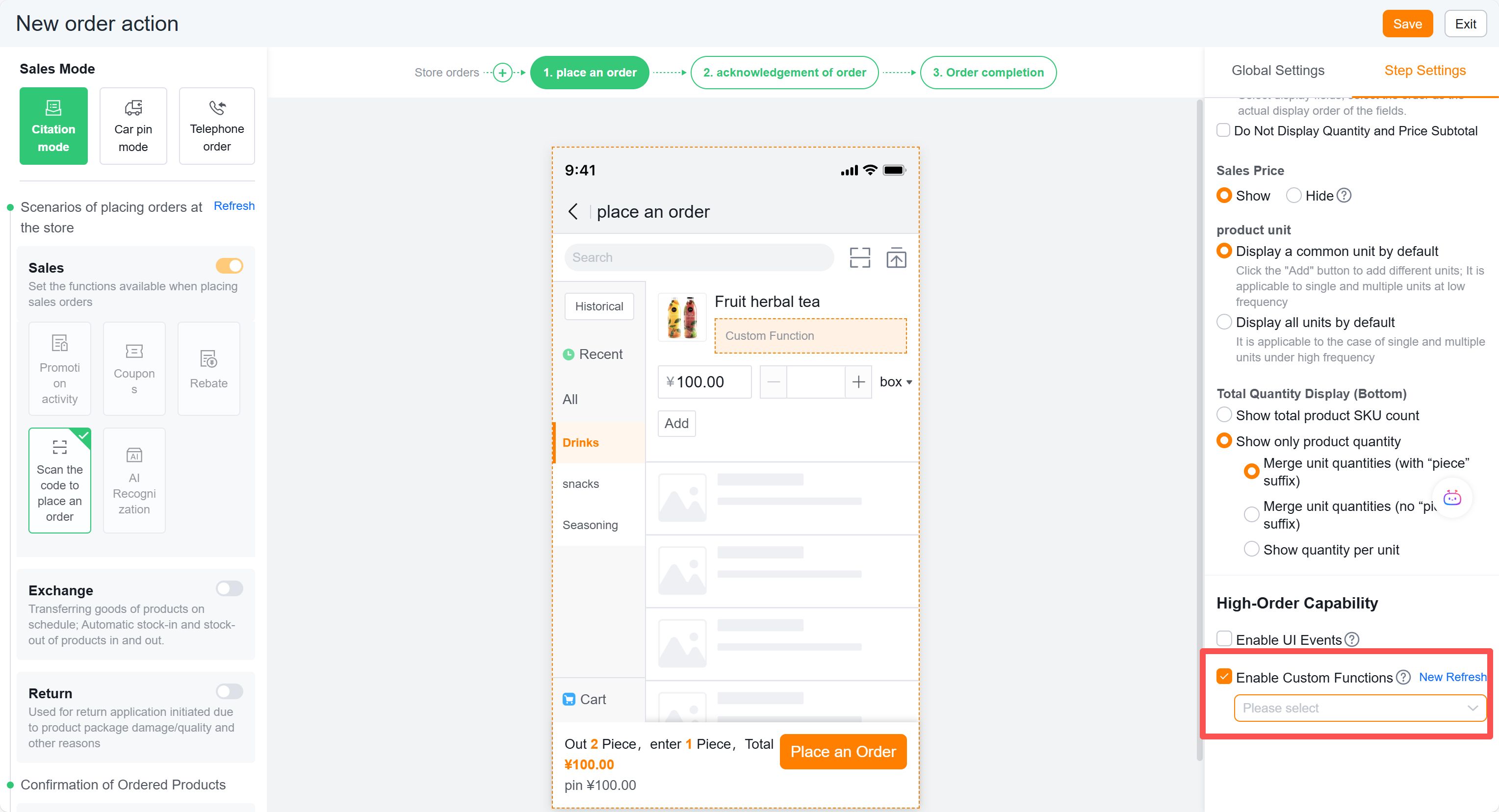
5. To add custom pages while controlling conditional skips, configure as follows and select the specified function.
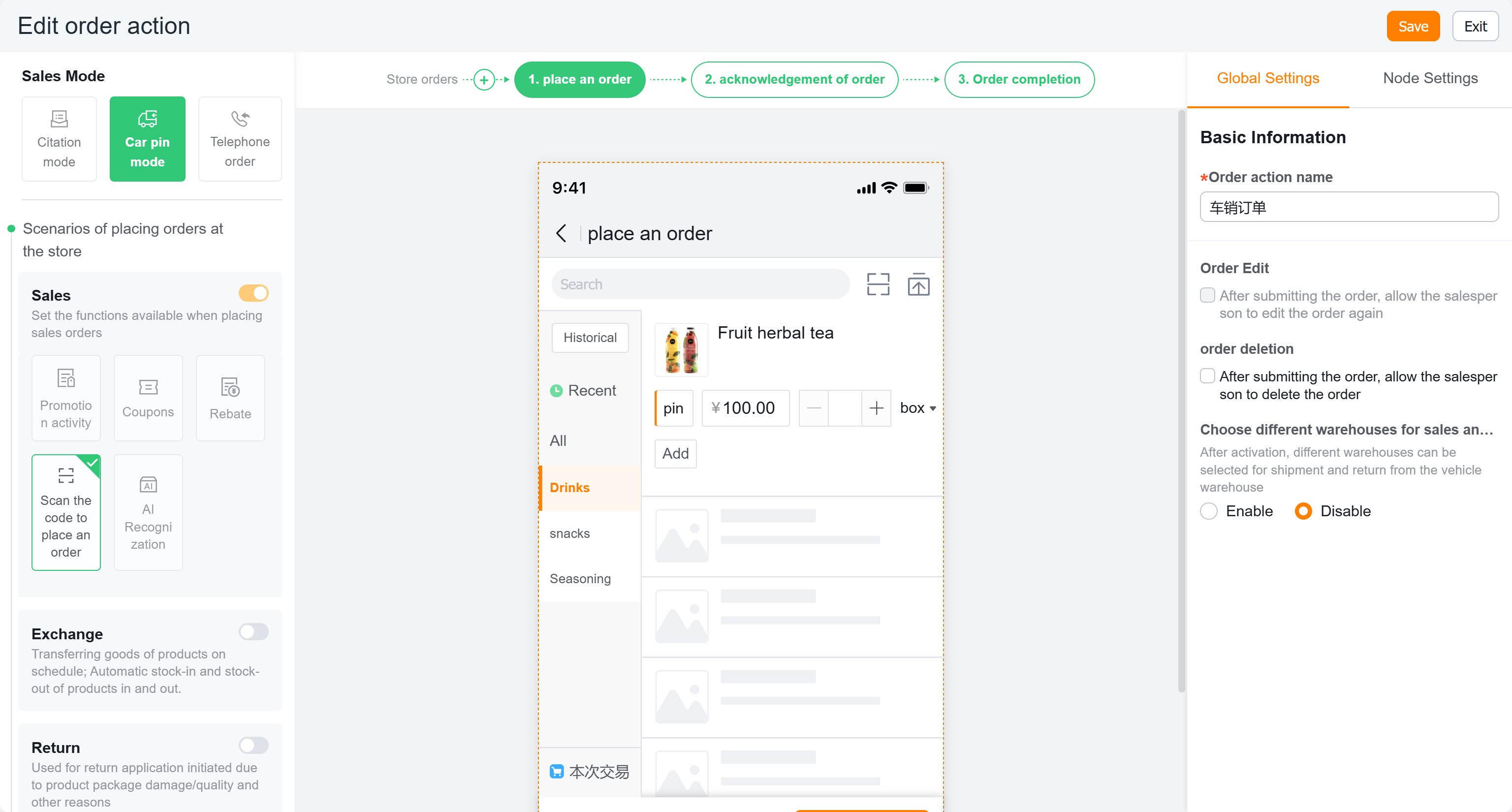
III. Order Designer Plugin 【Effect Showcase】
1. Effect 1
Order Page - Conveniently modify text content (factory, specifications, remarks, suggested minimum order quantity, etc.) and colors.
Before modification:
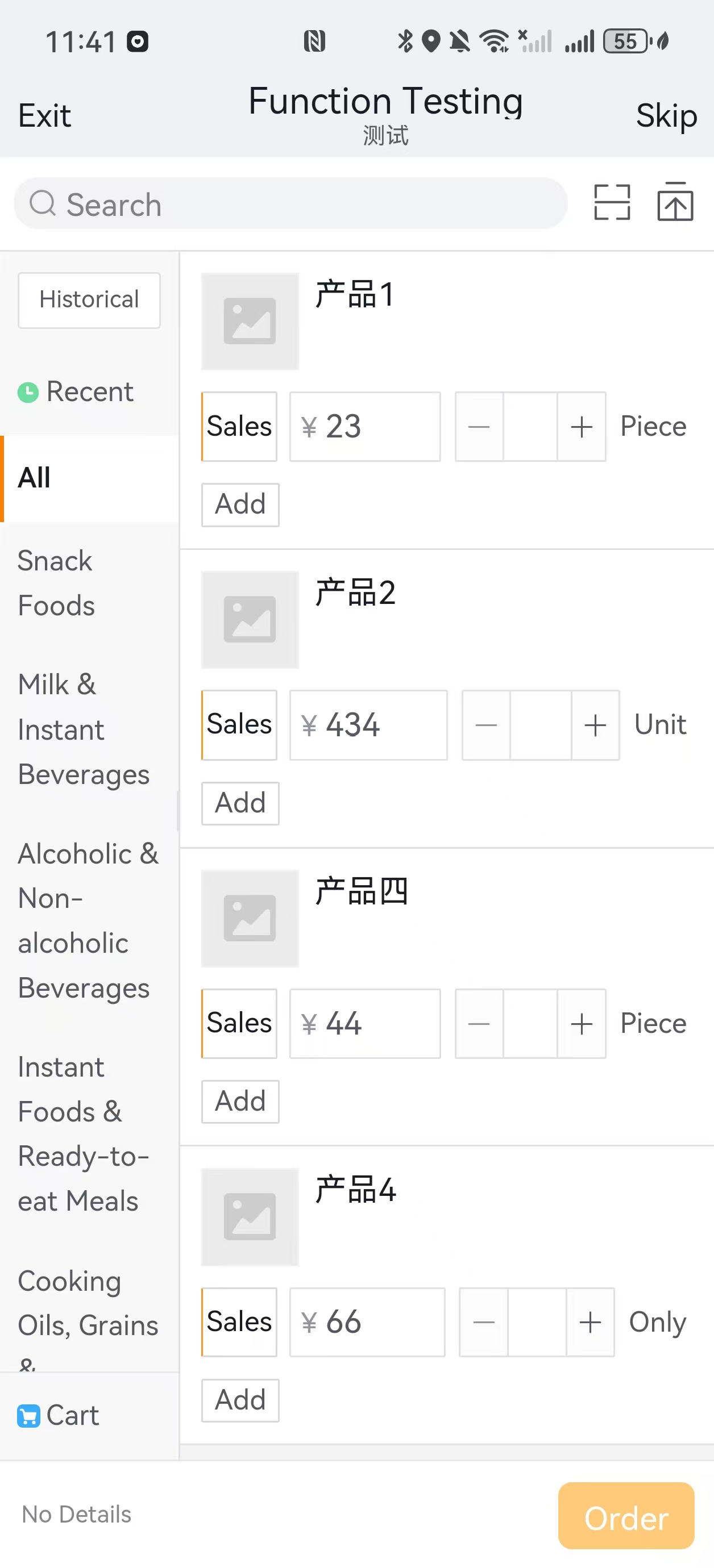
After modification:
2. Effect 2
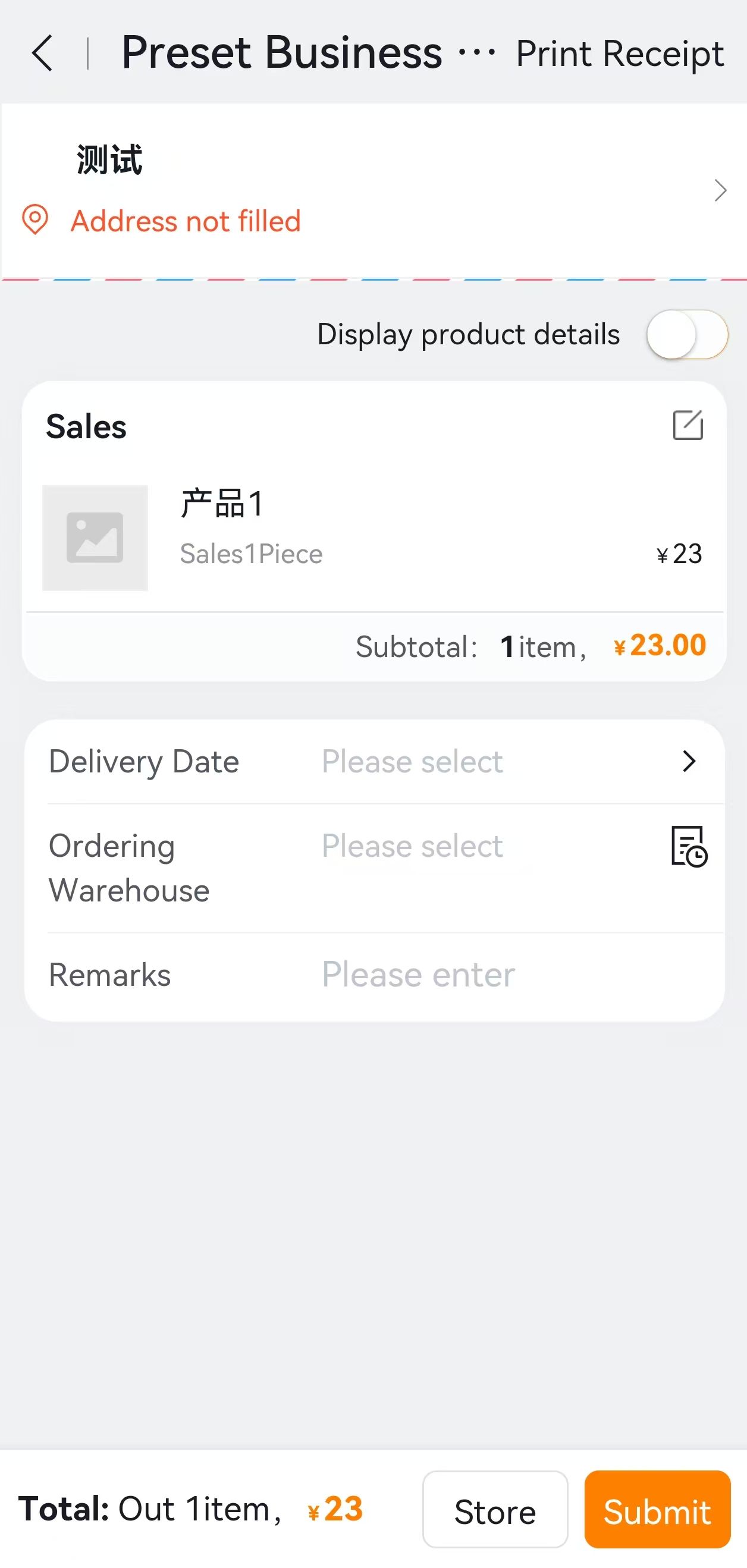
Order Confirmation Page - Orders are split by manufacturer with nearest delivery date displayed.
Before modification: