

English
Configuration Steps
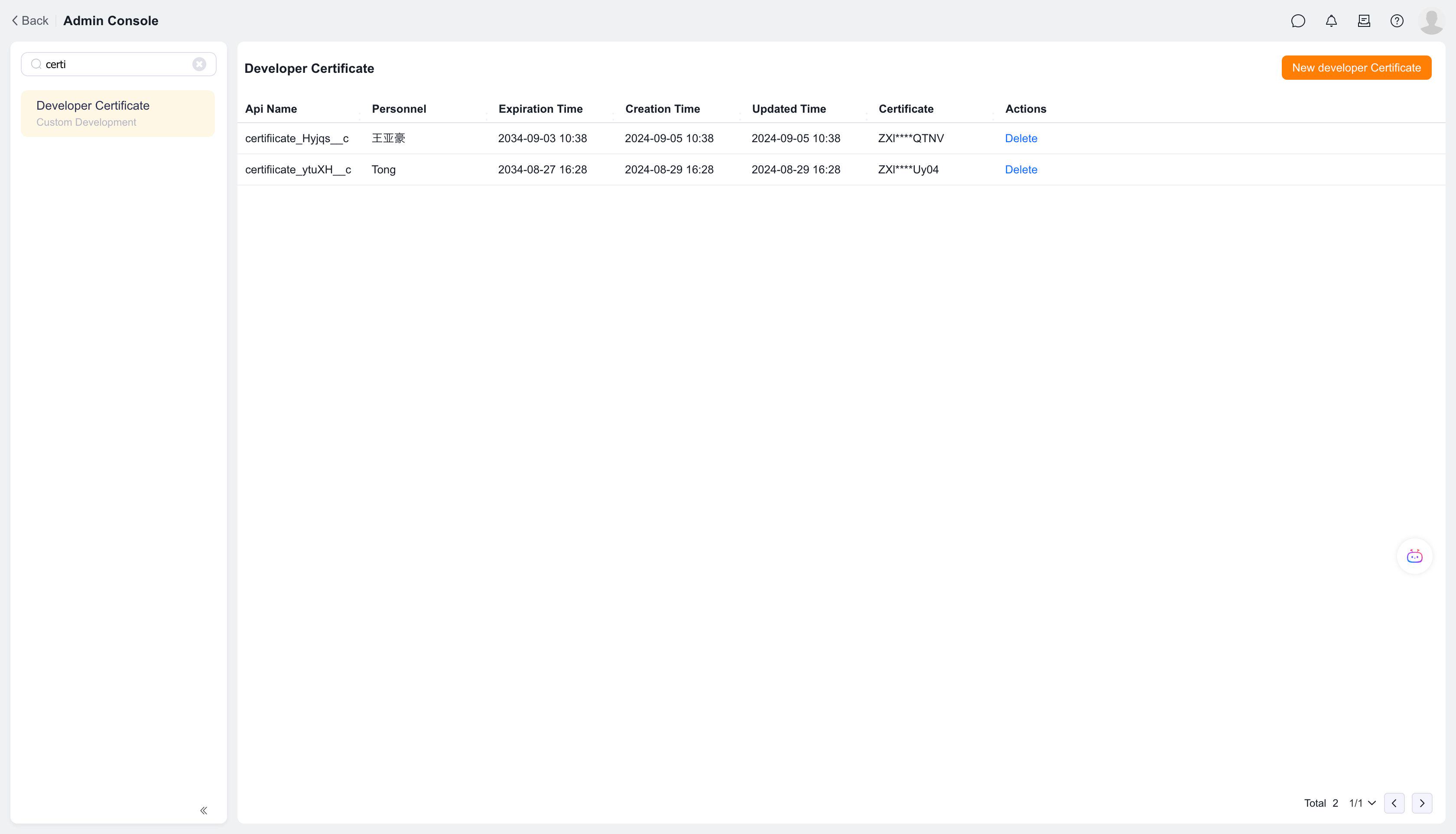
1. Apply for Developer Certificate
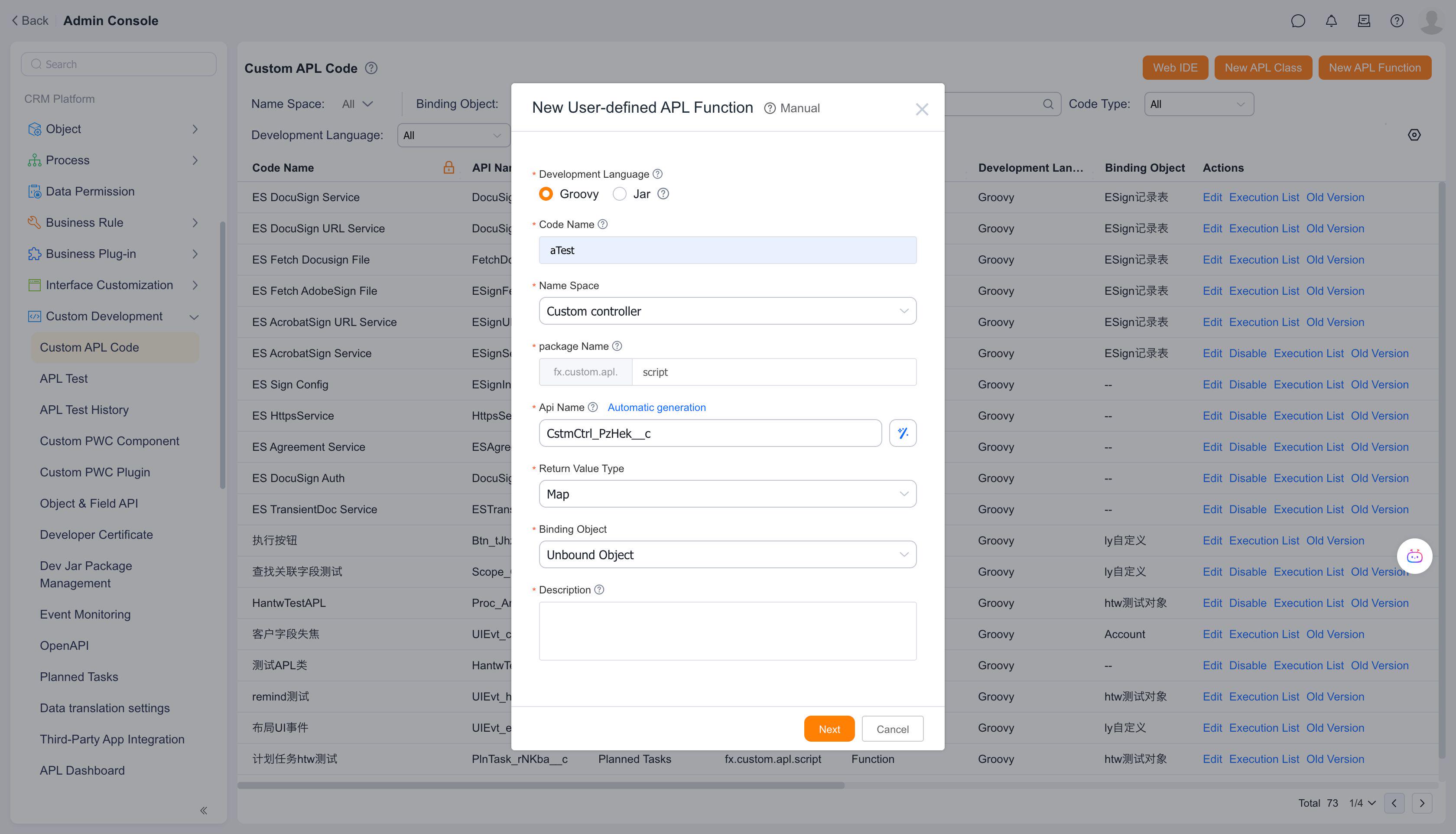
2. Create APL Class
Select the namespace "Custom API Controller"
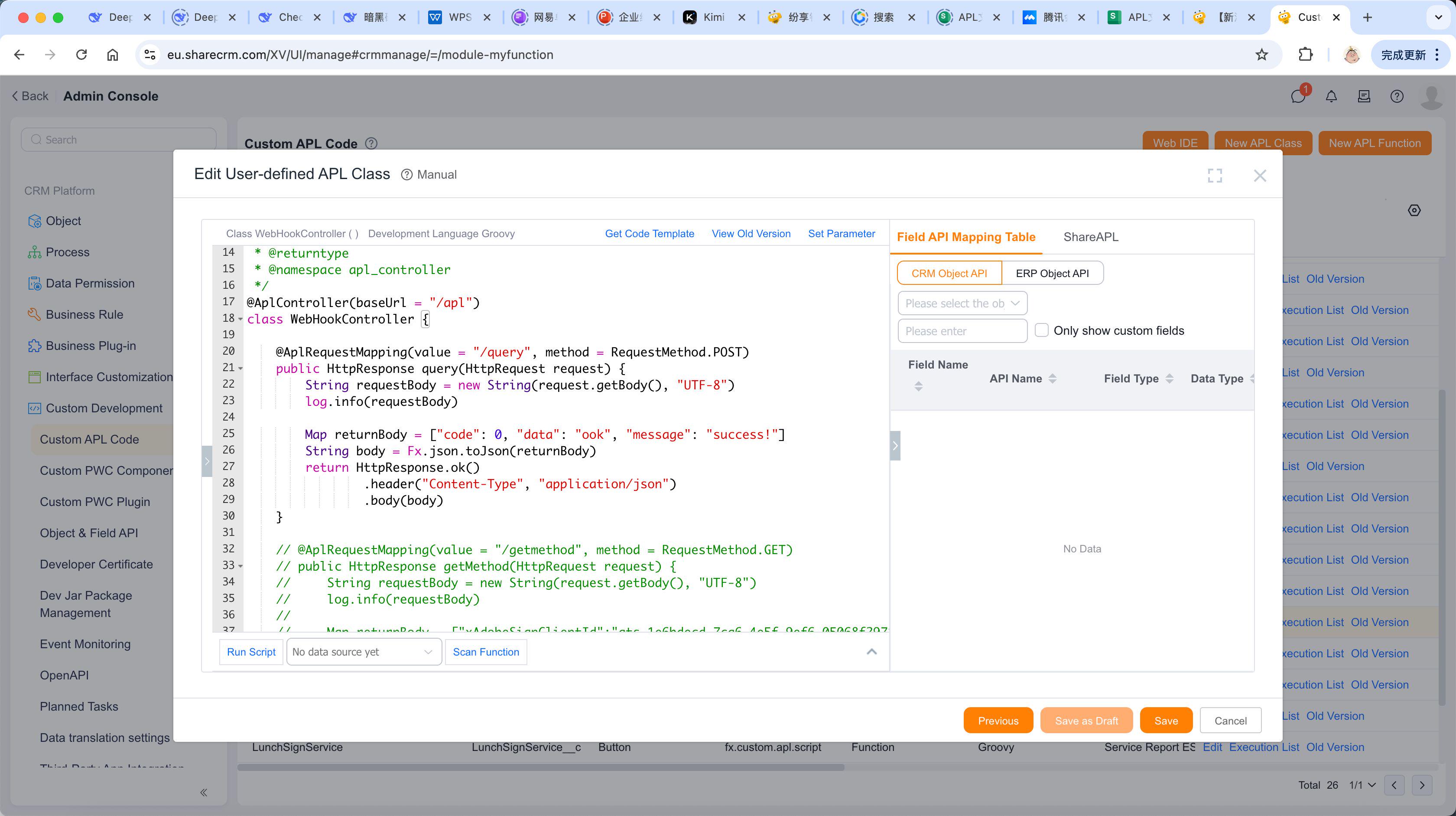
3. Write Code
Using the default function template as an example
4. Test Invocation
The corresponding invocation URL for this API is:
- https://www.fxiaoke.com/apl/api/apl/query?authorization=$
- The
http://domain/apl/apipart is mandatory by default- The subsequent
apl/querycorresponds to@AplController(baseUrl = "/apl")and@AplRequestMapping(value = "/query", method = RequestMethod.POST)
5. Return Value
The default template returns the following response:
{
    "code": 0,
    "data": "ook",
    "message": "success!"
}
6. Function Logs
Successful invocations will generate function logs, which can be viewed in the function logs list page.