English
Quick Start
This page explains how to use the Object Detail Page JS plugin and how to experience it quickly.
Steps
1. Download the Detail Page Plugin Template
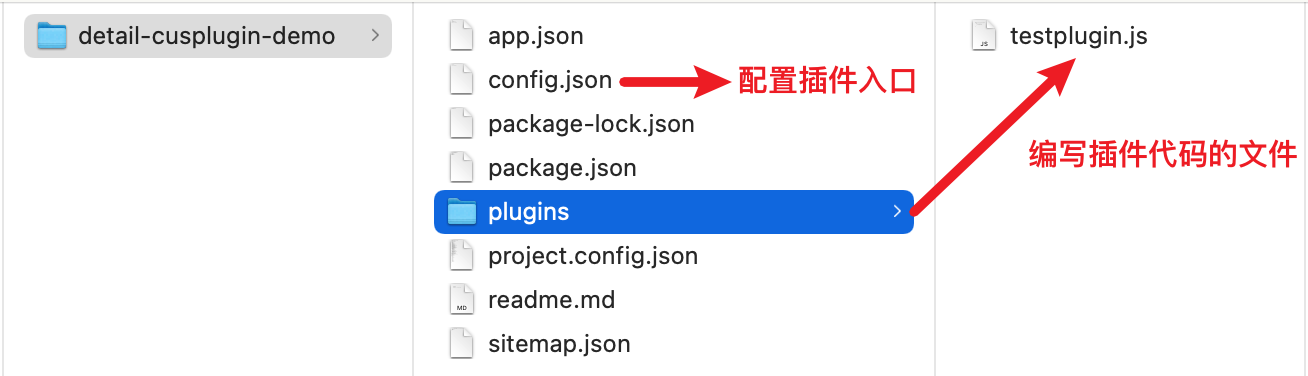
2. Write the Plugin Code and Package It
Write the plugin code
module.exports = function (context, pluginService, pluginParam) {
	return {
		apply() {
			return [
				{
					event: 'detail.render.before',
					functional: function (pluginExecResult, options) {
						// Logic to inject before the detail page is rendered: show a toast
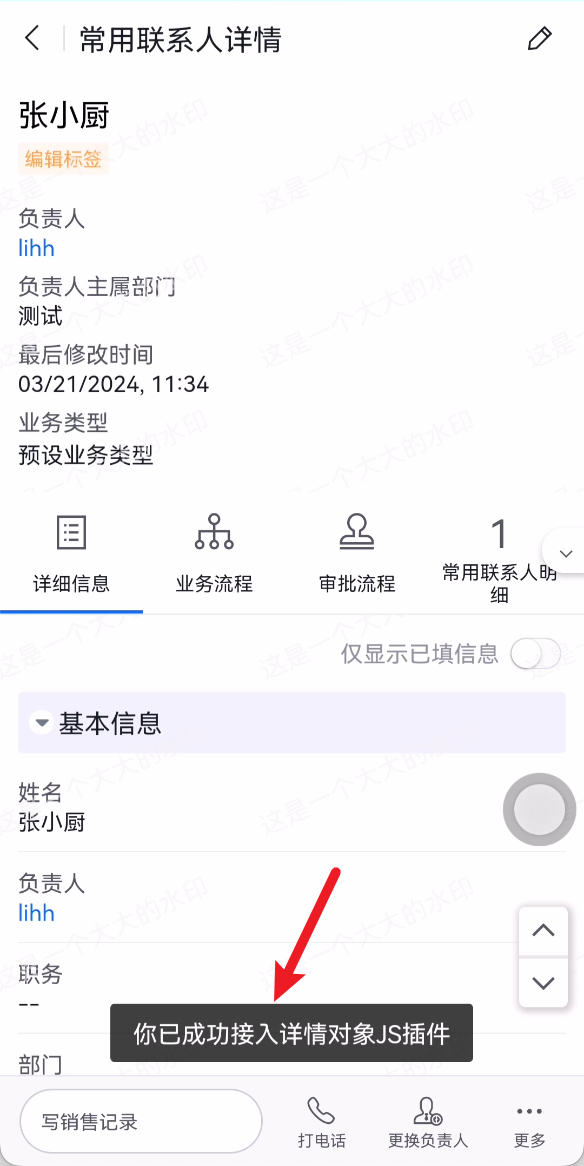
						pluginExecResult.api.showToast('You have successfully integrated the Object Detail JS plugin')
					}
				}
			]
		}
	}
}
Package the plugin code
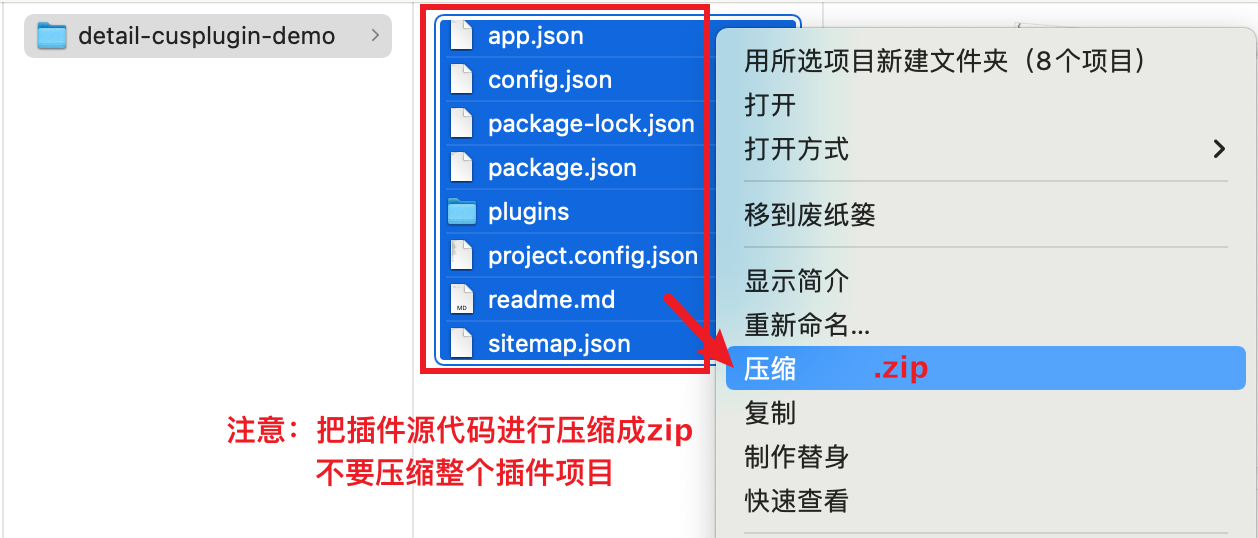
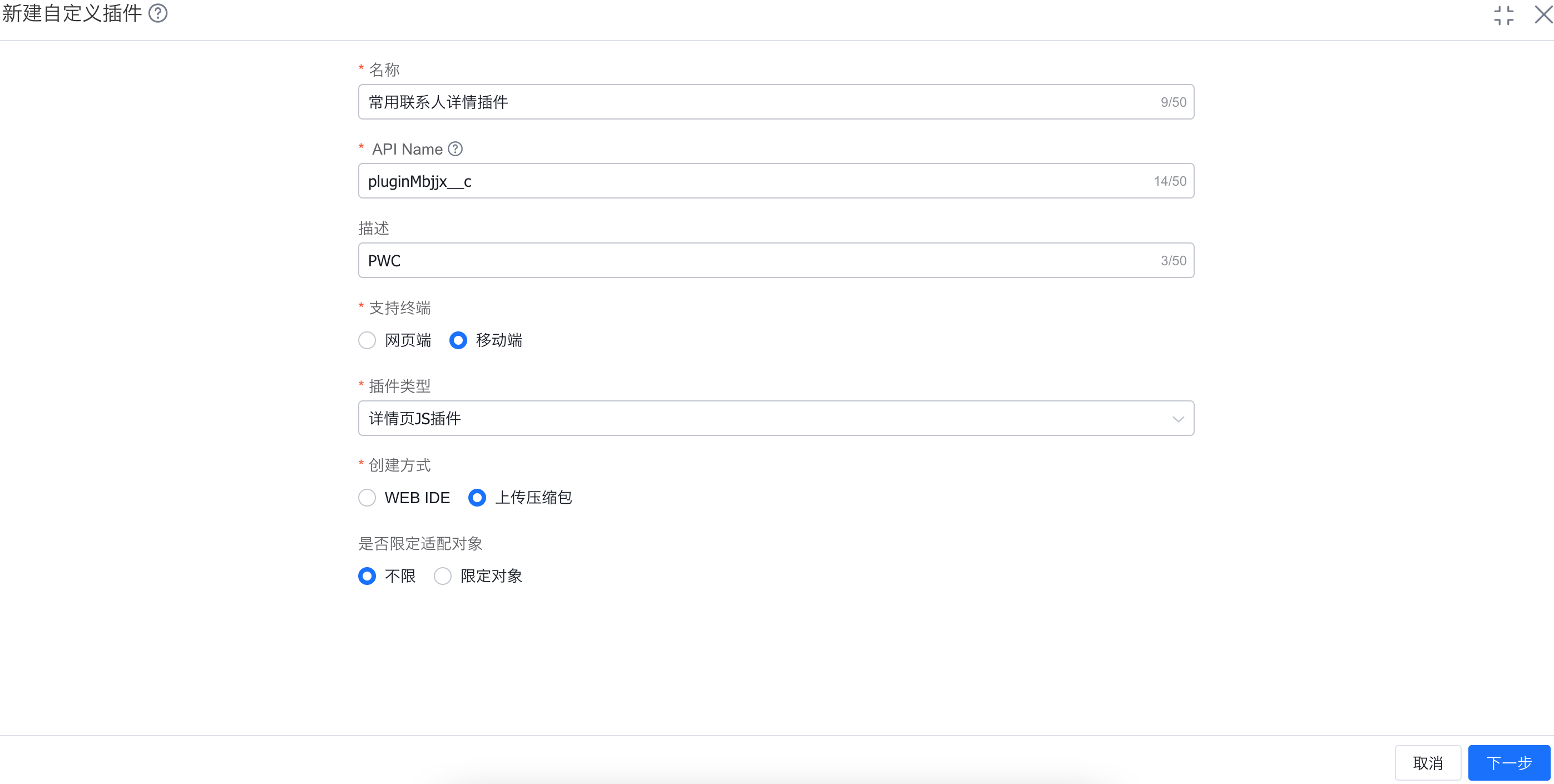
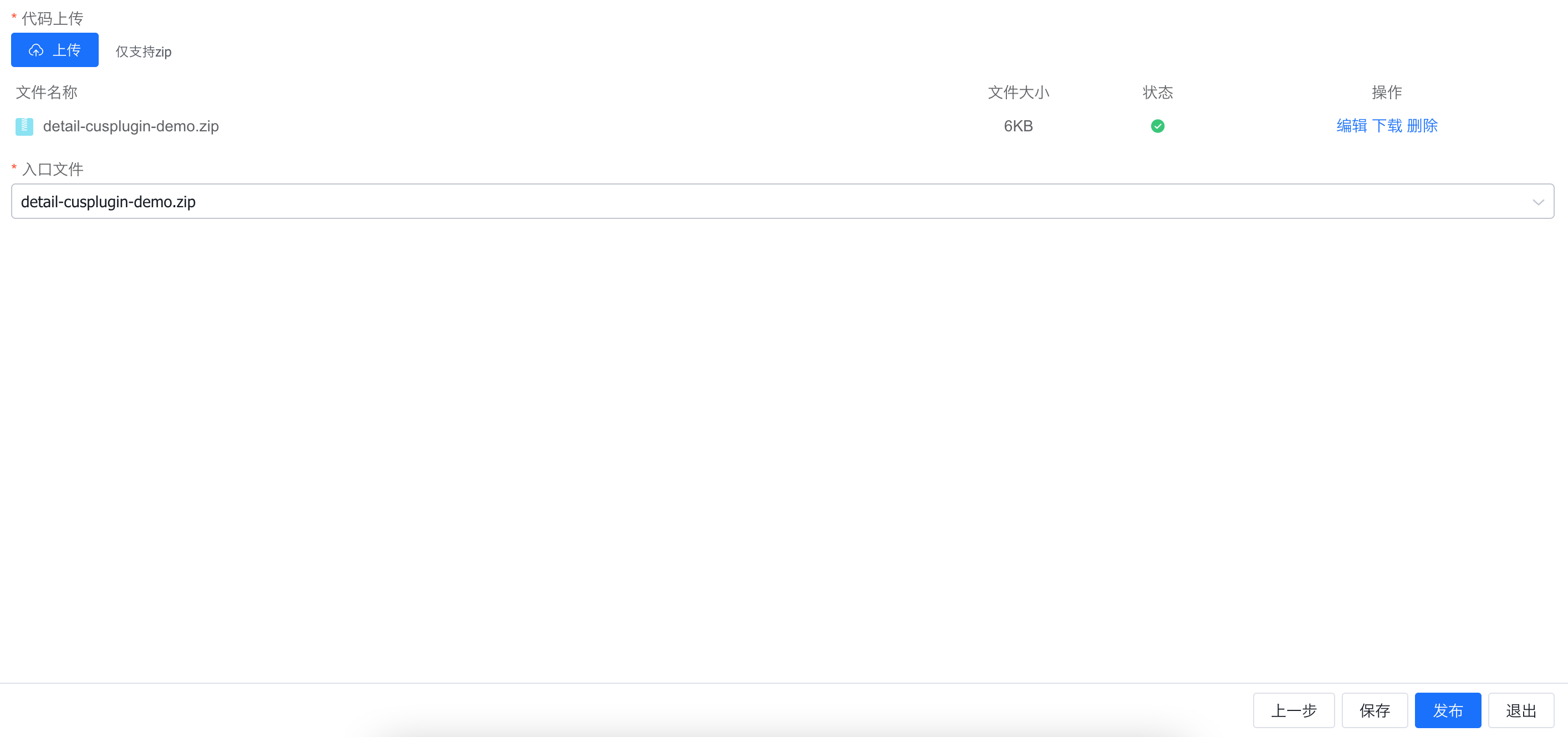
3. Upload the Plugin ZIP Package
Upload page: https://www.fxiaoke.com/XV/UI/manage#customplugins/=/module-plugins
Upload path guide: Customization Management Platform --> Custom Plugins --> Edit/New --> Publish
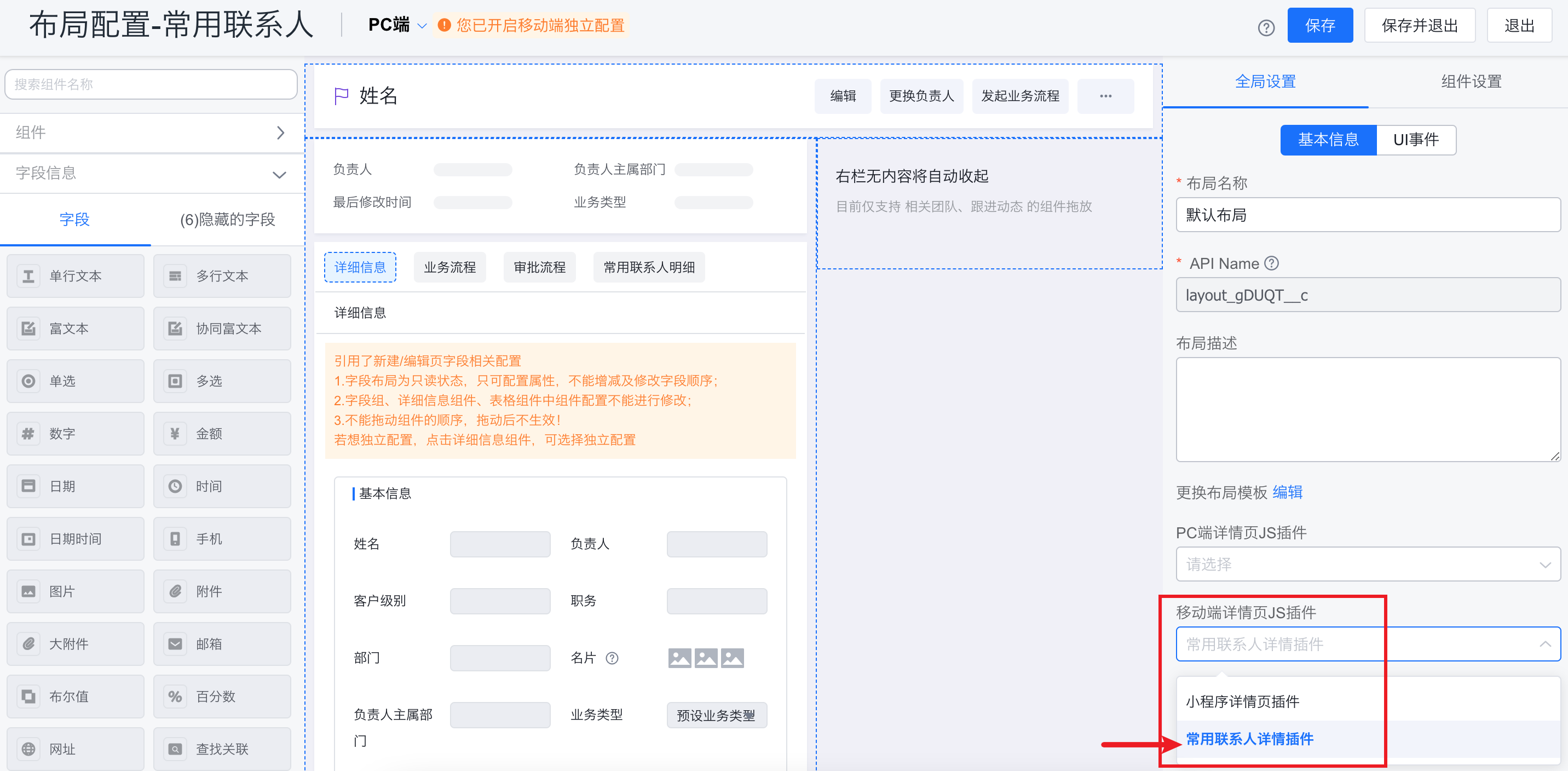
4. Enable the Plugin Configuration
5. View the Plugin Effect
Compile and open the mini program detail page.