
简体中文
快速开始
本页用于说明移动端列表页 V2 JS 插件的创建方式、上传配置和基础示例。
创建一个插件
目录结构:
root:
  - index.js
- config.json入口文件:index.js
/**插件类*/
module.exports = class Plugin {

  constructor(context,pluginService, pluginParam) {
    this.pluginService = pluginService;
    this.pluginParam = pluginParam;
    this.context = context;
  }

  apply() {
    return [
      {
        event: "list.render.before",
        functional: async function (pluginExecResult, options) {
          let {dataGetter}=options;
          console.log("objlist-customplugin-demo")
          return {
            title: "自定义插件-标题文案",//修改标题
          }
        }
      }
    ]
  }
}配置文件:config.json
{
	"main":"index.js"
}
插件代码上传
web端 => 管理后台 => 定制开发平台 => 自定义插件 => 新建 => 插件类型选择列表页JS插件 => 上传代码zip包 => 保存并发布
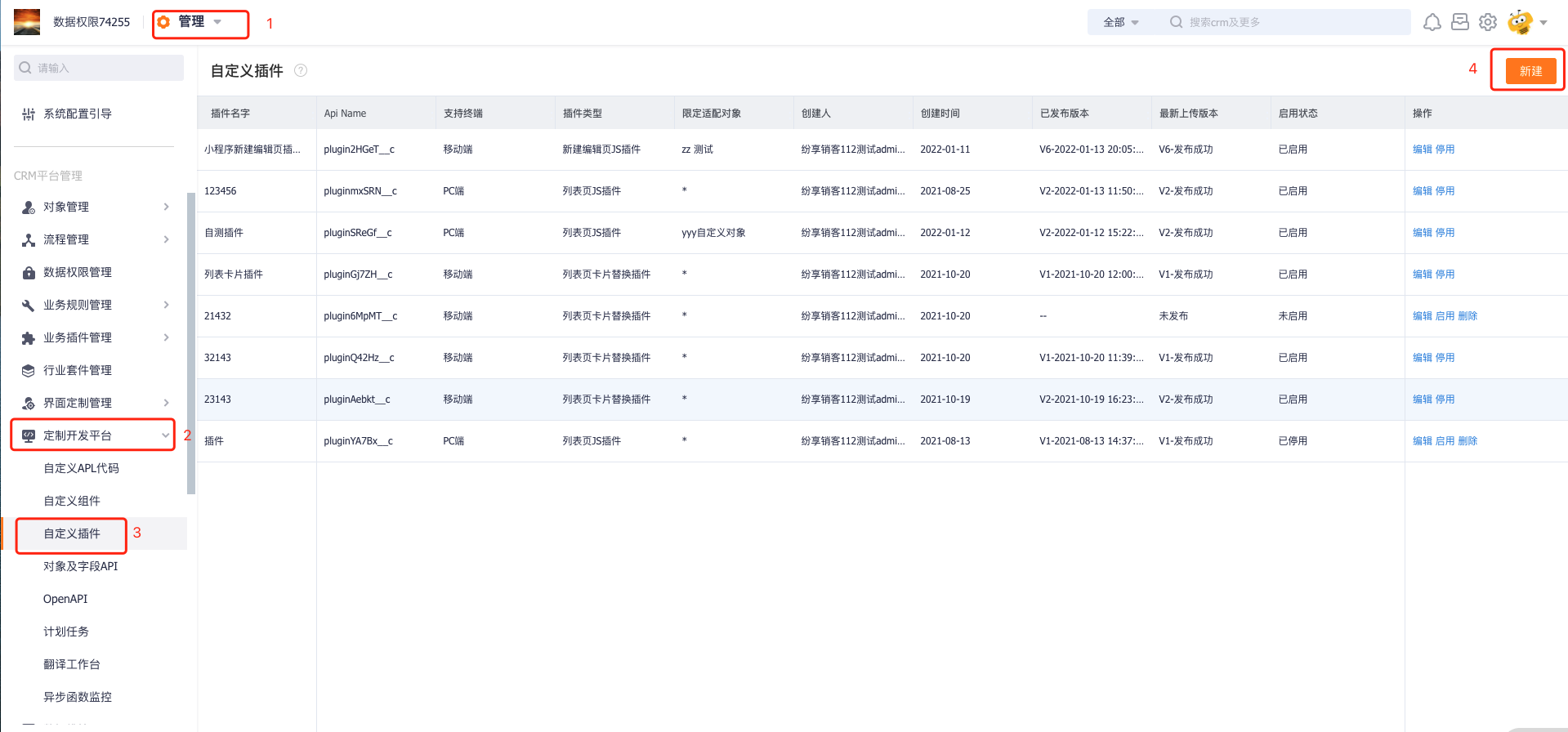

注意:如遇到发布失败,可检查代码压缩方式是否正确,需进入文件夹里面压缩
插件配置
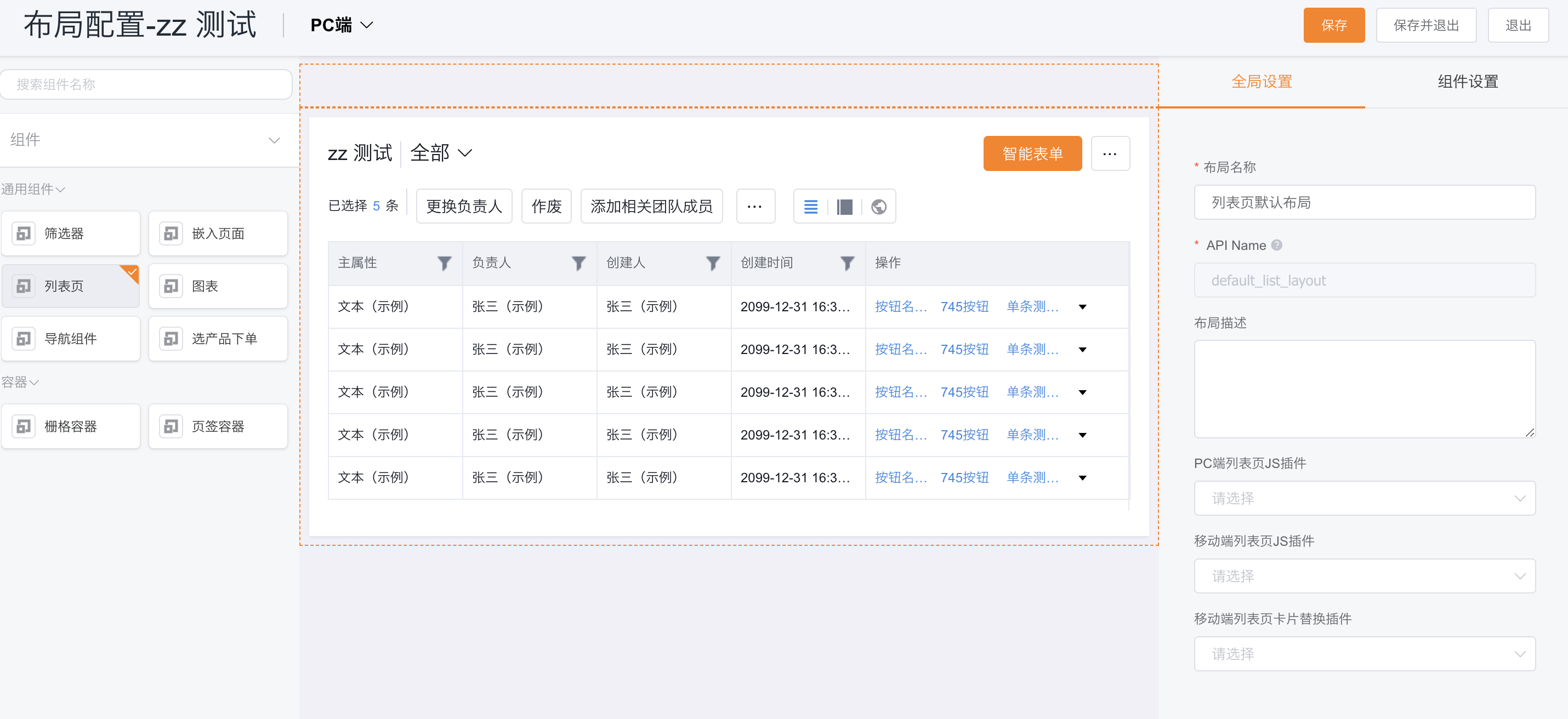
在对象管理后台 => 列表布局 => 移动端列表页JS插件 => 可选择不限制对象或指定为当前对象的移动端列表页js插件 => 保存