

简体中文
快速上手
本文通过一个购物车表格列组件替换示例,介绍订货通购物车 JS 插件的创建、配置和效果验证流程。
创建自定义插件
登录纷享销客的后台管理页面。
在左侧导航栏中点击 管理后台 -> 自定义 PWC 插件,进入自定义插件管理页面。
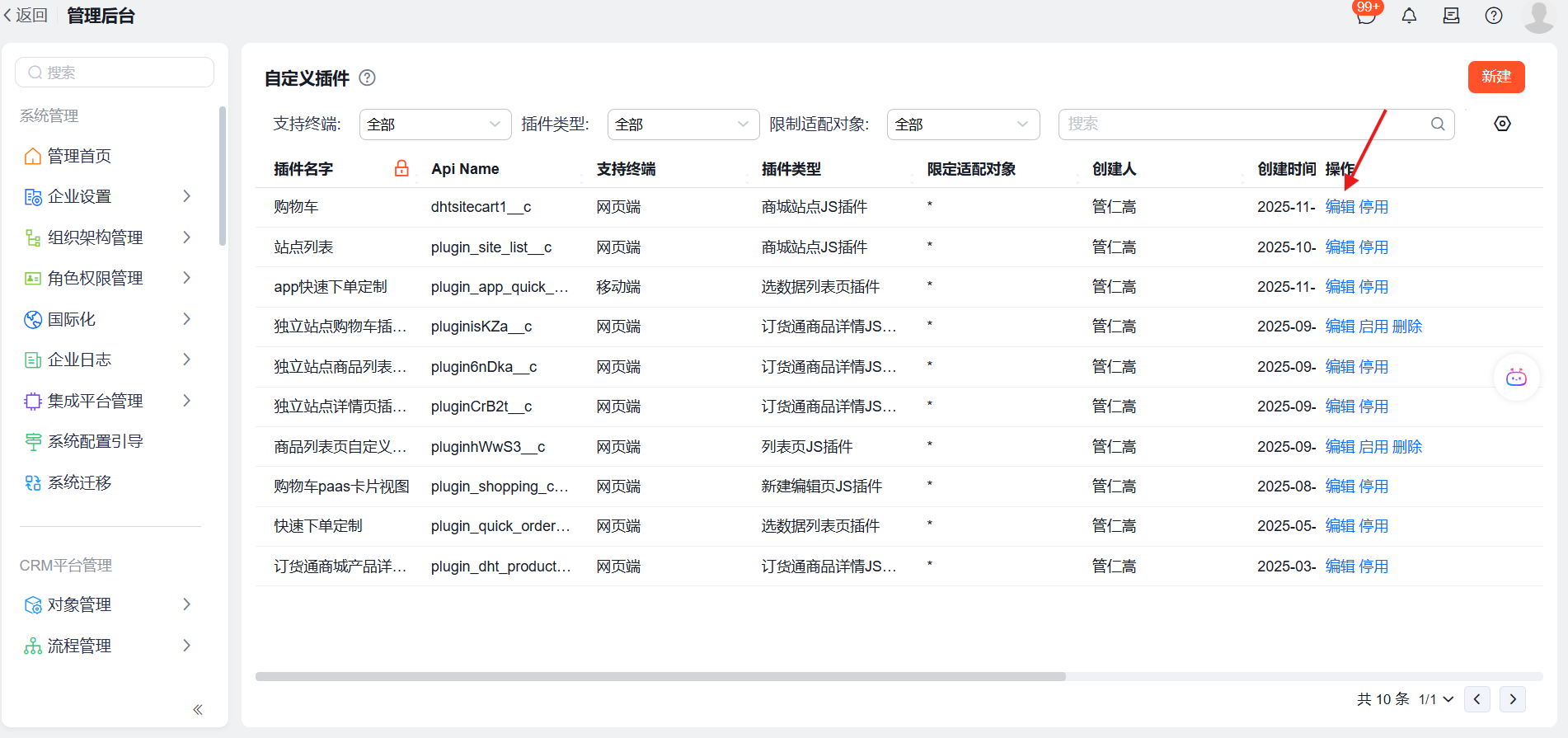
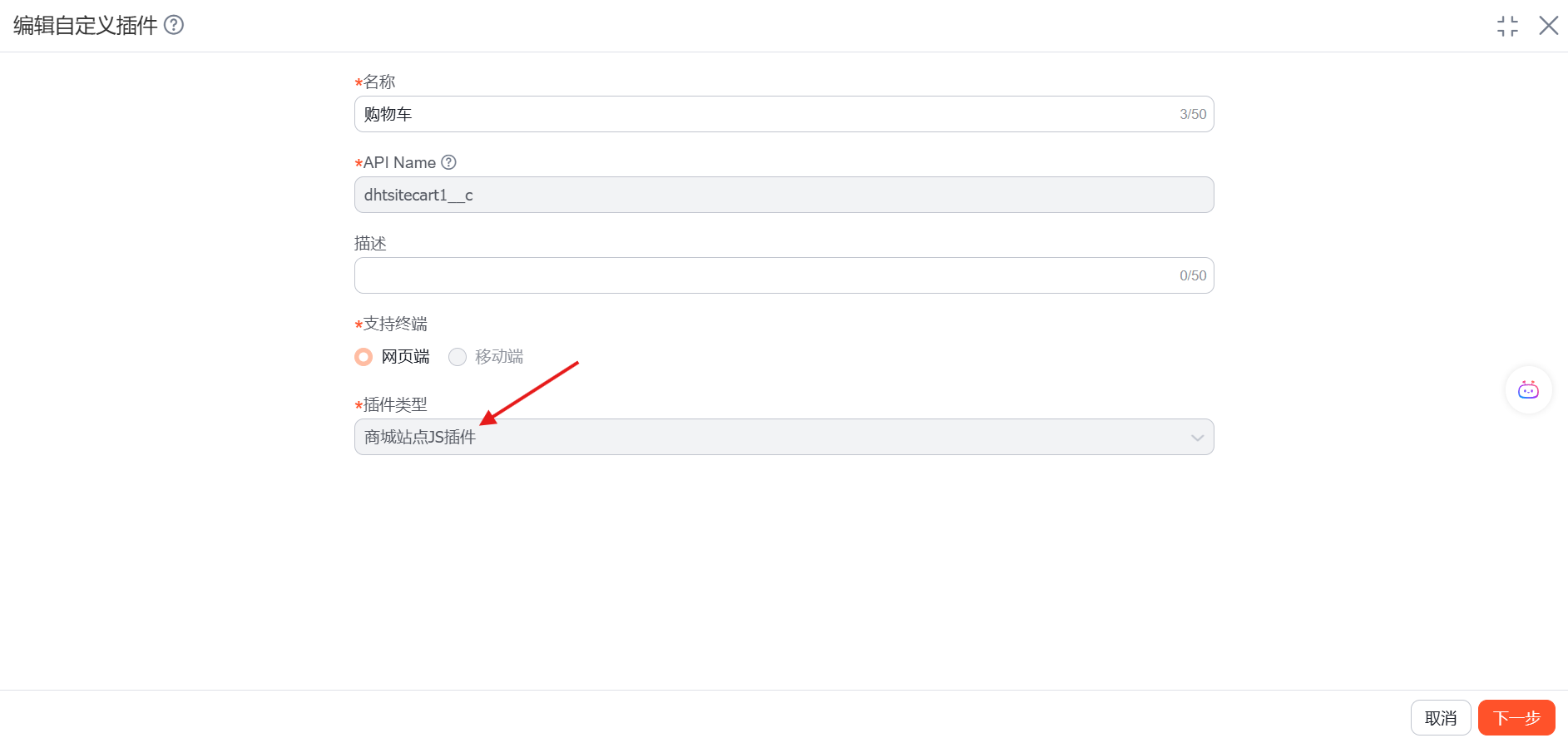
点击 新建,填写 名称、支持终端和插件类型,选择 商城站点 JS 插件,点击 下一步,使用 空模板,点击导入代码文件并导入相关代码文件,选择 入口文件,点击 发布。
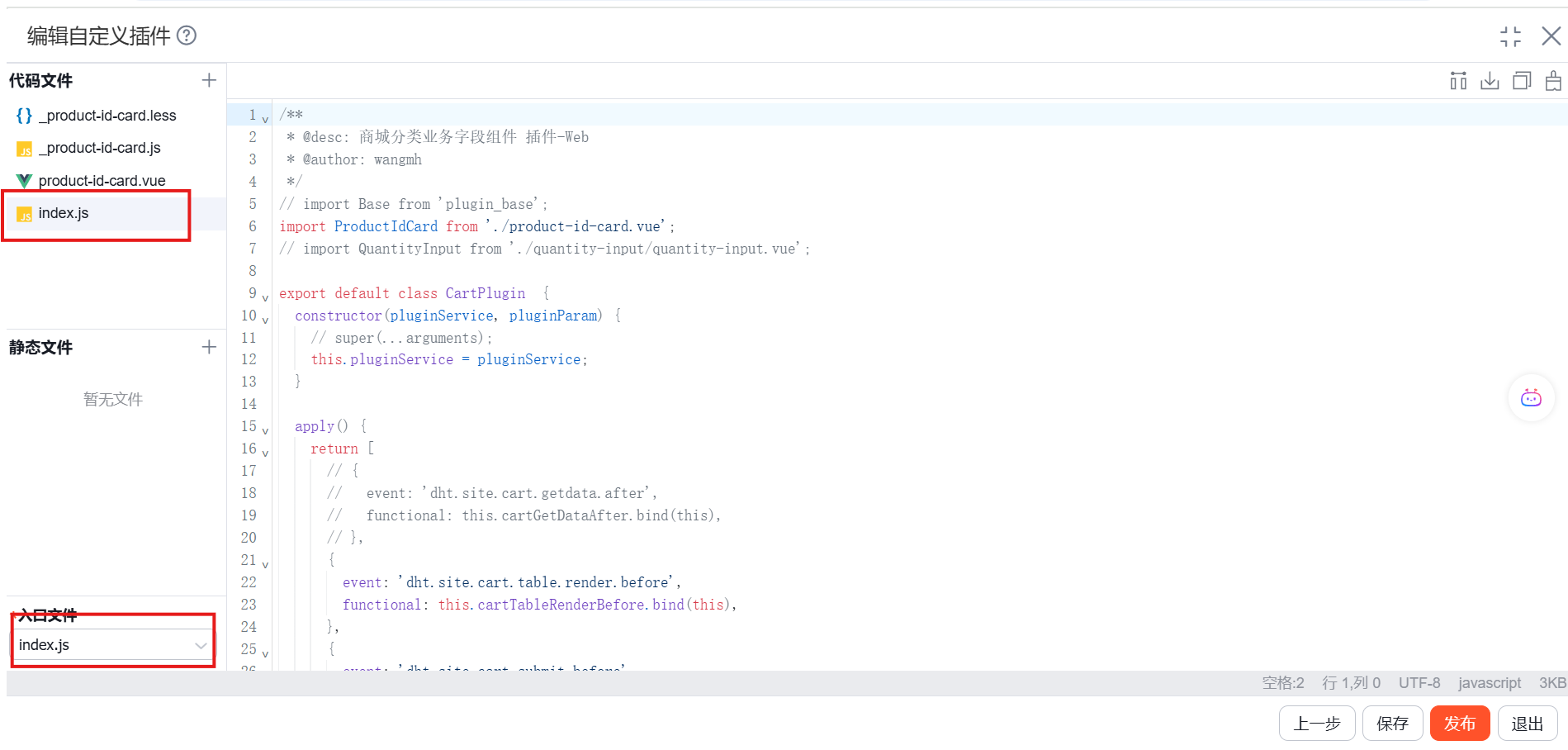
index.js 文件:
import ProductIdCard from "./product-id-card.vue";
// import QuantityInput from "./quantity-input/quantity-input.vue";

export default class CartPlugin {
    constructor(pluginService, pluginParam) {
        this.pluginService = pluginService;
    }

    apply() {
        return [
            // {
            //     event: "dht.site.cart.getdata.after",
            //     functional: this.cartGetDataAfter.bind(this),
            // },
            {
                event: "dht.site.cart.table.render.before",
                functional: this.cartTableRenderBefore.bind(this),
            },
            {
                event: "dht.site.cart.submit.before",
                functional: this.cartSubmitBefore.bind(this),
            }
        ];
    }

    cartTableRenderBefore(plugin, param) {
        const columnRenders = {
            product_id: {
                render: ProductIdCard
            },
            // quantity: {
            //     render: QuantityInput
            // },
            subtotal: {
                render: function(cellValue, trData) {
                    let reduceSpan = "";
                    const dynamicAmount = trData.policy_dynamic_amount;
                    if (dynamicAmount && +dynamicAmount && trData.is_giveaway !== "1") {
                        const decimalPlaces = cellValue.toString().split(".")[1]?.length || 2;
                        reduceSpan = `<div class="gray-label">${$t("crm.order_settlement.total_subtraction")}${Math.abs(dynamicAmount).toFixed(decimalPlaces)}</div>`;
                    }
                    return `<div class="price-field">${cellValue}</div>${reduceSpan}`;
                }
            }
        };

        const columnWidthConfig = {
            product_id: 430,
            quantity: 200,
            subtotal: 150
        };

        const resetFields = {
            product_id: {
                is_readonly: true,
            },
            quantity: {
                is_readonly: true,
            }
        };

        return { columnRenders, columnWidthConfig, resetFields };
    }

    async cartSubmitBefore(plugin, param) {
        const { masterData, mdData } = param;
        console.log("cartSubmitBefore", masterData, mdData);
        // return Promise.reject("test");
        // throw new Error("test");
        // plugin.skipPlugin();
    }

    destroy() {}
}
product-id-card.vue 文件:
<template>
<div class="product-id-card">
    <div v-if="templateData.img_show === '1'" class="product-id-card-img">
        <img :src="imageUrl" alt="">
    </div>
    <div class="product-id-card-content">
        <div class="product-id-card-content-title">
            <span v-if="isGift" class="product-id-card-gift-tag">{{$t('赠品')}}</span>
            <span v-html="cellData.cellValue"></span>
        </div>
        <div v-if="showFields.length > 0" class="product-id-card-fields">
            <div v-for="field in showFields" :key="field.api_name" class="product-id-card-field">
                <span class="product-id-card-field-label">{{ field.label }}:</span>
                <span class="product-id-card-field-value" style="color:red" :title="field.value">{{ field.value }}</span>
            </div>
        </div>
    </div>
</div>
</template>

<script src="./_product-id-card.js"></script>
配置自定义插件
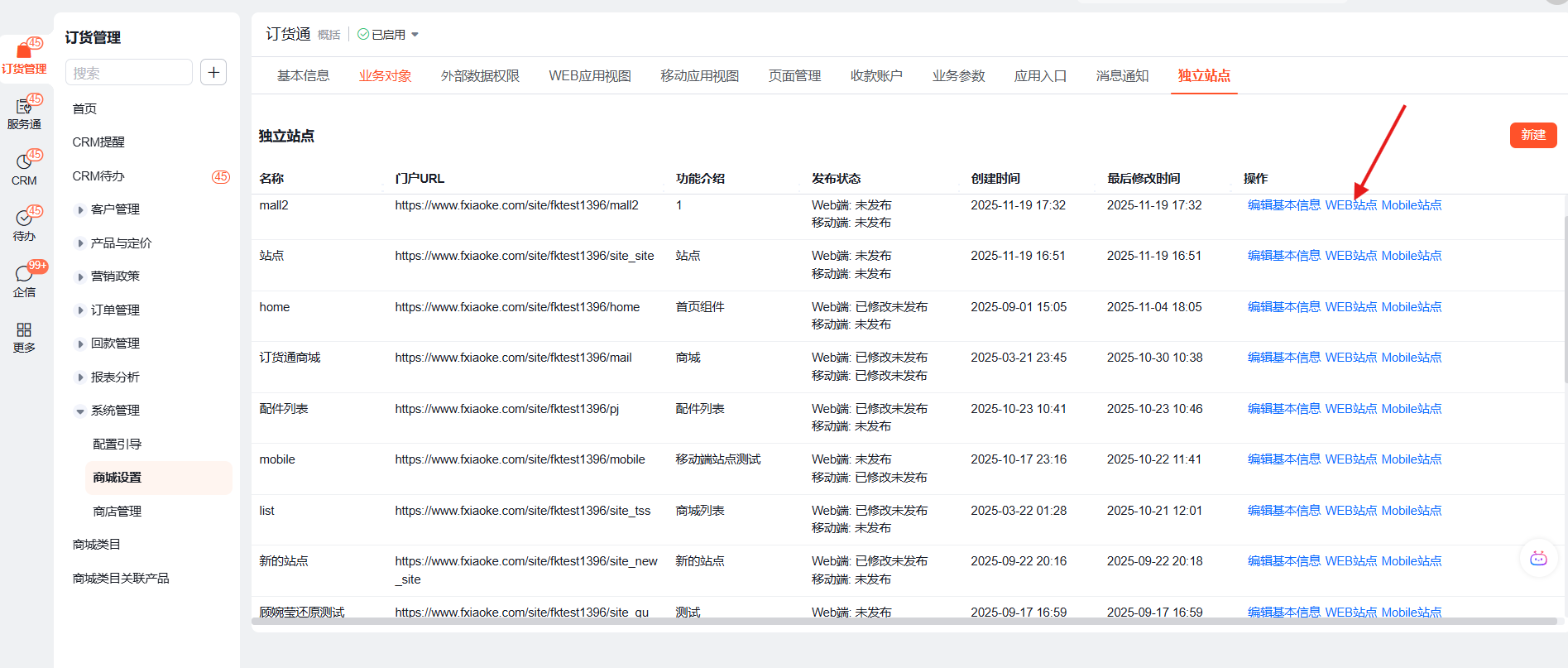
从 订货管理 -> 商城设置 -> 独立站点,点击 WEB 站点 打开。
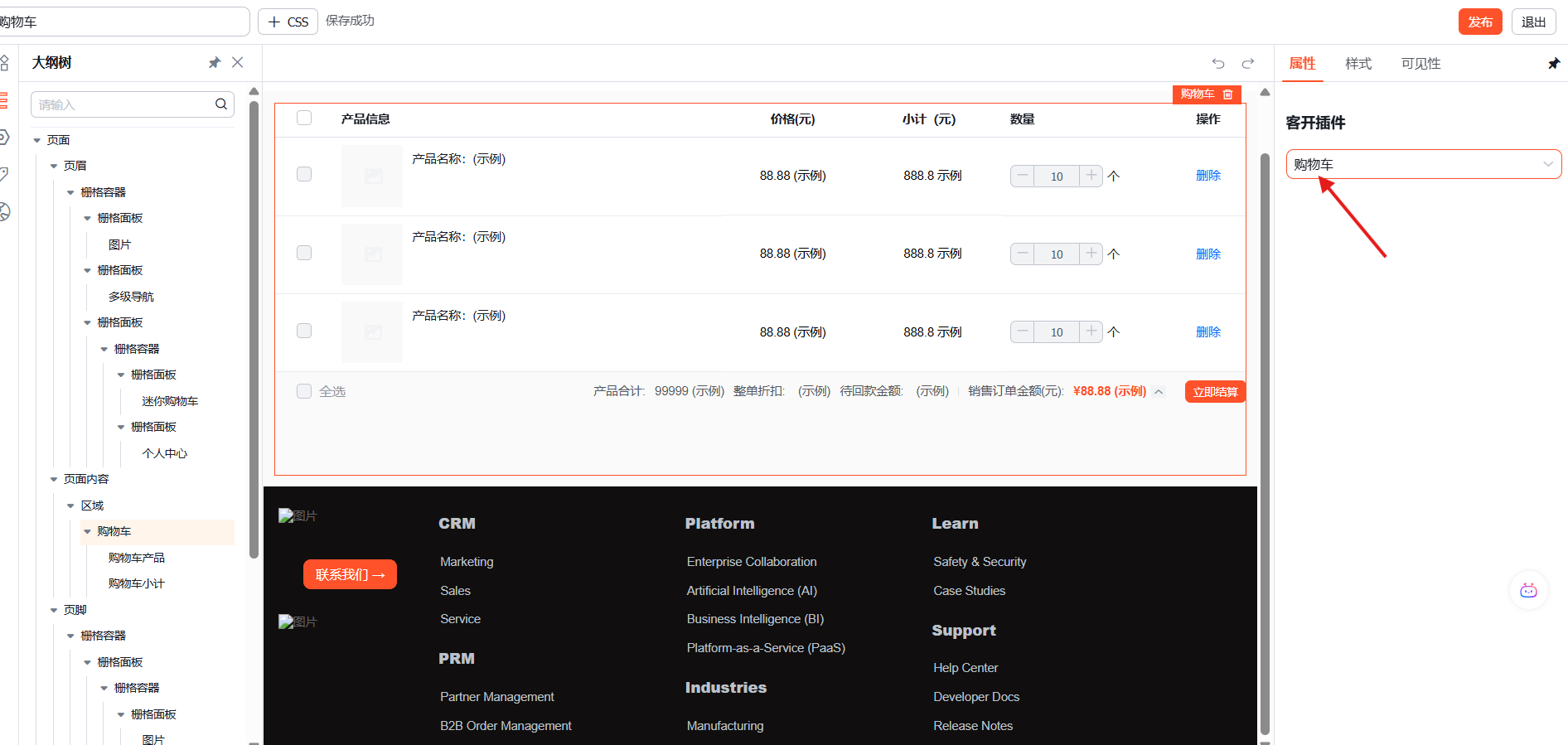
点击购物车容器外部容器,在右侧的客开插件中选择上一步发布的 JS 插件,然后点击保存。
效果体验
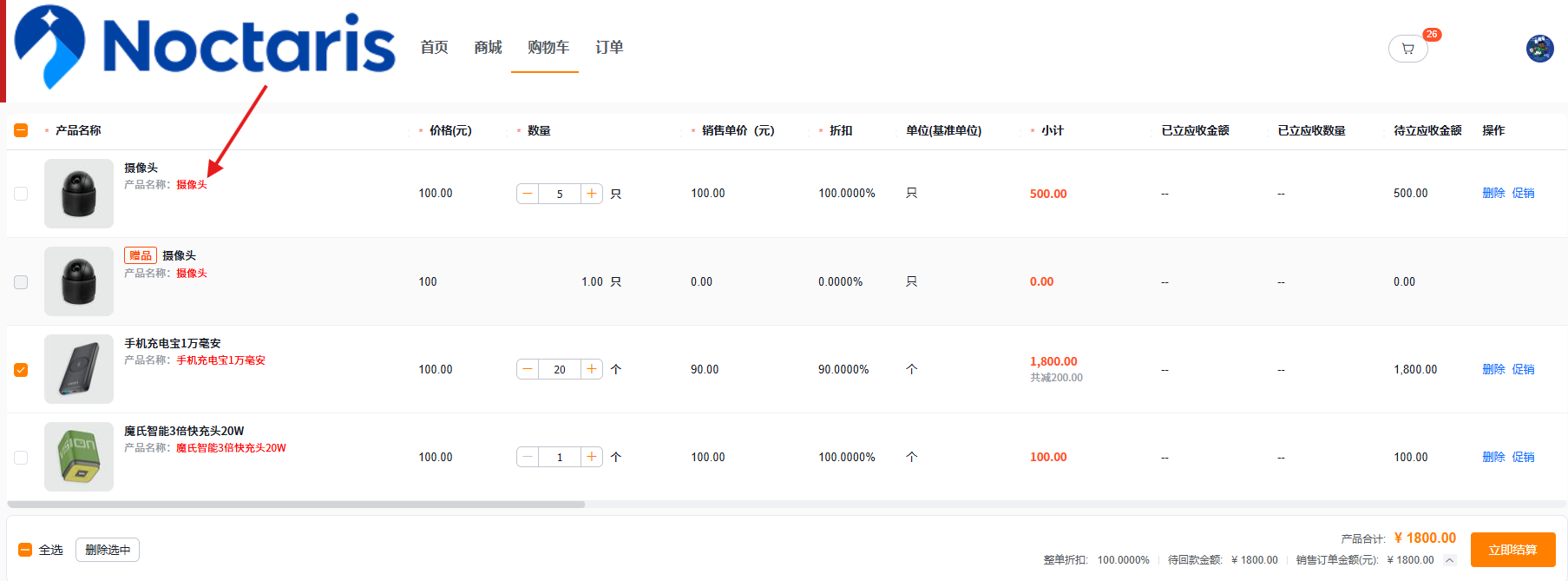
进入下游订货通购物车页面,可以查看插件对购物车数据、表格列或提交行为的扩展效果。
事件
| 事件名称 | 功能 |
|---|---|
| dht.site.cart.plugin.init.after | 该事件用于插件系统初始化完成后执行全局初始化操作 |
| dht.site.cart.getdata.after | 该事件用于在获取到购物车数据后对数据进行增加、修改、删除、过滤等操作 |
| dht.site.cart.table.render.before | 该事件用于在表格渲染之前替换列组件、设置列宽度、定制列行为 |
| dht.site.cart.submit.before | 该事件用于在购物车提交之前进行数据验证、修改或拦截订单提交 |