

English
Quick Start
This document introduces the concept of the detail page plugin and how to use Fxiaoke platform capabilities to extend the object detail page, thereby implementing scenarios such as:
- Displaying the object's
APINamein the page title in addition to the object name
This tutorial helps you understand how to develop a detail page plugin from scratch and implement the above capability.
Overview
The Object Detail plugin is an extension mechanism designed to help developers build flexible and interactive object detail interfaces. It allows users to easily make UI-level changes, thereby meeting the needs of different business scenarios.
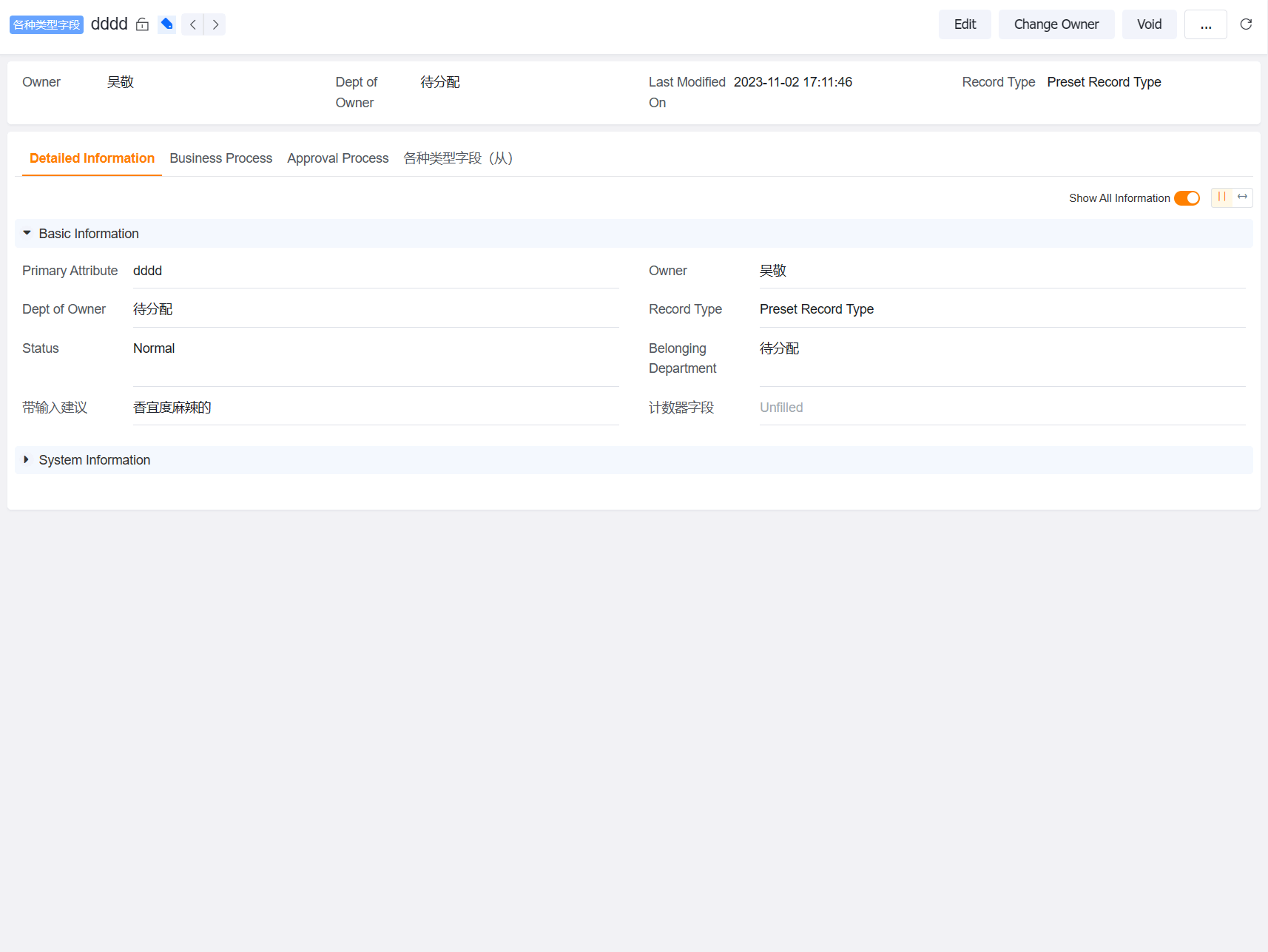
Main Features
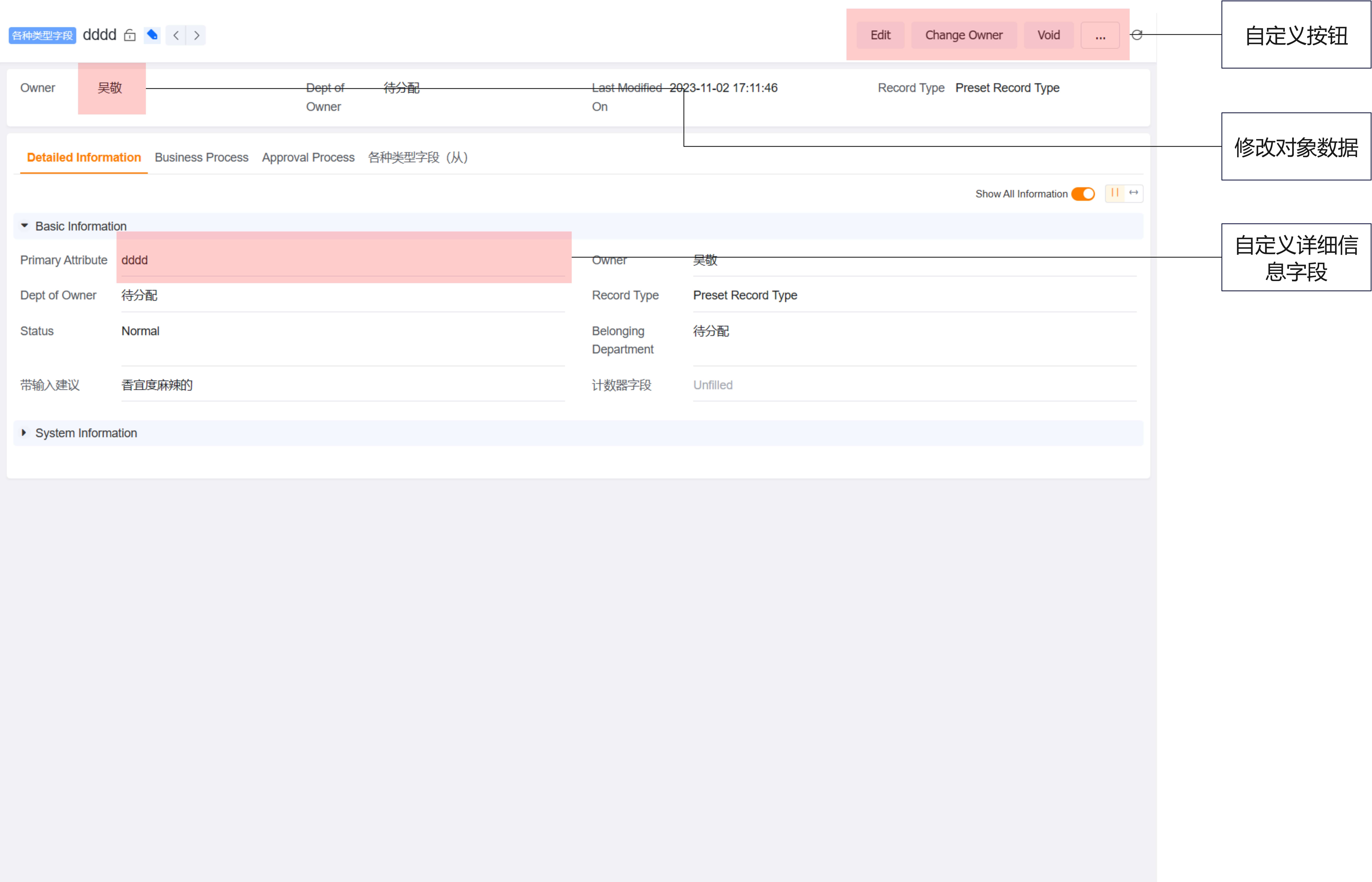
Currently, the following extensions are supported:
- Extend buttons: delete button, add button, edit button
- Extend fields: customize fields in the detail information component
- Modify object data
Development Guide
How to Develop a Detail Page Plugin from Scratch
Step 1: Create a Custom Plugin
Log in to the Fxiaoke Admin Console.
In the left navigation bar, click Custom Plugins.
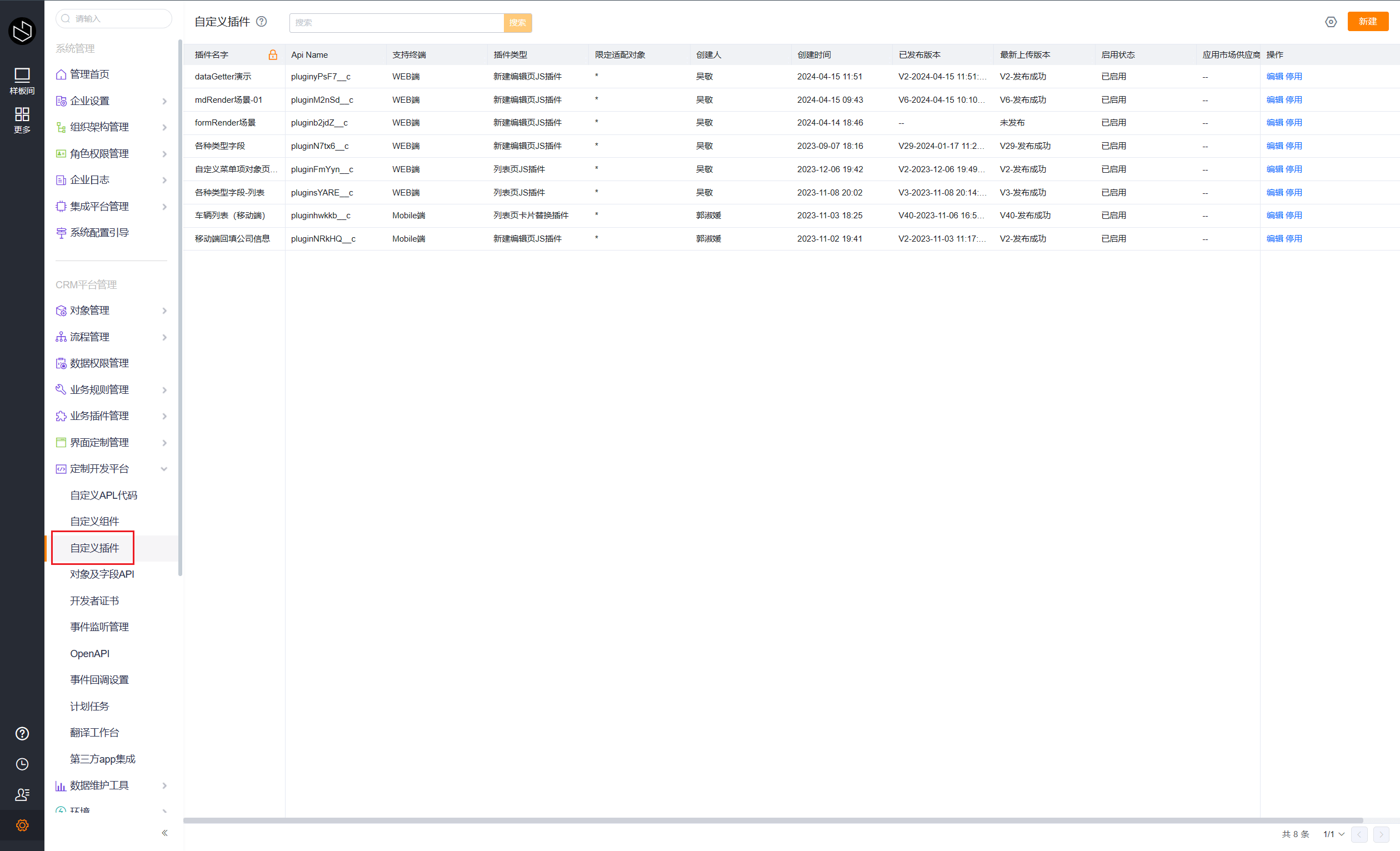
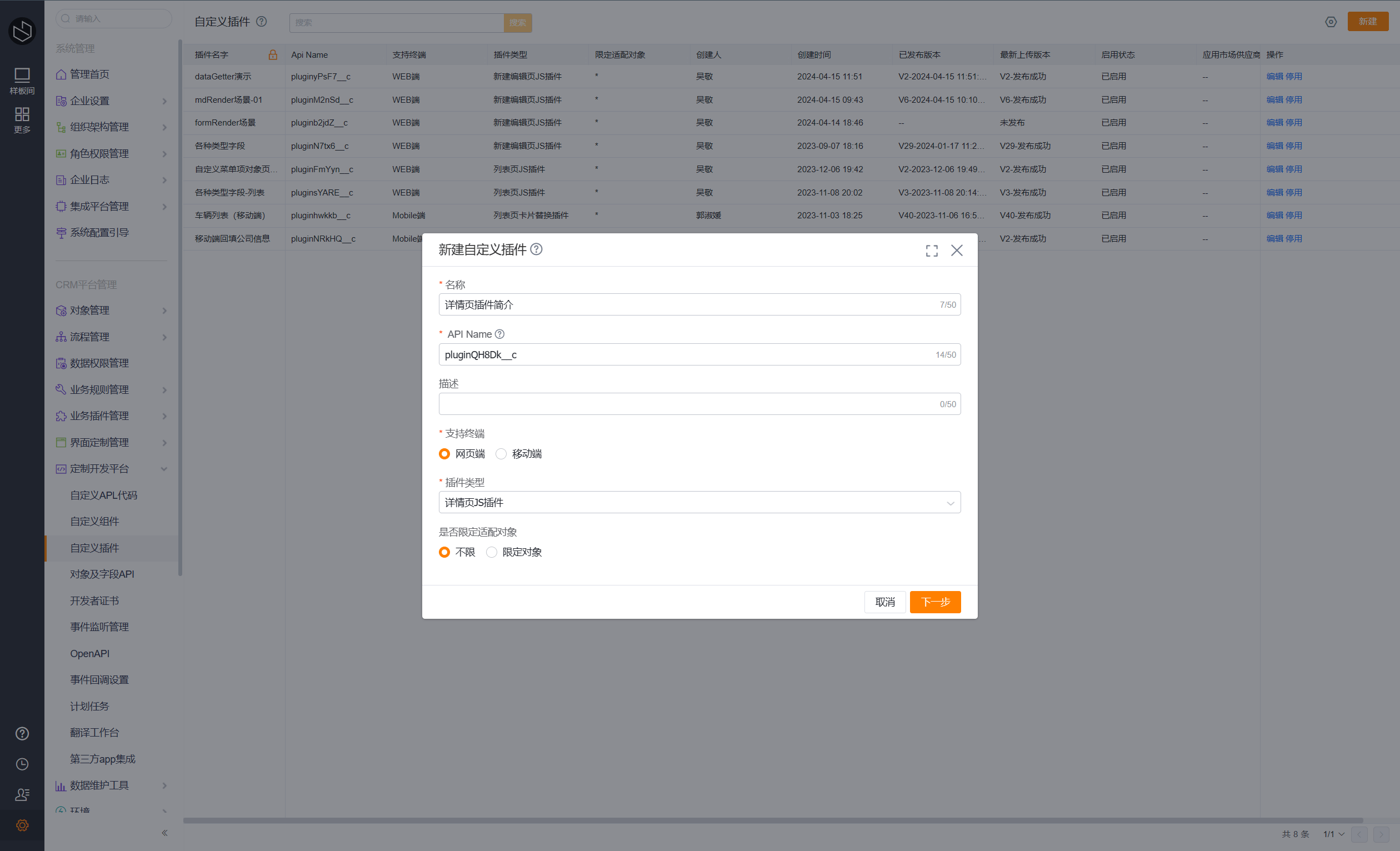
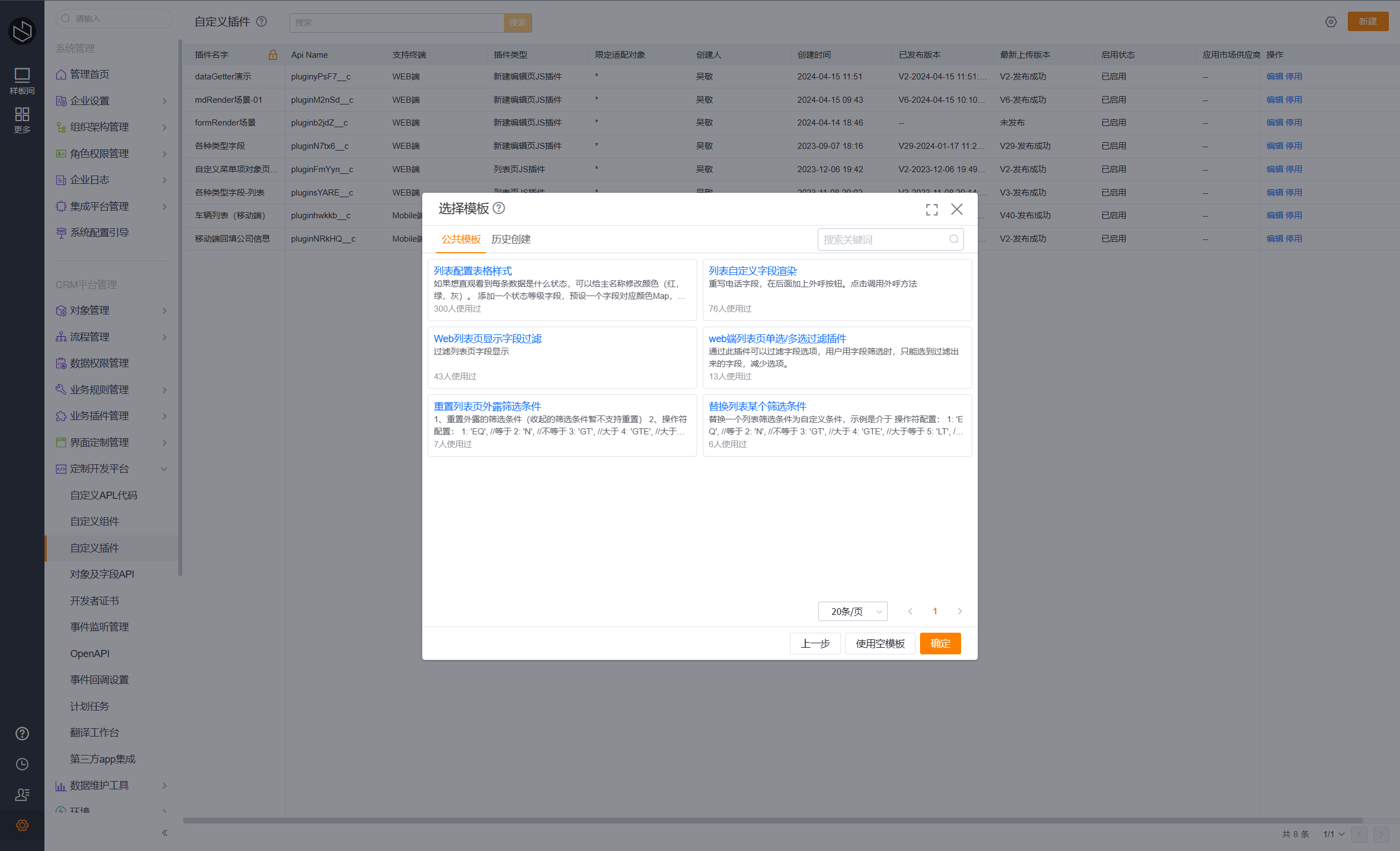
Click New, fill in Name, Supported Terminal, and Plugin Type, then click Next. Choose Empty Template, Create Code File, paste the following code, choose the Entry File, and click Publish.
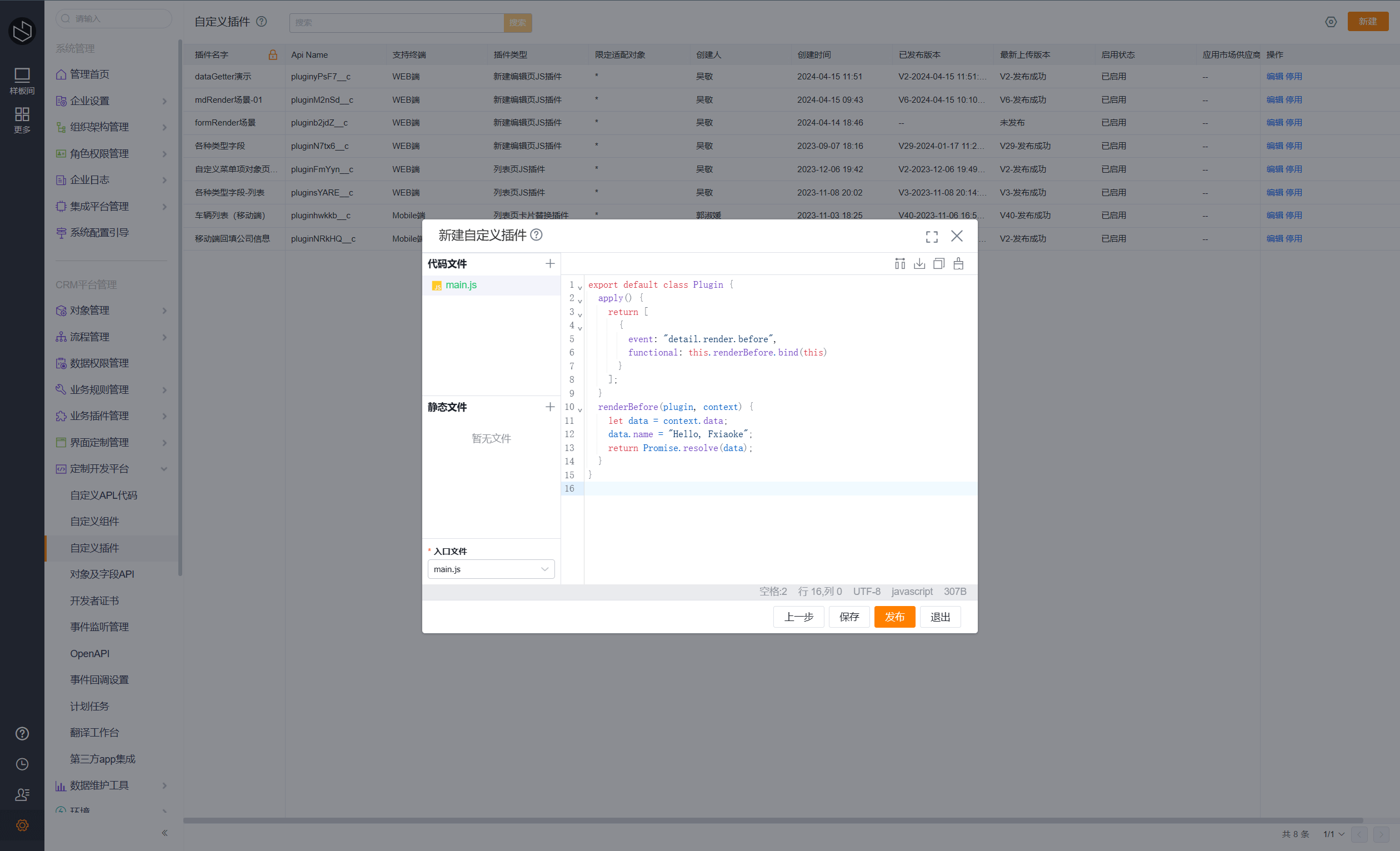
export default class Plugin {
    apply() {
        return [
            {
                event: "detail.render.before",
                functional: this.renderBefore.bind(this)
            }
        ];
    }
    renderBefore(context, plugin) {
        let data = context.data;
        data.describe.display_name = `${data.describe.display_name}-${data.describe.api_name}`;
        return Promise.resolve(data);
    }
}
Step 2: Configure the Custom Plugin
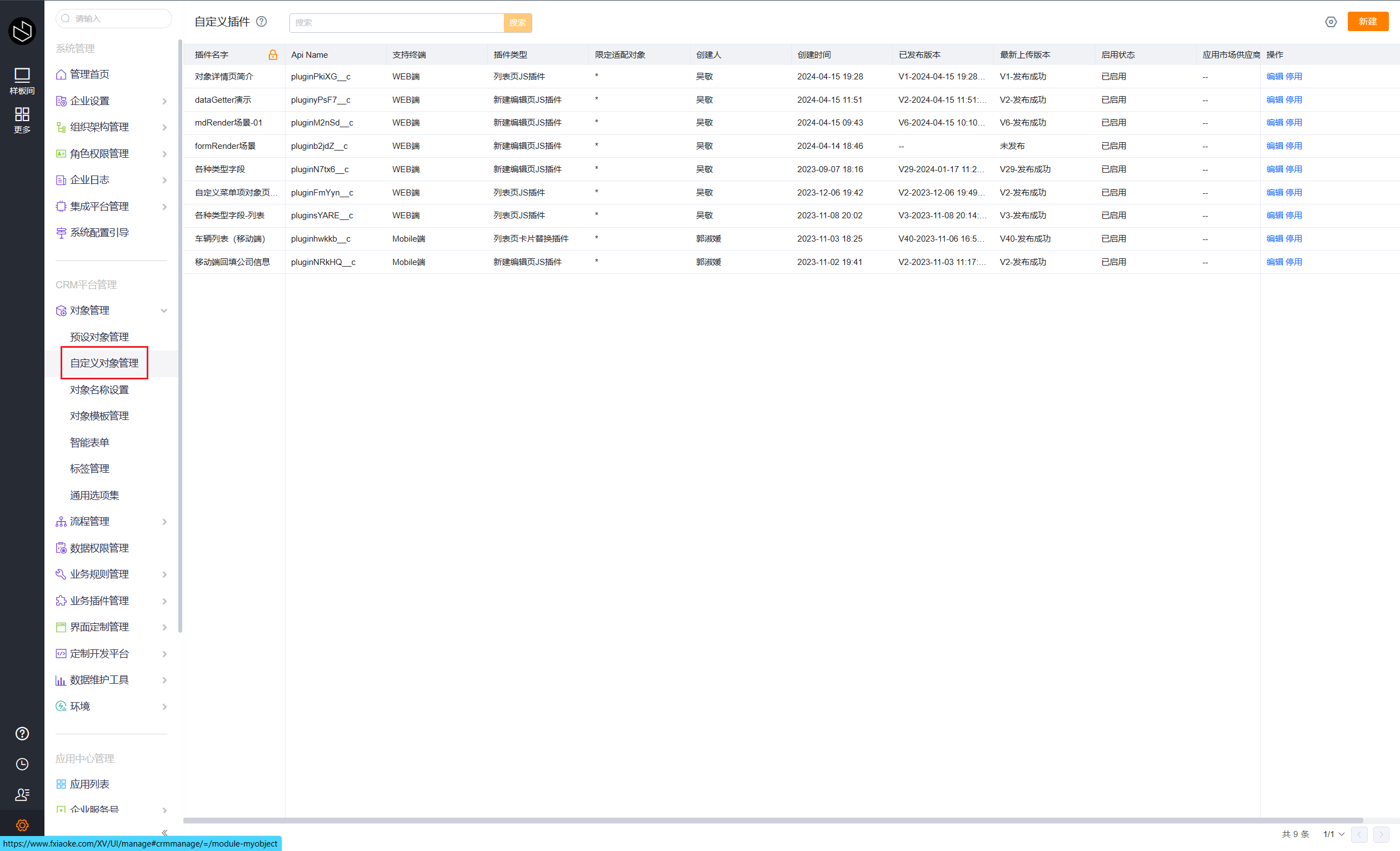
In the left navigation bar, click Custom Objects.
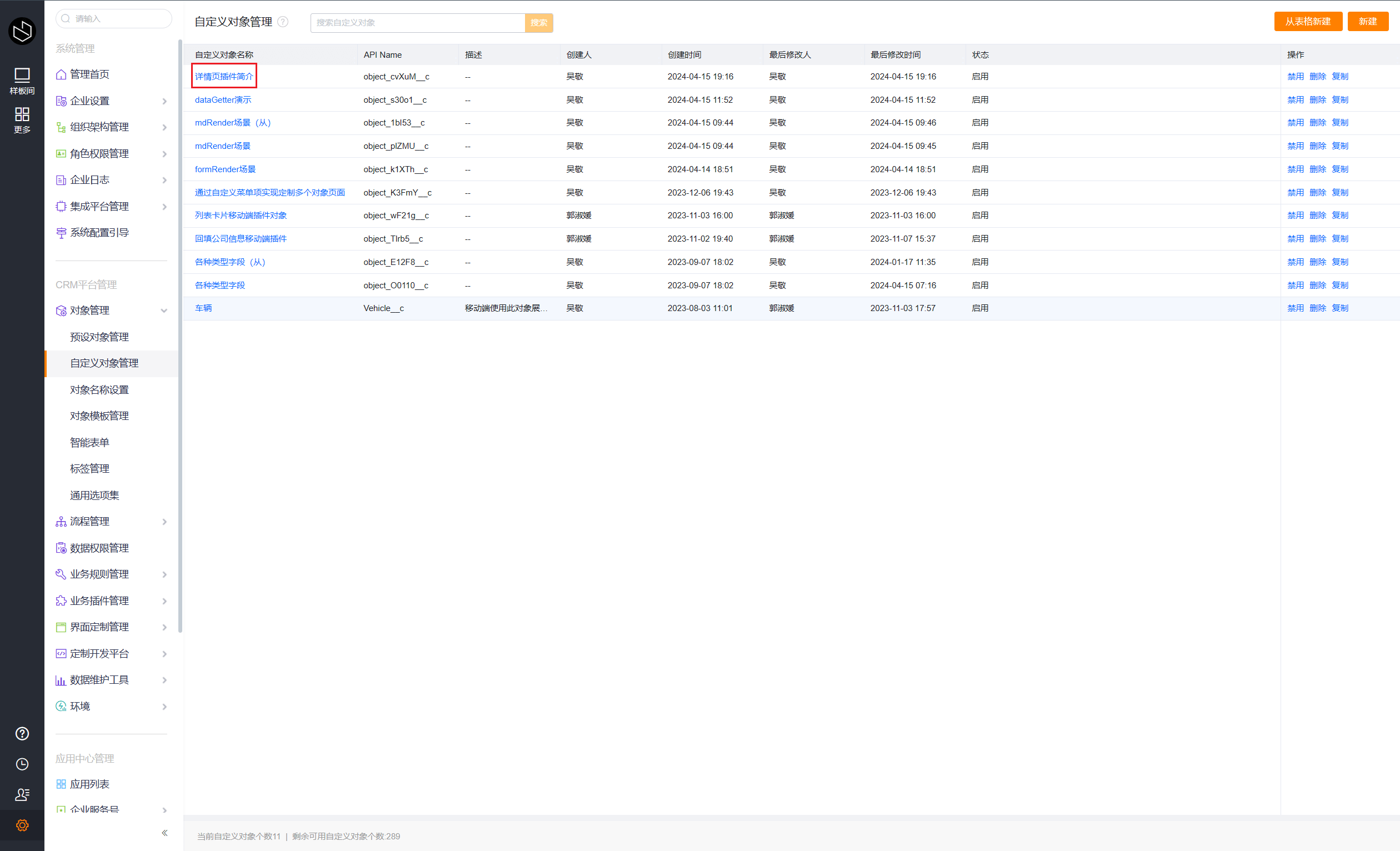
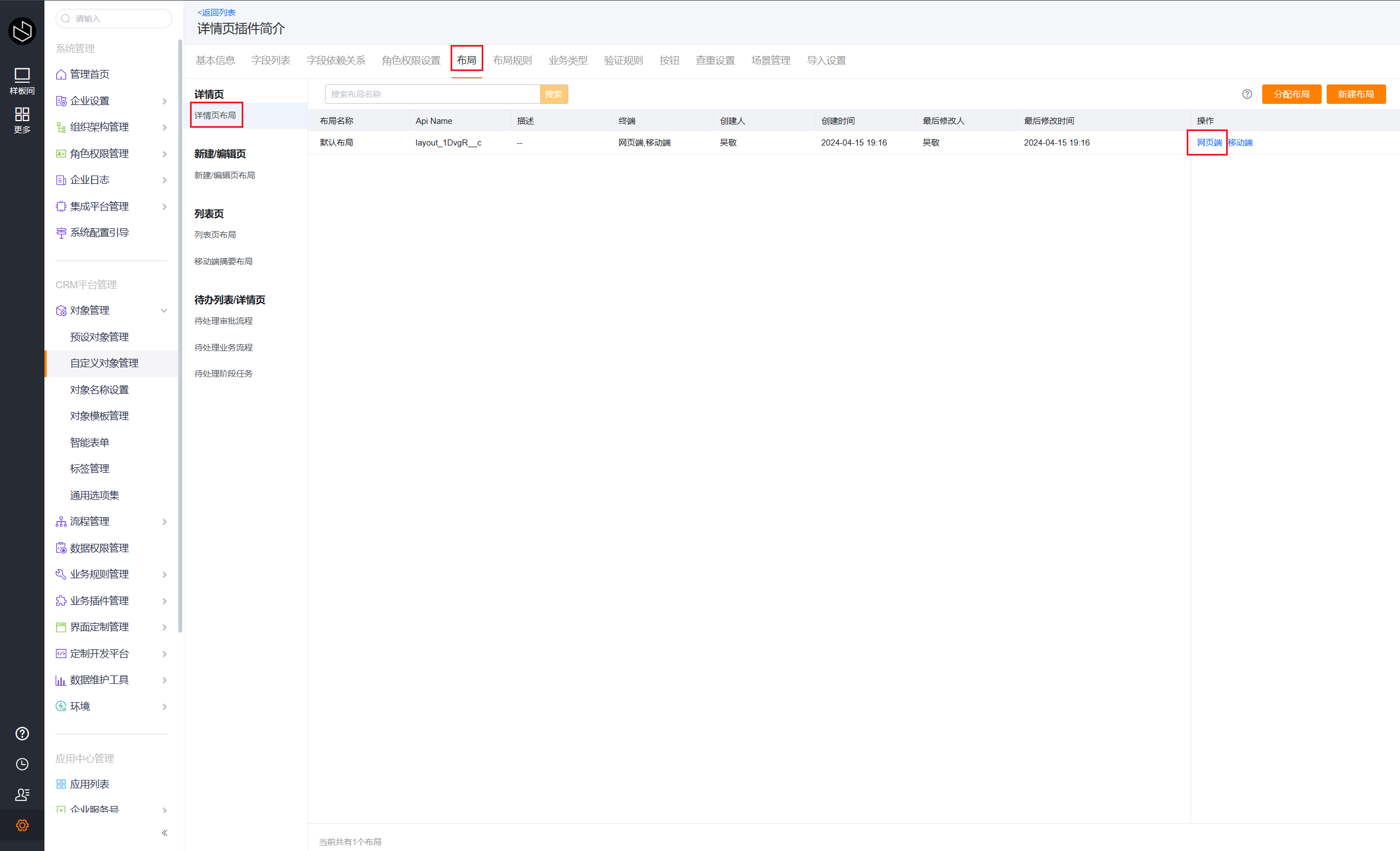
Click the Object Name to enter object management, then click Layout, click Detail Page Layout, and click Web to enter the layout designer.
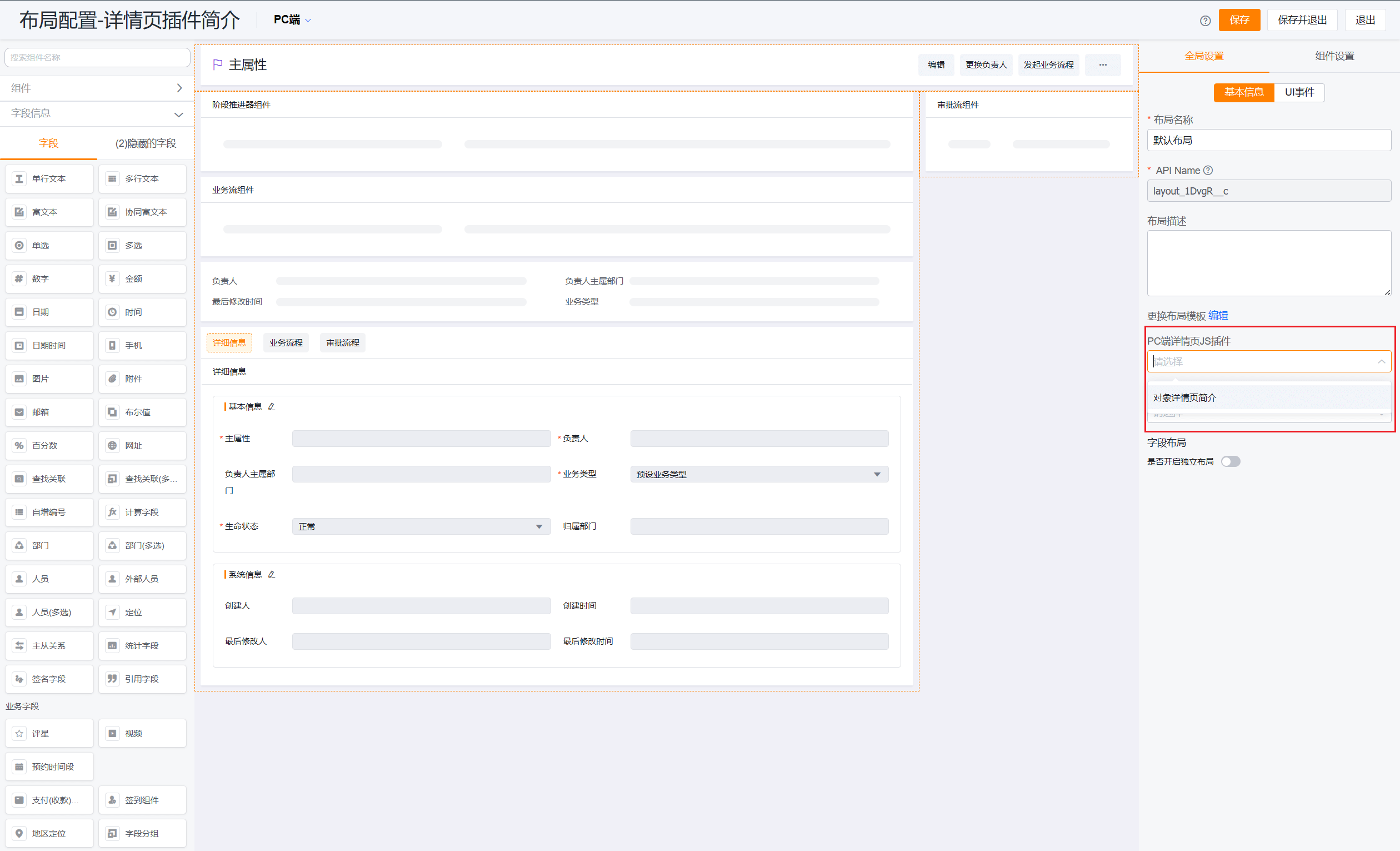
In Global Settings on the right, modify the PC Detail Page JS Plugin field, select the plugin you just created, and click Save and Exit.
Step 3: View the Result
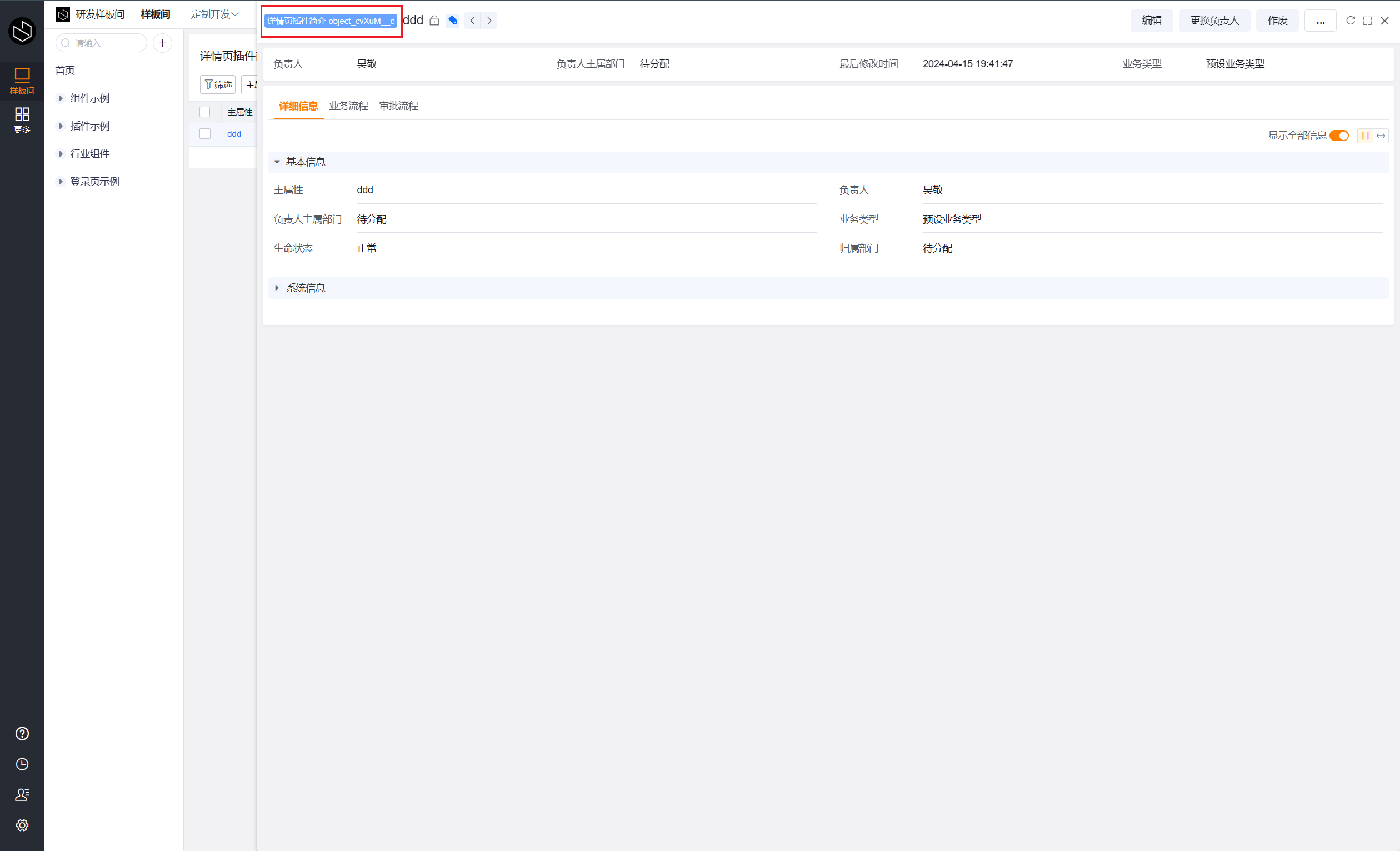
Open the detail page of the current object data. You will find that the title area now displays the object's APIName in addition to the object name.
Events and Context
Events
| Name | Function |
|---|---|
| detail.parse.before | This hook is triggered before the detail page processes data |
| detail.render.before | This hook is triggered before the detail page is rendered |
| detail.render.after | This hook is triggered after the detail page is rendered |
| detail.form.render.before | This hook is triggered before the detail information component is rendered |
| detail.previewImage.before | This hook is called before previewing a detail image field |
| detail.head_info.render.before | This hook is triggered before the detail page header component is rendered |
| detail.logs.render.before | This hook is called before operation logs are rendered |
| detail.relatedlist.render.before | This hook is triggered before rendering the related object table on the detail page |
| detail.relatedlist.render.after | This hook is triggered after rendering the related object table on the detail page |
| detail.multitable.render.before | This hook is triggered before rendering the child object table on the detail page |
| detail.multitable.render.after | This hook is triggered after rendering the child object table on the detail page |
Context
bizApi
| Name | Function |
|---|---|
| refresh | Refreshes the detail page |
| hidePage | Closes the detail page |
| fullScreen | Controls full-screen mode |
| prevPage | Moves to the previous record |
| nextPage | Moves to the next record |
dataGetter
| Name | Function |
|---|---|
| getData | Get current object data |
| getDescribe | Get current object metadata |