
English
Fxiaoke Single Sign-On (SSO)
Fxiaoke Single Sign-On (SSO) is an authentication and authorization security mechanism that enables shared login between Fxiaoke CRM and client systems. It allows users to access Fxiaoke CRM without repeated logins after initial authentication, achieving "login once, access multiple systems" to enhance enterprise account security and management efficiency.
Key features:
- Quick Login: Users can bypass Fxiaoke CRM's login verification by leveraging internal enterprise authentication (e.g., corporate intranet systems). The system binds enterprise identity markers to Fxiaoke CRM for rapid access.
- One-click Logout: The SSO mechanism includes single logout functionality. Enterprises can configure simultaneous logout from both internal systems and Fxiaoke CRM to maintain login state consistency and security policies.
Background
The SSO protocol between clients and Fxiaoke must comply with either SAML 2.0 or OAuth 2.0 standards to ensure account security and management convenience.
OAuth 2.0 Protocol
Details: https://help.fxiaoke.com/9adk/da31/119e
SAML Definition
SAML (Security Assertion Markup Language): An XML-based open standard used for exchanging authentication data between Service Providers (SP - Fxiaoke Server) and Identity Providers (IDP - client authentication systems).
- SP (Service Provider): Entity providing commercial services that requires user authentication
- IDP (Identity Provider): Entity responsible for user identity verification
X.509 Certificate: A standard defining public key certificate formats, widely used in internet protocols including TLS/SSL (HTTPS foundation). Contains public keys and identification information, signed by Certificate Authorities (CA) or self-signed.
SAML Protocol Functions
Authentication Statement: Confirms user authentication status (typically for SSO)
Attribute Statement: Declares subject attributes
Authorization Decision Statement: Specifies resource permissions (user rights for specific operations)
CRM Configuration Guide
Prerequisites
Technical teams from both parties must coordinate to generate:
- SAML-XML message from Fxiaoke
- SAML-XML message from client
Configuration Parameters
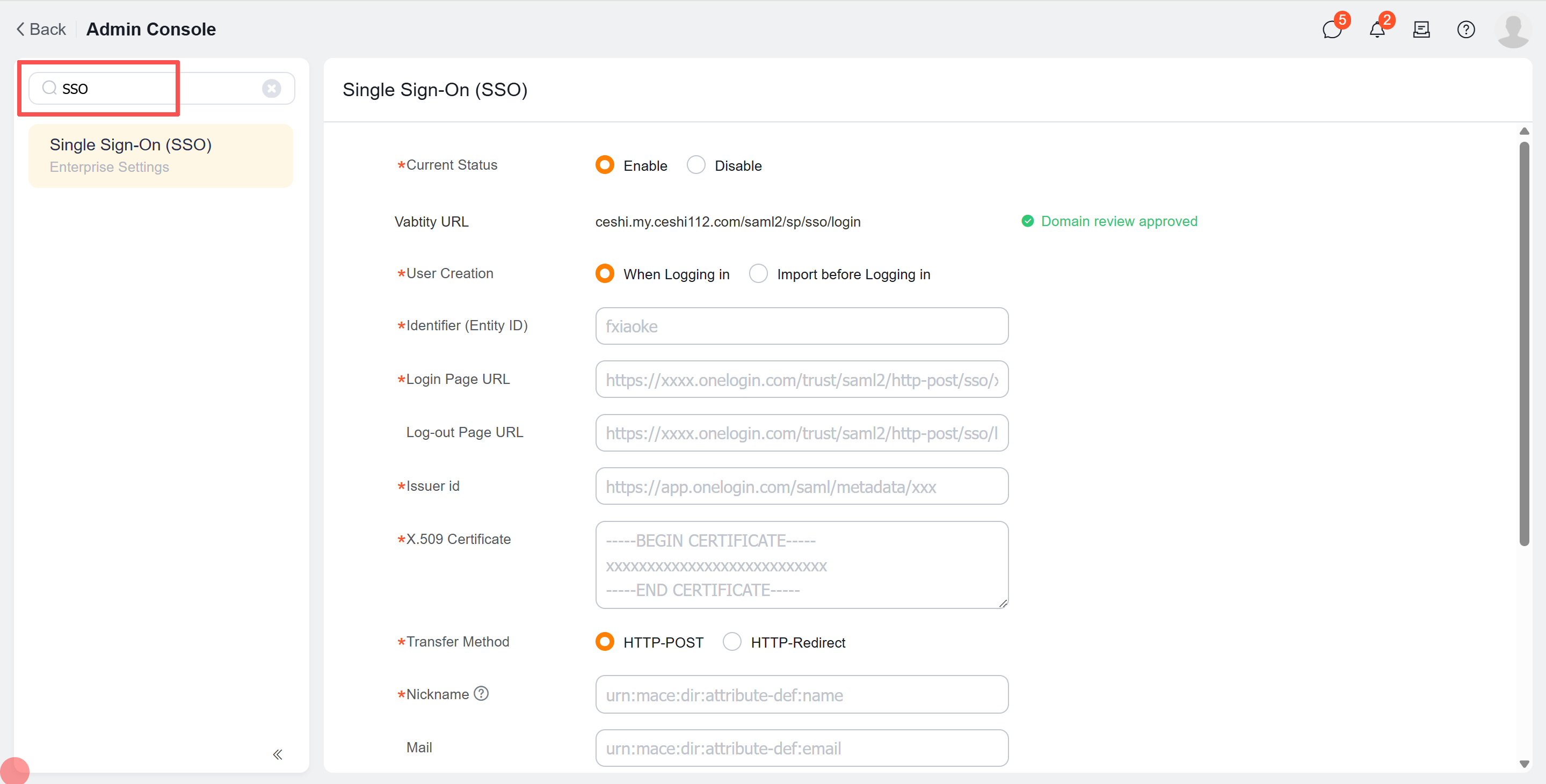
SSO URL: Format: English-only, no special characters/spaces (e.g., "baidu" for Baidu) Example: baidu.my.fxiaoke.com/saml2/sp/sso/login
User Creation: Select "Pre-login Import" for user mapping (recommended default)
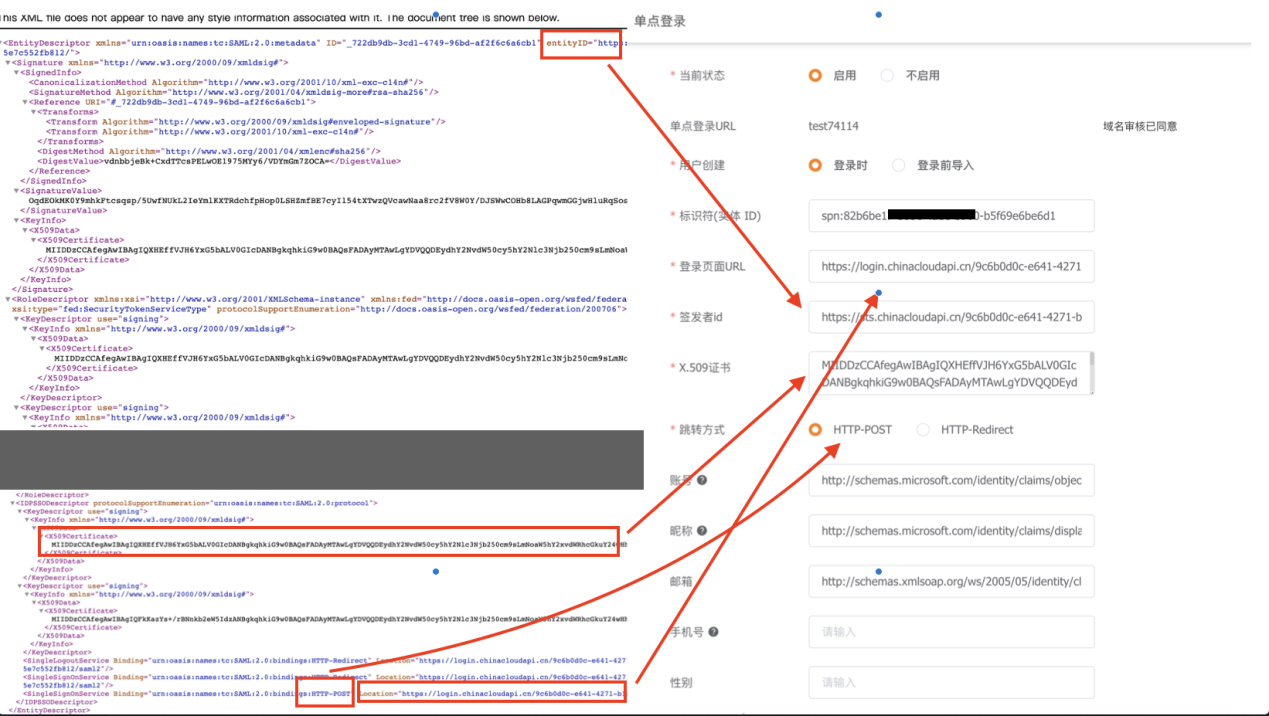
Entity Identifier: Source: Fxiaoke-provided XML
Value: EntityDescriptor-entityID
Example: xxx-crm
Login Page URL: Source: Client XML
Value: SingleSignOnService-Binding-Location
Example: https://sso.xxx.com/cas/idp/profile/SAML2/Redirect/SSO
Issuer ID: Source: Client XML
Value: EntityDescriptor-entityID
Example: https://sso.xxx.com/idp
X.509 Certificate: Source: Client XML
Value: ds:X509Certificate
Redirect Method: Source: Client XML
Value: SingleSignOnService-Binding-bindings
Options: HTTP-POST/HTTP-Redirect
Nickname Attribute: Source: Client XML/SSO administrator
Value: AttributeStatement-Attribute-Name
Example: urn:oid:2.5.4.42
Email Attribute: Source: Client SSO administrator
Example: http://schemas.xmlsoap.org/ws/2005/05/identity/claims/emailaddress
Configuration Diagrams: