

English
Embed a Third-Party System
Many enterprises have their own systems. While using Fxiaoke, they also want quick access to related information in their own systems. Of course, this access often requires passing some Fxiaoke data to the external system, not just attaching a plain link. This article shows you how to build a custom component to embed a third-party system.
Define the URL Rule
Take Baidu Search as an example:
Let's first look at Baidu's URL rule.
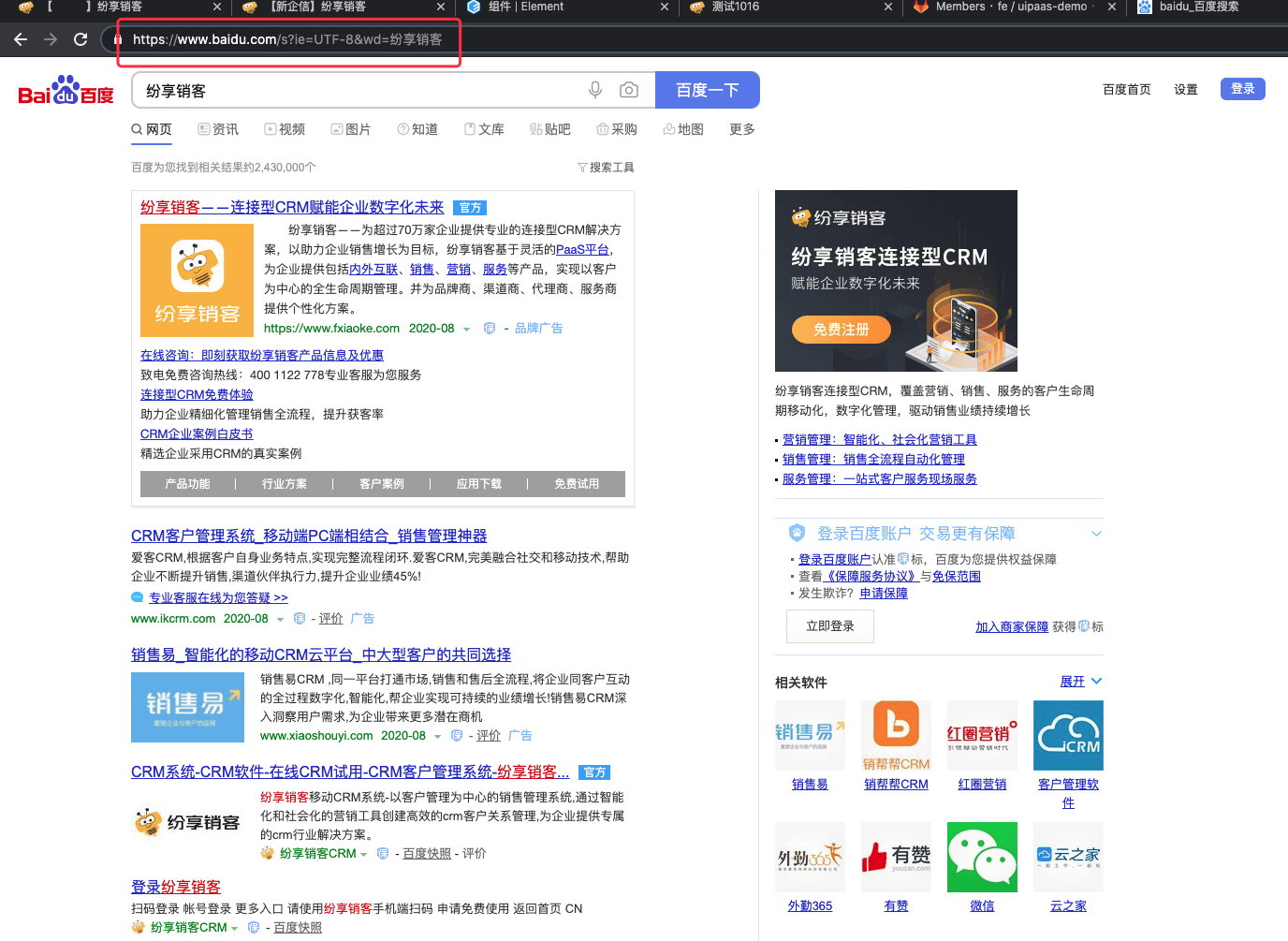
The rule is https://www.baidu.com/s?ie=UTF-8&wd=${keyword}.
For example: https://www.baidu.com/s?ie=UTF-8&wd=CRM performs a Baidu search for CRM.
Write a Custom Controller
String url = "https://www.baidu.com/s?ie=UTF-8&wd=" + keyword // The URL rule mentioned above
log.info("url=" + url)

Map ret = ["url": url]
return ret
This needs to be configured in a custom function. After configuration, a custom function API Name will be generated. Assume it is func_nK8fQ__c.
Now let's start developing the custom component.
Write the Template
<template>
    <div style="width: 100%;">
        <iframe id="" name="google_ads_frame2" width="100%" height="400" frameborder="0" :src="url" marginwidth="0" marginheight="0" vspace="0" hspace="0" allowtransparency="true" scrolling="no" allowfullscreen="true"></iframe>
    </div>
</template>
Write the Script
Let's break down the idea:
We need to get all detail data of the current record. This depends on the API provided by
FxUI.Call the custom controller to get the final URL. This also depends on the API provided by
FxUI.
<script>
export default {
    props: ['data'],
    data() {
        return {
            url: ''
        }
    },
    created() {
        this.fetch();
    },
    methods: {
        fetch() {
            // Step 1 mentioned above: get object data
            FxUI.objectApi.fetch_data(this.data.object_api_name, this.data.object_id).then((data) => {
                // Step 2 mentioned above: call the custom controller
                FxUI.userDefine.call_controller('func_nK8fQ__c', {
                    params:[
                        {
                            "name": "keyword",
                            "value": data.name,
                            "type": "String"
                        }
                    ]
                }).then((res) => {
                    if(res.Value.success) {
                        this.url = res.Value.functionResult.url
                    }
                })
            })
        }
    }
}
</script>
Because inline styles are used, no style block is required.
Complete Code
<template>
    <div style="width: 100%;">
        <iframe id="" name="google_ads_frame2" width="100%" height="400" frameborder="0" :src="url" marginwidth="0" marginheight="0" vspace="0" hspace="0" allowtransparency="true" scrolling="no" allowfullscreen="true"></iframe>
    </div>
</template>
<script>
export default {
    props: ['data'],
    data() {
        return {
            url: ''
        }
    },
    created() {
        this.fetch();
    },
    methods: {
        fetch() {
            FxUI.objectApi.fetch_data(this.data.object_api_name, this.data.object_id).then((data) => {
                FxUI.userDefine.call_controller('func_nK8fQ__c', {
                    params:[
                        {
                            "name": "keyword",
                            "value": data.name,
                            "type": "String"
                        }
                    ]
                }).then((res) => {
                    if(res.Value.success) {
                        this.url = res.Value.functionResult.url
                    }
                })
            })
        }
    }
}
</script>
Actual Display Effect
In real scenarios, the custom controller and custom component are usually much more complex than this example. This example is only meant as an introduction, and actual project implementation still requires you to extend these ideas to build richer and more diverse application scenarios.